
 By ByteBot
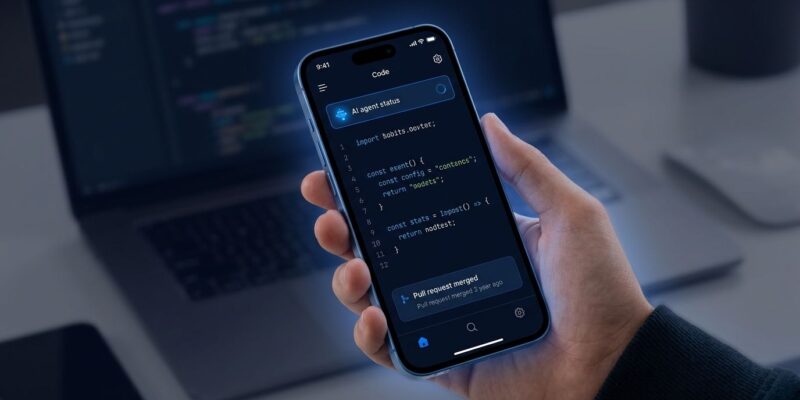
Cursor shipped a native iOS app on June 29, and it is not what most people expected. You can now launch a cloud coding agent from your phone, let it run while you do something else entirely, and merge its pull request from the couch. This is not a companion app or a code viewer. It is a serious attempt to move the agentic development loop off the desk — and the developer community is not quite sure what to make of it.
Two Modes, One App — and the Difference Matters
The iOS app does two distinct things that are easy to conflate. Cloud agents run on Cursor’s own infrastructure in isolated virtual machines. Launch one, describe what you want, and your laptop can stay closed. The agent has a full development environment — terminal, file system, browser — and keeps working until the job is done or it needs you. You pay for this with cloud compute credits on top of your subscription.
Remote Control is different. Here the agent runs on your own machine. Your computer stays on, the agent uses your local environment, and the iOS app is the steering wheel. No extra credits, full access to your local files and tools — but your machine must stay awake and online. Teams and Enterprise customers need an admin to enable Remote Control from the Dashboard. For most individual developers, Remote Control is the right starting point: cheaper, simpler, full control of your environment.
Where It Actually Helps
The use cases that make sense here are specific. On-call engineers can join an active incident from their phone, let an agent read logs and surface a root cause, then approve a config patch — without opening a laptop at 2 AM. Developers can kick off an agent before leaving the office, get a push notification on the commute that it needs a decision, redirect it, and come back to a finished PR. The visual feedback loop is useful: screenshot a bug from Slack or a design tool, annotate it directly in Cursor for iOS, and hand that annotated image to the agent as context. Merging pull requests from the phone — after reviewing the diff in the app — cuts out the laptop entirely for routine approvals.
The Community Is Split, and That Tells You Something
The reaction from the developer community has been sharply divided, and the divide is revealing. Supporters point out that demand was real long before the app existed — Cursor’s own forums had a steady stream of third-party bridges and workarounds from developers who wanted phone access. One developer explained it plainly: “I have two small kids and don’t want to be chained to my desk.” That is not a power-user niche. That is most senior engineers at some point in their careers.
The skeptics have a different objection. It is not really about features — reviewing diffs on a small screen is harder than on a 27-inch monitor, and the mobile UI is admittedly constrained. The concern is identity. Cursor 3, which launched in April, already shifted the interface from a file editor toward an agent orchestration dashboard. For users who chose Cursor specifically because it was the best IDE, that shift felt like drift. iOS extends that same logic further: the editor is becoming a remote control for an always-on system. That is a different product than what many people signed up for.
What You Cannot Do Yet
The iOS app is paid-only — Pro, Business, Teams, and Enterprise plans — which excludes the free tier entirely. Android has no native app at launch, only a web version that lacks the Live Activities, push notifications, and OS integration that make the iOS experience work. And reviewing complex diffs on a phone screen remains genuinely painful, whatever the marketing suggests.
The Bigger Picture
The timing of this launch is worth noting. The iOS app shipped two weeks after SpaceX agreed to acquire Anysphere for $60 billion — the largest venture-backed startup acquisition on record. Cursor has $4B in annualized revenue and over a million paying customers. This is not a startup shipping a fun side feature. It is a company preparing to integrate with xAI’s developer ecosystem, betting that the next generation of developer tooling looks less like an IDE and more like a control plane you access from wherever you happen to be.
Whether the skeptics are right about identity drift or the supporters are right about workflow liberation, Cursor for iOS signals where the industry thinks developer work is going. If cloud agents running autonomously become the norm, the enterprise governance concerns that follow will be the real story. For now, the app is in public beta on all paid plans. If you are on a paid Cursor plan, it is worth an hour of your time to form your own opinion.


