
 By
By Husky has roughly 7 million weekly npm downloads. That number exists because Git left a hole in its own hook system for decades — and developers filled it with a Node.js package. Git 2.54, released in April 2026, finally patches that hole. Config-based hooks let you define pre-commit checks, linters, and quality gates directly in your .gitconfig — without installing a single npm package or copying scripts into an untracked directory.
This changes the calculus on hook management. Not completely — Husky is not dead — but for a meaningful slice of workflows, it is now redundant.
What the Old Model Got Wrong
Git hooks have always lived in .git/hooks/. That directory is not tracked by Git. Every new developer, every new clone, every new machine requires hooks to be reinstalled manually — or through a wrapper tool that automates the ceremony. Husky, pre-commit, and lefthook all exist because Git never solved this natively. Git 2.54 solves the management side of the problem. It does not solve the distribution side — more on that in a moment.
How Config-Based Hooks Work
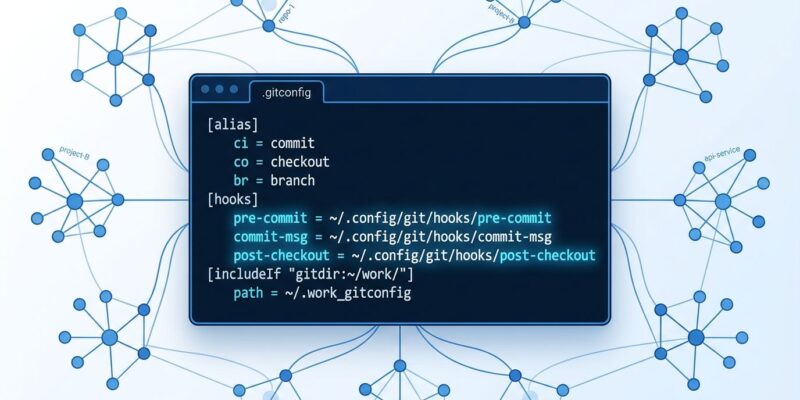
Starting with Git 2.54, you can define hooks directly in any Git configuration file: system (/etc/gitconfig), global (~/.gitconfig), or local (.git/config). The syntax uses a named [hook] section:
[hook "lint"]
  event = pre-commit
  command = npm run lint

[hook "no-leaks"]
  event = pre-commit
  command = ~/bin/secret-scanner

[hook "spellcheck"]
  event = commit-msg
  command = ~/bin/spellchecker
Git reads these in config parse order and runs them sequentially. Multiple hooks can share the same event. One hook can attach to multiple events. The composability is clean — no wrapper scripts, no symlinks.
The Configuration Keys You Need
hook.<name>.command— path to executable or shell onelinerhook.<name>.event— multi-valued; list the same key twice for multiple eventshook.<name>.enabled— set tofalseto disable without removing confighook.<name>.parallel— set totrueif the hook is safe to run concurrentlyhook.jobs— how many hooks run simultaneously;-1uses all CPU coreshook.pre-commit.enabled = false— disables all pre-commit hooks at once
You can manage hooks entirely from the command line:
# Add a hook to global config
git config --global set hook.lint.command "npm run lint"
git config --global set --append hook.lint.event pre-commit

# Also trigger on pre-push
git config --global set --append hook.lint.event pre-push

# Temporarily disable it
git config --global set hook.lint.enabled false

# See what will run and where it is defined
git hook list --show-scope pre-commit
That last command deserves attention: git hook list --show-scope shows whether a hook is coming from global, system, or local config. Debugging “why is this hook firing everywhere” becomes a one-liner instead of a hunting expedition.
The Honest Limitation: Teams Still Need Husky
Here is what the “Husky killer” takes will skip: .git/config is not version-controlled. Define hooks there and they vanish the moment someone clones the repo fresh. There is no auto-install mechanism equivalent to what Husky provides via npm install.
Husky’s value for teams is precisely this: clone the repo, run npm install, hooks are live. Committed to .husky/, tracked by Git, applied automatically. Git 2.54 cannot replicate that without a separate setup script.
Where Git 2.54 hooks unambiguously win:
- Personal global hooks. A secret scanner or formatter in
~/.gitconfigfires in every repo you touch, regardless of what is installed in that repo. - Non-Node.js projects. Husky is not a realistic option for Go, Rust, or C++ projects. Native config hooks are language-agnostic.
- Org-managed machines. Sysadmins can push a
/etc/gitconfigwith required security hooks that apply system-wide, across every repo, with no per-project configuration. - CI environments. Define machine-level hooks in the CI runner’s global config and enforce them across all jobs without touching individual repos.
Where Husky still earns its place:
- Team Node.js projects where clone + npm install = hooks active is a hard requirement.
- Workflows that depend on lint-staged to scope hooks to staged files only.
Practical Migration for Individual Developers
If you have personal hooks scattered across repos, moving them to global config is straightforward:
# Move personal hooks to global config
git config --global set hook.scan.command "~/bin/trufflehog.sh"
git config --global set --append hook.scan.event pre-commit

git config --global set hook.format.command "gofmt -w ."
git config --global set --append hook.format.event pre-commit

# Verify
git hook list --show-scope pre-commit
# global: scan
# global: format
For team projects, a versioned scripts/install-hooks.sh that runs git config set commands is still a manual step — but the commands are committed and reproducible. It is not as seamless as Husky, but it is explicit.
What Git 2.55 Adds
Parallel hook execution is targeted for Git 2.55. Hooks marked parallel = true with a nonzero hook.jobs setting will run concurrently. Commit-critical hooks like pre-commit remain sequential by design — Git is not trading correctness for speed there. But for hooks on pre-push or post-receive, independent checks running in parallel could meaningfully reduce wall-clock time in large repos.
Verdict
Git 2.54 config-based hooks solve a different problem than Husky. Husky solves hook distribution for teams. Git 2.54 solves hook management for individuals and system administrators. The two layers can coexist — and for many workflows, they should.
If you are on a non-Node project, a solo developer, or managing machines at org scale, Husky was always a workaround. Now there is a native option that does not require npm and works across every repo on every machine. The upgrade path is simple: get Git 2.54, move your personal hooks to ~/.gitconfig, and run git hook list --show-scope pre-commit. That single command paying off is a good sign you are in the right place.


