 By
By Google announced a lot at I/O 2026. Gemini 3.5, Veo 3, and smart glasses dominated the coverage. The Managed Agents API — quietly the most useful developer announcement of the event — got buried in a 90-second demo. That was a mistake. If you build things with AI, this is the one worth your attention: a single API call now provisions a fully autonomous agent inside an isolated Linux sandbox hosted by Google, no orchestration framework required.
One Call, One Sandboxed Agent
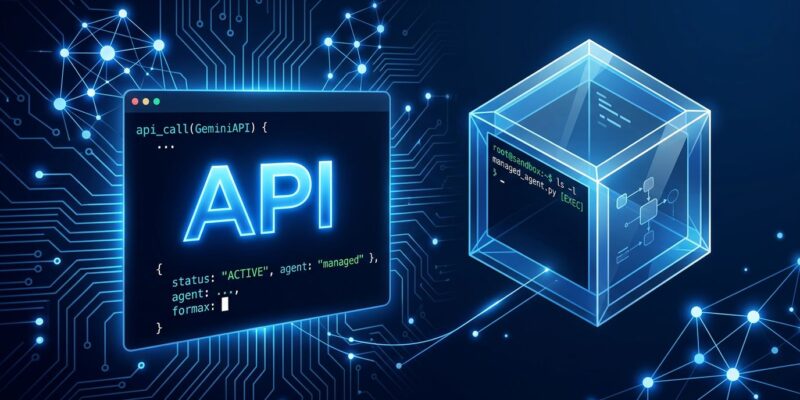
The Managed Agents API, announced at Google I/O 2026 on May 19, exposes what Google calls the Interactions API. You pass a prompt and an agent ID; Google provisions an isolated Ubuntu environment and runs the agent loop for you. Here is the minimal Python example:
from google import genai

client = genai.Client()

interaction = client.interactions.create(
    agent="antigravity-preview-05-2026",
    input="Scrape the top 10 Hacker News stories, summarize them, and save to hn_summary.md"
)

print(interaction.output_text)
print(interaction.environment_id)  # pass this back for follow-up calls
The sandbox runs Ubuntu with Python 3.12, Node.js 22, Bash, 4 CPU cores, and 16 GB of RAM. The agent installs packages, executes code, writes files, and browses the web — all without touching your machine. The environment_id persists for seven days (idle timeout is 15 minutes), so multi-turn sessions carry full state:
interaction_2 = client.interactions.create(
    agent="antigravity-preview-05-2026",
    environment=interaction.environment_id,
    previous_interaction_id=interaction.id,
    input="Now generate a chart from the data and save it as hn_chart.png"
)
interaction.steps gives you each reasoning step and tool call the agent made — the closest thing to an audit trail available in this preview.
Custom Agents: Behavior in Markdown, Not Code
The built-in Antigravity agent is general-purpose. For domain-specific work, Google has opened up the same harness via custom managed agents. You define them using two markdown files placed in a .agents/ directory:
- AGENTS.md — the agent’s persona, behavioral guidelines, constraints, and the skills it can invoke. This is your system prompt, version-controlled alongside your code.
- SKILL.md — defines specialized, repeatable actions. One file per capability, nested under
.agents/skills/<skill_name>/.
Register the agent, receive an agent ID, and call it through the same Interactions API. No orchestration code — behavioral definition replaces imperative wiring entirely. The official quickstart walks through the full registration flow in under ten minutes.
This pattern will feel familiar to anyone using Claude Code’s CLAUDE.md convention or GitHub’s AGENTS.md spec. Whether by design or convergence, the industry is settling on a markdown-as-agent-definition standard — the same way docker-compose.yml normalized container configuration without requiring developers to write container runtime code.
What Is Missing (And It Matters)
The honest picture: Managed Agents in preview is missing several capabilities developers in 2026 treat as baseline. Not supported yet: function_calling, mcp, computer_use, file_search, and google_maps. The MCP gap is the most significant. If you have built tooling on the Model Context Protocol — and a growing number of teams have — Managed Agents cannot reach it yet. You are back to defining capabilities manually in SKILL.md.
The Antigravity 2.0 launch did not help confidence either. Google pushed the 2.0 update automatically, broke existing developer environments, wiped stored configurations, and removed the built-in code editor with no migration path. The community took note. Quota limits at scale also push you toward the $100/month AI Ultra tier faster than most individual developers want. Observability remains thin compared to LangGraph with LangSmith — you get interaction.steps, not checkpointing or streaming debugging.
When to Use This vs. Something Else
Managed Agents is not a LangGraph replacement. The tradeoff is the classic serverless analogy: Lambda is not an EC2 replacement, but it is the right tool when infrastructure is not the point. The same logic applies here.
Use Managed Agents when you want an autonomous agent running in minutes, the task is one-off or low-frequency automation (data pipelines, report generation, code scaffolding), you have no interest in managing agent infrastructure, or you are prototyping before committing to a production architecture.
Stick with LangGraph or ADK when you need production-grade observability and debugging, latency and token efficiency matter, your workflow requires function_calling or MCP tools, or you cannot accept Google-hosted execution for data residency or compliance reasons.
The Bottom Line
Managed Agents is the most practical zero-infrastructure entry point into autonomous AI agents that currently exists. The sandbox isolation is real, the API is clean, and defining agent behavior in AGENTS.md is genuinely better than writing orchestration boilerplate for simple to medium-complexity automation. The preview billing waiver through June 30 makes now the right time to run something real with it.
But do not mistake “easy to start” for “ready for production.” Missing MCP support, thin observability, and the messy 2.0 launch are real concerns. Google is moving fast here, which cuts both ways. The full developer keynote summary has the broader context if you want to see where Managed Agents fits in Google’s overall agent story. Build something with it now — you will form a sharper opinion than from reading any coverage of it, including this one.