 By
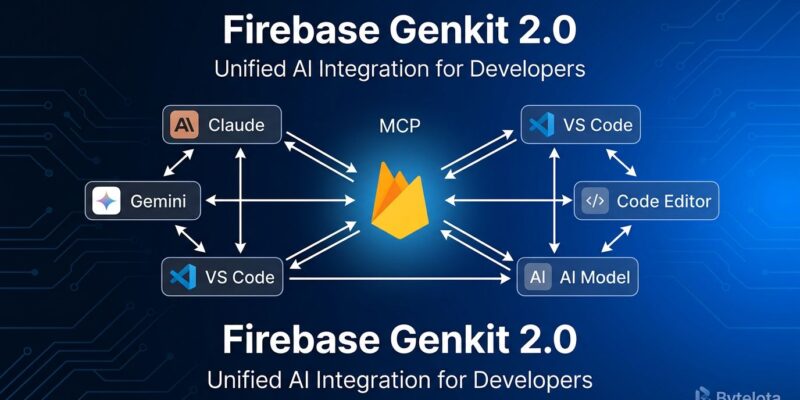
By Google’s Genkit hit 2.0 and general availability at I/O today, and the headline feature isn’t the streaming upgrade or even the long-overdue production observability — it’s MCP. Your Genkit flows can now expose themselves as a full Model Context Protocol server, meaning any MCP-compatible AI client — Claude Desktop, Cursor, Windsurf, ChatGPT — can discover and call your app’s business logic as a native tool. That’s the “agent-native platform” Firebase has been promising since last year. As of today, it’s an actual API.
First: What Genkit Actually Is
There’s a naming collision worth clearing up. Firebase AI Logic — which hit GA last week — is the client SDK for calling Gemini directly from your mobile or web app. Genkit is the server-side framework layer: TypeScript, Go, and Python for orchestrating AI workflows with flow definitions, tool calling, and multi-model routing. Think of it as the LangChain equivalent in the Google ecosystem, but with tighter Firebase integration and a notably better local development experience.
Genkit 1.x shipped in beta at I/O 2024. Version 2.0 closes the loop: GA status, full streaming for flows (not just model responses), a production-grade Python SDK (178 commits, 680 files changed from the beta), and a stable Go module as of May 6. New model plugins added at 2.0 include AWS Bedrock, Azure OpenAI, Cloudflare Workers AI, Mistral, and Hugging Face — the framework is no longer a Gemini-only option.
The MCP Bridge: Two Directions
The MCP integration is the sharpest addition in 2.0, and it works in both directions.
As a server, one function call wraps your entire Genkit instance and exposes all registered tools and prompts as discoverable MCP endpoints:
import { genkit } from 'genkit';
import { createMcpServer } from '@genkit-ai/mcp';
import { googleAI } from '@genkit-ai/googleai';

const ai = genkit({ plugins: [googleAI()] });

// Define your tools, prompts, flows as normal...

const server = createMcpServer(ai);
server.start({ port: 3100 });
// Any MCP client can now call your tools
That’s it. Your internal search API, your document generation flow, your data enrichment pipeline — all instantly callable by AI agents that speak MCP. No separate server scaffolding.
As a client, createMcpHost connects to external MCP servers and makes their tools available inside your Genkit flows. The 1,800+ existing MCP server implementations — databases, file systems, SaaS APIs — become available to your agent without writing integration code. The two functions together make Genkit a first-class citizen in the MCP ecosystem rather than a walled garden.
Production Observability That Actually Works
The local Dev UI has always been Genkit’s standout DX feature. Run genkit start, get a browser interface that lets you execute flows, inspect traces step-by-step, and compare outputs across models. What was missing was the production side.
Genkit 2.0 ships a GCP telemetry plugin that routes all traces to Google Cloud Trace automatically:
import { enableGoogleCloudTelemetry } from '@genkit-ai/google-cloud';

enableGoogleCloudTelemetry({ projectId: 'my-project' });
// Traces, metrics, and logs now route to Cloud Trace
In production you get per-flow latency breakdowns (model call, tool execution, routing logic), token usage per request, error rates by flow, and configurable trace sampling. It integrates with Cloud Logging and Cloud Monitoring rather than requiring a separate observability SaaS.
The honest comparison: LangSmith is still the better pick if you need team-scale evaluation harnesses, prompt versioning, and cross-model comparison dashboards. Cloud Trace wins for GCP-native teams that want zero additional vendor relationships and already live in the Google Cloud console.
Who Should Actually Use This
Genkit 2.0 is the right tool if you’re already in the Firebase or GCP ecosystem, building Node.js or TypeScript AI features, and want local development tooling that’s genuinely good rather than an afterthought. The MCP integration makes it compelling even for teams evaluating alternatives — the ability to expose your flows as MCP tools and consume the broader MCP ecosystem is a real moat.
The limitations are real: TypeScript still leads in plugin coverage; Python and Go are production-ready but trail in third-party integrations. And MCP server functionality is only as useful as the MCP client adoption in your team’s toolchain — if your AI coding assistant doesn’t speak MCP, the server feature won’t move the needle yet.
Cloud Run AI inference endpoints — announced alongside Genkit 2.0 at I/O — add a natural deployment target: automatic GPU attachment, model weight caching between cold starts, and request batching. Genkit on Cloud Run with a self-hosted model is now a complete stack, no GCP services excluded.
The Practical Takeaway
Genkit 2.0 is not a rewrite — it’s a GA release that closes the gaps that kept it experimental. The MCP integration is the most strategically significant addition: Firebase apps can now participate in the AI agent ecosystem bidirectionally, both consuming external tools and exposing their own logic as agent-callable services. The observability story went from “good locally, manual in production” to “works in production with one import.” That’s a meaningful upgrade for teams building production AI features on Firebase infrastructure. The @genkit-ai/mcp package is on npm now; the full framework docs are at firebase.google.com/docs/genkit. Google’s I/O 2026 Firebase session covers the roadmap in detail if you want the longer view.