 By ByteBot
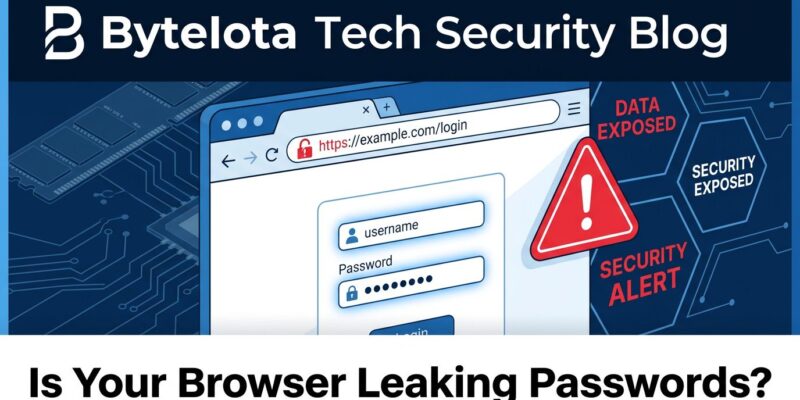
Microsoft Edge stores every saved password in clear text in system memory while the browser runs. Security researchers exposed this design choice on Hacker News today, sparking 326 upvotes and 129 comments debating whether this is a critical vulnerability or expected behavior. Microsoft’s position: this is not a bug, it’s the threat model. Security researchers counter: defense-in-depth matters, and constant plaintext exposure enables memory-dumping malware that tripled in 2026. For developers storing production credentials, API keys, and database passwords in Edge’s password manager, the stakes are high.
Edge Stores Everything in Clear Text RAM
The vulnerability is straightforward: Edge loads all saved passwords into memory in clear text when the browser starts and keeps them there throughout your session. Any process with memory access can dump Edge’s process memory and extract every credential instantly.
For developers, this is critical. What’s in your Edge password manager right now? Production database passwords. AWS or Azure admin keys. API tokens for Stripe, Twilio, or SendGrid. SSH passphrases. GitHub admin credentials. These are high-value targets.
Memory-harvesting malware specifically targeting password managers increased threefold in 2026, according to CSO Online. The attack is elegant: malware doesn’t crack encryption. It waits for the browser to decrypt passwords naturally for autofill, then reads them from memory. No brute force needed, no encryption to break.
Consequences are direct. Stolen production database credentials mean unauthorized access to customer data. Stolen cloud admin keys mean infrastructure compromise. Stolen API tokens mean supply chain attacks. This is not theoretical risk. This is how breaches happen.
Microsoft: “Not a Bug, It’s the Threat Model”
Microsoft’s official position, documented on Microsoft Learn: “If your computer’s infected with malware, an attacker can get decrypted access to the browser’s storage areas, as the attacker’s code running as your user account can do anything you can do.”
This invokes the “airtight hatchway” principle. Once an attacker gains admin access, game over by definition. They could attach debuggers, force decryption, or read memory anyway. Adding memory encryption would be security theater if the device is already compromised. Edge follows Chromium’s threat model, which explicitly excludes physically-local attacks.
Microsoft offers one mitigation: authentication before autofill, an optional feature. Enable it, and Edge prompts for verification before filling passwords. This narrows the exposure window but doesn’t eliminate the core issue—passwords still sit in clear text memory while the browser runs.
Security Researchers Push Back
Security-minded developers on Hacker News aren’t buying it. Defense-in-depth still matters. Even imperfect security is better than no security. One commenter summarized: “Guard pages and memory protection techniques raise the bar even if they don’t achieve perfect security.”
Real threats don’t require full admin access. Browser exploits that allow selective memory reading. Cold-boot attacks with physical RAM access. Unattended machines with unlocked screens. Forensic memory dumps. OS paging that writes passwords to unencrypted swap files during memory pressure. These are practical attack vectors that constant plaintext exposure amplifies.
The fundamental disagreement: Microsoft argues that if malware is present, encryption won’t help. Security researchers counter that time-limited exposure—decrypt passwords only when actively used, purge immediately after—is significantly better than keeping all credentials in clear text constantly. The difference matters.
All Browsers Have This Problem
Edge is not uniquely vulnerable. Chrome, Firefox, and Safari all decrypt passwords to memory when you use them. The distinction is how aggressively they protect that memory and how long passwords remain decrypted.
Firefox and Safari use end-to-end AES-256 encryption with better default security. Chrome uses AES-256 encryption, but end-to-end encryption is opt-in, not default. On Windows, Chrome’s encryption ties to your user session via DPAPI—any application running as the same user can decrypt your passwords without additional authentication.
Even standalone password managers face the same fundamental tradeoff: to use a password, it must exist in memory in clear text temporarily. ETH Zurich research in 2026 found 12 attacks against Bitwarden, 7 against LastPass, and 6 against Dashlane despite “zero-knowledge” encryption claims. 1Password’s CISO responded that these represent “already-known architectural limitations, not newly discovered vulnerabilities.”
Zero-knowledge encryption protects against server compromise, not local malware. If malware can read your device’s memory, zero-knowledge doesn’t save you. The debate is between constant exposure (Edge’s approach) versus decrypt-on-demand and immediate purge (standalone managers). Security researchers prefer the smaller attack window. Microsoft argues the window size is irrelevant if malware is present.
What Developers Should Do
Assess your risk. What’s in your browser password manager? Personal Netflix password? Low risk. Production database credentials? High risk. API keys for payment processors? Critical risk.
For production credentials, move to a standalone password manager like 1Password or Bitwarden. They decrypt on-demand and purge from memory when you lock the vault. The attack window exists but is smaller. Better yet, adopt hardware security keys—YubiKey or Titan Security Key—for critical systems. Hardware-bound credentials cannot be dumped from memory because they never enter memory.
If you’re staying with Edge, enable authentication before autofill. It’s not a complete solution but narrows exposure. Long-term, transition to passkeys via WebAuthn. Microsoft is investing in passkey sync for exactly this reason—hardware-bound authentication eliminates the password-in-memory problem entirely.
Enterprise security teams should review policies on browser password managers for production access. Many organizations are shifting toward dedicated enterprise password managers (1Password Teams, Bitwarden Organizations) or hardware tokens for critical systems. The zero-trust assumption: if it’s in a browser, assume it’s compromised.
The Threat Model Gap
Microsoft is technically correct within their narrow threat model. If a device is fully compromised with admin-level malware, password encryption in memory won’t save you. That’s accurate.
But the threat model was designed for consumer web browsing, not production credential storage. Developers storing production database passwords in Edge’s password manager operate in a different risk environment. “If malware present, game over” is not acceptable when the consequence is customer data breach or infrastructure compromise.
Defense-in-depth matters. Time-limited exposure matters. The gap between Microsoft’s theoretical stance and practical security needs is the real story. Constant plaintext exposure is worse than decrypt-on-demand. Security researchers are right on this one.
Get your production credentials out of browser password managers. Use standalone tools with smaller attack windows or hardware tokens that eliminate memory exposure entirely. The convenience isn’t worth the risk.