 By ByteBot
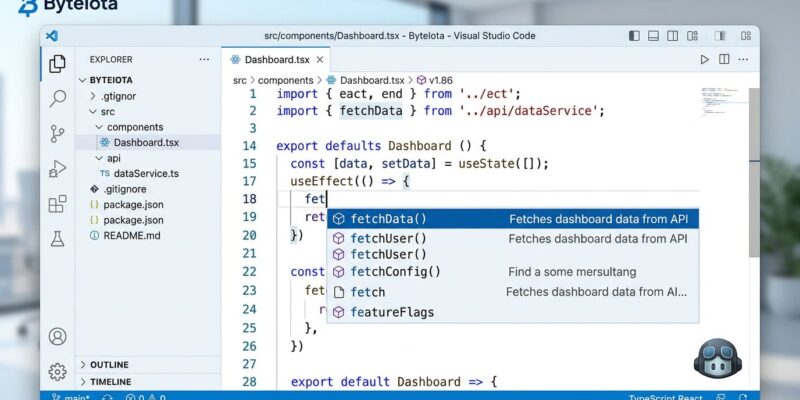
Visual Studio 2026’s April update prioritizes IntelliSense over Copilot completions, ending years of developer frustration with dueling AI suggestions. The change—enabled by default in version 18.5.0—represents Microsoft acknowledging a critical truth: AI assistants should enhance developer workflows, not compete with 30 years of trusted tooling.
The Problem: Dueling Completions and Cognitive Overload
The problem was simple but maddening. IntelliSense and Copilot both tried to suggest code simultaneously, creating confusion about which suggestion to accept and turning keyboard shortcuts like Tab and Esc into a guessing game. For developers, the constant validation cycle became a mental tax. Research confirms what developers already knew—AI code assistants don’t reduce cognitive load, they just change it from focused creative work into scattered validation checks.
When your IDE constantly suggests entire code blocks, your job changes from creating to validating. You become a reviewer for a junior developer who never sleeps, never learns your project’s context, and never gets tired. Moreover, research shows developers using AI are working longer hours, not fewer—creating a productivity paradox where assistance tools increase workload.
The Solution: IntelliSense Takes Priority
Microsoft heard the complaints. The April 14 update introduces a one-suggestion-at-a-time design: when IntelliSense is active, Visual Studio suppresses Copilot completions. After you dismiss or commit the IntelliSense selection, Copilot automatically resumes. The result is predictable keyboard behavior, reduced cognitive overhead, and a return to flow state for routine development tasks.
IntelliSense earned priority through 30 years of reliability. First appearing in Visual Basic 5 in 1996, it provides deterministic, context-aware completions based on actual code structure—not probabilistic inference. For mature codebases, IntelliSense delivers context-correct suggestions that developers trust. Copilot is powerful, especially for unfamiliar libraries or novel integrations where its probabilistic reasoning adds value. However, for known code patterns, developers want predictability, not creativity.
Developer Control Returns: The Philosophical Shift
This change signals a philosophical shift in how AI tools should integrate with development workflows. The AI-everywhere era is giving way to AI-when-appropriate. Developer autonomy matters. Tools should serve developers, not dictate workflows. Predictability enables flow state. The real innovation here is not adding AI everywhere—it’s knowing when not to use it.
Visual Studio isn’t alone in facing this challenge. VS Code developers filed GitHub issue #157675 complaining that Copilot suggestions block IntelliSense. JetBrains users report similar Tab key conflicts. The pattern is clear: AI assistants are disrupting established completion systems across the industry. Visual Studio’s solution—prioritize the trusted tool, preserve both, make it the default—offers a template other IDEs should follow.
Additional April 2026 Improvements
The April update includes other developer experience improvements. The JSON editor now supports modern schema specifications including Draft 2019-09 and Draft 2020-12, with features like $defs and $anchor that were previously unavailable. Furthermore, rich code formatting support preserves syntax highlighting when copying code to web-based Office apps or Azure DevOps work items. These changes reflect Microsoft’s broader focus on practical improvements that enhance daily workflows, not just flashy AI features.
Why Did This Take So Long?
The bigger question is: why did this take so long? Developers complained about dueling completions for years. The answer reflects the AI hype cycle—when everyone celebrates adding AI to everything, suggesting restraint becomes controversial. Nevertheless, developer feedback eventually won. Microsoft’s acknowledgment that “seeing IntelliSense and Copilot completions at the same time can be distracting” validates years of frustration.
The Industry Impact
For developers using Visual Studio daily, this change means less cognitive load, clearer keyboard behavior, and AI available when actually needed rather than constantly interrupting. IntelliSense handles routine patterns. Copilot surfaces when you hit genuinely uncharted territory. One suggestion at a time. Developer control returns.
The industry implication is clear: AI should augment proven tools, not replace them. IntelliSense built trust over three decades. Copilot is the new kid, and new kids don’t get to interrupt. Consequently, other development tools will follow this pattern because developers demand it. The future of AI code assistance is not constant suggestions—it’s contextual availability. Tools that respect developer flow state will win. Tools that create cognitive overhead will lose, regardless of how sophisticated their models.
Visual Studio 2026 just drew a line: IntelliSense first, Copilot second. It’s the right call, and it should have happened years ago.