 By ByteBot
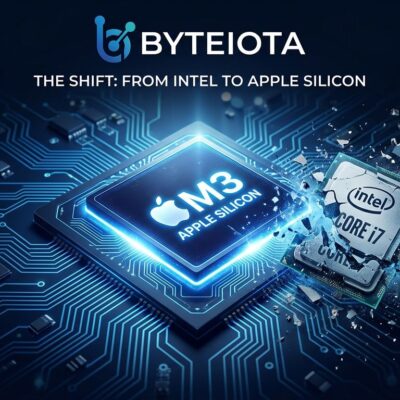
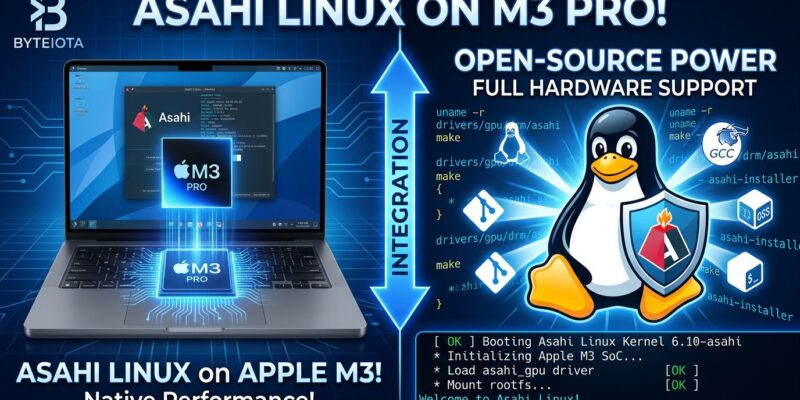
Asahi Linux brought M3 MacBook support to alpha quality with its 7.0 release on April 26, 2026. The latest Apple Silicon Macs now run Linux with working keyboards, trackpads, storage, and displays—entirely through reverse engineering, with zero documentation from Apple. GPU acceleration is still missing, but the milestone shows what a dedicated team can accomplish when Apple refuses to play ball. Meanwhile, Fedora Asahi Remix 44 launches April 28 with upstream package support and a cleaner installation process.
M3 Support Reaches Alpha: What Actually Works
Alpha quality sounds modest until you understand what it means. Asahi Linux 7.0 brings M3 hardware to the same functional level the M1 had at its first alpha release—keyboards, trackpads, NVMe storage, PCIe, and displays all work. The M3 launched in October 2023 with a 3-nanometer process and 40% better CPU performance than the M1. Getting Linux running on it in under three years, without any help from Apple, is genuinely impressive.
But let’s be clear about limitations. GPU acceleration doesn’t work yet. That means software rendering only—fine for terminal work and development, terrible for gaming or video editing. You also can’t install via the Asahi Installer. It’s a manual process for now. Alpha quality means it boots and functions, not that you should run production workloads on it.
For M1 and M2 users, the story is different. Those chips have production-ready Linux support with full GPU acceleration. If you bought an M1 MacBook Pro in 2020 and wanted Linux, your wait is over. M3 owners should treat this as an early-access preview.
Power Management Cuts Idle Draw by 20%
The most practical improvement in 7.0 is Power Management Processor (PMP) support. On a 14-inch M1 Pro MacBook, enabling PMP drops idle power consumption by around half a watt—roughly 20% reduction. That translates to one to two extra hours of battery life in real-world use, which matters when you’re trying to get through a day without hunting for outlets.
PMP works by accepting reports from system-on-chip blocks about power state changes, letting the kernel make smarter decisions about when to throttle or sleep components. It’s not enabled by default yet because it hasn’t been validated across all supported machines, but users can flip the APPLE_USE_PMP devicetree definition if they’re willing to test.
Apple spends enormous engineering effort on power management. Matching that performance on Linux, through pure reverse engineering, shows how far Asahi has come.
Variable Refresh Rate and Bluetooth Audio Fixes
Asahi Linux 7.0 also brings Variable Refresh Rate (VRR) support for ProMotion displays. The team reverse-engineered Apple’s DCP display controller parameter system and discovered a previously unexplained setting that controls VRR. Enable it with the appledrm.force_vrr kernel parameter, and you get adaptive refresh rates—smoother scrolling, better gaming, improved battery life.
There’s a catch. VRR requires a modeset to activate, which violates both VESA DisplayPort specifications and the KMS API. That means it can’t be properly exposed to userspace compositors yet. Future HDMI support might fix this, but for now, it’s a workaround rather than a polished feature.
The Bluetooth audio fix is more straightforward. Version 7.0 adds support for vendor-specific Bluetooth HCI extensions, allowing the kernel to mark audio streams as high priority. WiFi scanning no longer interrupts your wireless headphones mid-song. It’s a small quality-of-life improvement that eliminates a genuinely annoying bug.
Reverse Engineering Without a Map
Apple provides zero documentation for its custom silicon. No datasheets, no reference manuals, no cooperation. The Asahi team figured out how M-series chips work by running a thin hypervisor that traces every Memory-Mapped I/O access, then writing Linux drivers through experimentation and pattern recognition. When something breaks, they add debug statements throughout the kernel to trace execution paths from userspace down to hardware.
Hector Martin founded the project with over 15 years of experience porting Linux to undocumented hardware. Alyssa Rosenzweig built the GPU drivers after doing the same for Arm Mali chips. Asahi Lina wrote the world’s first Rust-based Linux GPU kernel driver. The DCP display controller firmware, which controls everything you see on screen, is “largely undocumented and unstable between versions” according to the official progress report. They’re working blind.
The fact that M3 support reached alpha quality in under three years shows both the team’s skill and the maturity of their tooling. Early M1 reverse engineering took longer because they were building the methodology. Now they can apply those techniques to new hardware faster.
Fedora Asahi Remix 44 Brings Upstream Packages
Fedora Asahi Remix 44 launches on April 28, aligned with the main Fedora Linux 44 release. The big change is a move to upstream Mesa and virglrenderer packages, replacing Asahi’s vendored versions. That sounds technical, but it’s a maturity milestone—less custom code to maintain, faster updates, closer alignment with standard Fedora.
New installs will use Plasma Setup instead of Calamares and switch to Plasma Login Manager from SDDM. KDE Plasma 6.6 adds text recognition in screenshots, automatic screen brightness for ambient light sensors, and QR code scanning for WiFi networks. Small touches that make the desktop feel more polished.
Should You Try This?
If you have an M1 or M2 Mac, Asahi Linux is production-ready. GPU acceleration works, installation is straightforward, and the ecosystem has matured. You can daily-drive it without major issues.
If you have an M3 Mac and want to test Linux, 7.0 is your entry point. Just understand it’s alpha software. Core functionality works—development, terminal work, web browsing—but don’t expect to play games or edit 4K video. GPU acceleration is coming, but it’s not here yet.
Based on the M1 timeline, expect M3 to reach beta quality by late 2026 and production readiness sometime in 2027. Reverse engineering takes time, especially when Apple keeps changing the firmware between chip generations.
For developers who love Apple’s hardware but need Linux for work, Asahi Linux represents the best of both worlds. You get the M-series performance, the MacBook build quality, and the battery life—running an OS that doesn’t treat you like a child. That’s worth waiting for.