AI coding assistants break your code because they edit functions in isolation, missing dependencies across your system. GitNexus fixes this with knowledge graphs that map every dependency, call chain, and execution flow—entirely in your browser or locally. Launched in August 2025, it surged to 25,000+ GitHub stars after going viral in February 2026. Drop in a repo, get structural awareness for AI agents. Your code never leaves your machine.
The problem is real: only 68.3% of AI-generated projects execute successfully, and 67% of engineering leaders spend more time debugging AI code than writing manually. GitNexus solves this through Graph RAG, delivering 95% refactoring accuracy versus 60-70% with vector-only approaches.
Why AI Assistants Need Structural Awareness
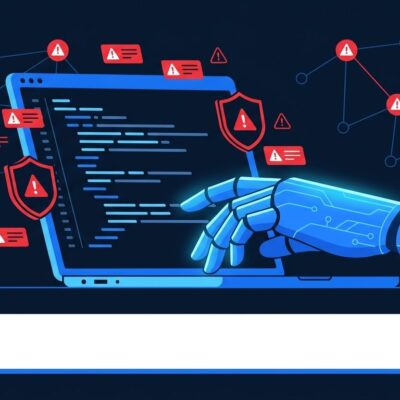
Claude Code, Cursor, and Windsurf lack true codebase understanding. They analyze functions in isolation, shipping edits that break downstream dependencies. When you ask AI to refactor authentication, it doesn’t see the 17 modules calling that function. The result? Cascading failures caught only in production.
GitNexus addresses this through knowledge graphs built with Tree-sitter parsing and stored in LadybugDB. It precomputes dependencies, call chains, and execution flows during indexing—not on-demand. When AI queries via Model Context Protocol (MCP), GitNexus returns complete structural context in one shot: all callsites, dependent modules, type signatures. No multi-hop exploration needed.
The performance gap is measurable. Graph RAG delivers 3-5x more relevant context than vector search alone. For refactoring scenarios, accuracy jumps from 60-70% (vector-only) to 95% (graph-enhanced). That difference translates to hours saved debugging broken dependencies.
Zero-Server Privacy Architecture
GitNexus runs entirely client-side through two interfaces. The CLI indexes locally via npx gitnexus analyze, storing graphs in LadybugDB with full repository support. The Web UI at gitnexus.vercel.app uses browser WebAssembly for drag-and-drop exploration, handling repos up to ~5,000 files before memory constraints bite.
Contrast this with Sourcegraph and Greptile, which require uploading your code to their servers. GitNexus eliminates exfiltration risk—critical for GDPR compliance and corporate policies prohibiting external code storage. For regulated industries (healthcare, finance), this zero-server approach solves compliance headaches without sacrificing advanced code intelligence.
Bridge mode connects both worlds: index via CLI (no size limits), then run gitnexus serve to browse those graphs in the Web UI. You get CLI power with browser visualization.
Getting Started in 2 Minutes
CLI setup requires three commands:
npm install -g gitnexus
npx gitnexus analyze          # Index repo locally
npx gitnexus setup            # Auto-configure MCP for your editor
The setup command auto-detects Claude Code, Cursor, Windsurf, and Codex, writing MCP configuration automatically. GitNexus MCP server launches when your editor starts—no manual daemon management.
Web UI requires zero installation. Visit gitnexus.vercel.app, drag in a ZIP file or paste a GitHub URL, and client-side indexing begins immediately. For exploring open-source repositories or quick codebase analysis, this friction-free approach wins.
MCP Tools and Graph RAG Integration
GitNexus exposes 16 MCP tools to AI editors. The query tool provides hybrid search (BM25 + semantic + RRF fusion). The context tool delivers 360-degree symbol analysis. The impact tool maps blast radius with depth grouping. The detect_changes tool analyzes uncommitted git diffs. The rename tool coordinates multi-file refactoring.
Claude Code receives the deepest integration. PreToolUse hooks auto-enrich searches with graph context before AI queries. PostToolUse hooks trigger automatic re-indexing after commits. This closed-loop system keeps structural intelligence current as code evolves.
Model Context Protocol (MCP) standardization matters here. As of March 2026, 1,600+ MCP servers exist. OpenAI and Google DeepMind have adopted the protocol. GitNexus benefits from this ecosystem momentum—universal editor compatibility without custom integrations.
When to Use GitNexus vs Alternatives
Ry Walker’s code intelligence analysis provides clear decision criteria. For large codebases exceeding 10,000 files with complex dependency chains, knowledge graphs (GitNexus or CodeGraphContext) deliver structural awareness that flat context cannot. For smaller repos under 10,000 files, context packing tools like Repomix suffice.
The licensing gotcha trips up many developers. GitNexus uses PolyForm Noncommercial licensing—not permissive open source. Commercial use requires paid Enterprise licensing through akonlabs.com. For permissive licensing, CodeGraphContext (MIT licensed, 2,200 stars) offers comparable graph functionality without commercial restrictions.
Sourcegraph Cody targets enterprise teams needing cloud infrastructure, centralized search, and team collaboration. GitNexus wins for privacy-sensitive individual developers and small teams prioritizing zero-server architecture.
Key Takeaways
- GitNexus builds knowledge graphs of codebases entirely client-side (browser or local CLI), eliminating code upload to external servers—critical for GDPR compliance and corporate security policies
- Graph RAG delivers 95% refactoring accuracy versus 60-70% with vector-only approaches by returning complete call graphs, dependencies, and type signatures instead of isolated code fragments
- Setup takes 2 minutes via CLI (
npx gitnexus analyze+setup) or zero installation via Web UI (gitnexus.vercel.app)—works with Claude Code, Cursor, Windsurf, Codex through MCP protocol - Use GitNexus for large repos (>10k files) with complex dependencies; use Repomix for small repos (<10k files); use Sourcegraph for enterprise teams needing centralized collaboration
- PolyForm Noncommercial license requires paid Enterprise license for commercial use—CodeGraphContext (MIT licensed) offers permissive alternative with similar graph capabilities
GitNexus gives AI agents structural awareness they desperately need. The zero-server architecture solves privacy and compliance concerns. Just understand the licensing model before committing to production use.