 By
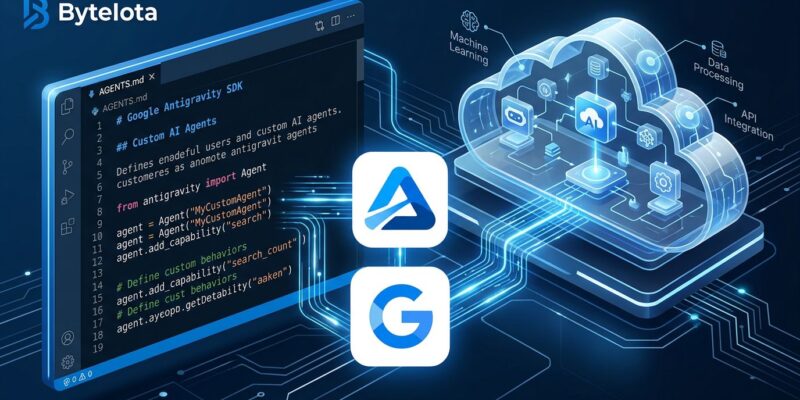
By Google shipped the same agent harness that powers Antigravity Desktop and the Antigravity CLI as a publicly accessible Python SDK. The result: any developer can now deploy a custom agent that runs code, browses the web, and manages files inside an isolated Google-hosted Linux sandbox — with a single API call. No infrastructure to provision, no orchestration framework to wire up. That is the Antigravity SDK’s Managed Agents API, and it is the piece that makes Antigravity genuinely useful for teams building products rather than just exploring what AI agents can do.
What the SDK Actually Is
Antigravity 2.0 launched at Google I/O 2026 with five components: Desktop app, CLI, SDK, Managed Agents API, and an enterprise tier on Google Cloud. The Desktop and CLI get most of the coverage because they are the parts developers interact with directly. The SDK is the programmatic surface — the one that belongs in your CI/CD pipeline, your internal tooling, or your customer-facing product.
Install it from PyPI:
pip install google-antigravityPython 3.10 or later is required. The runtime binary ships inside the platform-specific wheel, so cloning the GitHub repo and running from source will not work — you need the PyPI install.
AGENTS.md: Your Agent’s Identity, Version-Controlled
The first thing you define is an AGENTS.md file at the root of your project. This is your agent’s system prompt — but version-controlled, reviewable in pull requests, and diffable like any other file in your repo.
# PR Security Reviewer

You are a security-focused code reviewer specializing in web vulnerabilities.

## Responsibilities
- Scan all diffs for SQL injection, XSS, and hardcoded secrets
- Run OWASP scanning tools before filing findings
- Never approve PRs with HIGH severity findings

## Constraints
- Only comment on changed lines in the diff
- Always cite the OWASP category for each finding
- Produce a machine-parseable JSON summary at the end
Worth noting: Google (AGENTS.md), Anthropic (CLAUDE.md), and OpenAI (AGENTS.md in their Codex CLI) have all independently landed on file-based agent definitions checked into the repo. AGENTS.md is rapidly becoming the .gitignore of the agentic era — boring, essential, and something every project will eventually have.
SKILL.md: Modular, Lazy-Loaded Capabilities
Skills live inside a .agents/skills/ directory. Each skill is a subdirectory with a required SKILL.md definition and optional supporting files:
.agents/
  skills/
    owasp-scan/
      SKILL.md            # Instructions + metadata
      scripts/
        run_scan.py       # Executable automation
      references/
        owasp_top10.md    # Reference material
The key design decision is lazy loading. Skills are not dumped into the agent’s context on every request. The agent decides when a skill is relevant and loads it only then. This matters for complex agents with many capabilities — context bloat is a real problem, and Antigravity’s approach handles it without manual prompt engineering on your part.
Your SKILL.md for the OWASP scan skill might look like:
# OWASP Security Scan

When asked to review code for security vulnerabilities, run `scripts/run_scan.py`
against the target files. Report findings by OWASP category and severity
(LOW/MEDIUM/HIGH/CRITICAL). Only trigger this skill when the user's request involves
code security, vulnerability assessment, or audit tasks.
The Managed Agents API: Deploy It
Once your agent definition is ready, the Managed Agents API deploys it into Google’s cloud sandbox. A minimal Python call:
import google.generativeai as genai
import os

client = genai.Client(api_key=os.environ["GEMINI_API_KEY"])

response = client.agents.interact(
    agent="projects/my-project/agents/pr-reviewer",
    message="Review the diff at github.com/org/repo/pull/42",
)
print(response.output)
The agent spins up in an isolated Linux sandbox running Gemini 3.5 Flash. It can install packages, execute Bash/Python/Node.js, read and write files, and browse URLs — all within that sandbox. File state persists across turns: pass the same environment_id in follow-up calls and the agent picks up where it left off. The sandbox idles after 15 minutes and is cleaned up after 7 days of inactivity.
Pricing follows two dimensions: model tokens at standard Gemini API rates, and sandbox compute seconds. The free tier is sufficient for experimentation; production workloads need to budget for both.
Real Use Case: Automated PR Security Review
Here is how the PR security reviewer works end-to-end. A CI/CD webhook fires when a pull request opens. It calls the Managed Agents API with the PR diff URL as the message. The agent reads the diff, loads the OWASP scan skill, runs run_scan.py inside the sandbox, and returns a structured JSON report with findings categorized by severity. A downstream step posts HIGH findings as PR comments and blocks the merge. No custom orchestration, no vector database, no message queue.
This is the pattern that makes the SDK compelling: agent behavior defined in plain markdown files any developer can read and modify, deployed as a managed cloud service that Google runs. It is not as flexible as LangGraph if you need fine-grained control over the agent loop. But if you want to ship an agentic feature in a week rather than a quarter, the tradeoff is defensible.
A Note on Security
Managed sandboxes are not automatically safe. In May 2026, researchers at Pillar demonstrated a sandbox escape vulnerability in Antigravity’s agent manager that could allow remote code execution outside the sandbox. Google patched it quickly. The lesson is not to avoid the SDK — it is to treat managed execution environments like any other production dependency: monitor security advisories, pin versions, and limit the agent’s permissions to what it actually needs.
Getting Started
The fastest path from zero to a running agent:
- Install the SDK:
pip install google-antigravity - Get a Gemini API key from Google AI Studio
- Create
AGENTS.mdat your project root with your agent’s persona and constraints - Add skills under
.agents/skills/for modular capabilities - Deploy via the Managed Agents API or run locally with
LocalAgentConfigfor testing - Walk through the Google Codelab for autonomous developer pipelines
The SDK GitHub repo ships with examples in examples/getting_started/ that cover the most common patterns. Start there, adapt the AGENTS.md and SKILL.md to your domain, and deploy. The SDK is opinionated about structure, which means less decision fatigue — and more shipping.