 By
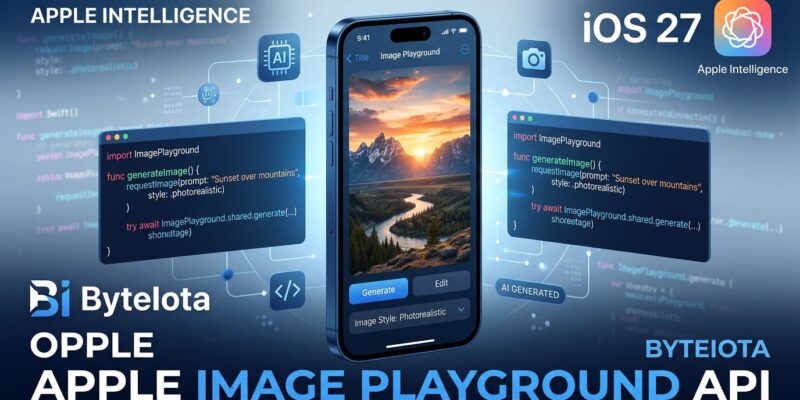
By Apple’s Image Playground finally earned its name. The cartoon-sketch generator that iOS developers have been politely sidestepping since iOS 18 can now produce photorealistic images — and with iOS 27, the API to embed it in your app is the simplest AI integration Apple has ever shipped. One SwiftUI modifier. No API keys. No server setup. No hosting costs. Apple runs the model on Private Cloud Compute, and you get a temporary URL when the user accepts an image. Here’s what changed, what got deprecated, and how to start testing today.
From Cartoons to Photorealism
The old Image Playground was embarrassing. It produced stylized illustrations and cartoons while Midjourney, Adobe Firefly, and Google’s generators were shipping photorealistic output. Apple’s on-device model stayed safe but low-quality — a reasonable privacy trade-off that most developers quietly avoided.
iOS 27 changes that. The new model runs on Private Cloud Compute, Apple’s privacy-preserving cloud infrastructure, and it produces high-quality images in virtually any style — including photorealistic. Users can generate from scratch, edit existing photos with natural language instructions, or use touch gestures (tap, circle, brush) to select specific regions for targeted modifications. Multiple aspect ratios are supported: landscape for banners, portrait for full-screen iPhone, square for thumbnails.
All generated images carry an invisible SynthID watermark for AI content provenance — the same standard Google uses. Your prompts and images are never stored by Apple, even on PCC.
The API: One Modifier, That’s It
Apple deprecated the old programmatic ImageCreator class in iOS 27. The replacement is .imagePlaygroundSheet — a view modifier that presents Apple’s generation UI as a sheet. Here’s minimum viable integration in SwiftUI:
import SwiftUI
import ImagePlayground

struct ContentView: View {
    @State private var showPlayground = false
    @State private var imageURL: URL?

    var body: some View {
        VStack(spacing: 20) {
            Button("Generate Image") {
                showPlayground = true
            }
            .imagePlaygroundSheet(isPresented: $showPlayground) { url in
                // url is temporary — copy it before the session ends
                imageURL = url
            }

            if let url = imageURL {
                AsyncImage(url: url) { image in
                    image.resizable().scaledToFit()
                } placeholder: {
                    ProgressView()
                }
                .frame(maxHeight: 300)
            }
        }
        .padding()
    }
}
Two things worth flagging. The URL returned in the completion closure is temporary — it lives inside your app container only for the session duration, so copy it to permanent storage immediately. And the user always reviews before committing; there is no headless generation path with this API.
To pre-seed a prompt or enable photo editing mode, use the additional parameters:
// Pre-seed a concept/prompt
.imagePlaygroundSheet(
    isPresented: $showPlayground,
    concept: "A cyberpunk alley, cinematic lighting, photorealistic"
) { url in
    imageURL = url
}

// Edit an existing photo
.imagePlaygroundSheet(
    isPresented: $showPlayground,
    sourceImage: existingPhotoURL
) { url in
    imageURL = url
}
UIKit apps use ImagePlaygroundViewController — instantiate it, set concepts and options, present it modally, and implement imagePlaygroundViewController(_:didCreateImageAt:) on the delegate. The official ImagePlayground documentation covers the full delegate protocol.
What Happened to ImageCreator?
ImageCreator — the old class that let you generate images entirely in code without showing any UI — is deprecated in iOS 27. Apple’s reasoning is straightforward: moving the model to Private Cloud Compute required rethinking the API, and cloud-backed generation demands that users remain in the loop before an image is finalized.
If your app used ImageCreator for background or headless generation, the new API does not replace that capability. You’ll need to redesign the flow around a user-facing sheet or switch to a third-party image generation API for that use case. For the vast majority of scenarios — profile photo customization, avatar creation, social media asset generation — the sheet approach works well and is better UX anyway.
Usage Limits and What They Mean for Your App
Image Playground now runs on Apple’s servers, which means usage limits apply. Apple hasn’t published hard numbers, but server-backed Apple Intelligence features operate on daily quotas with higher limits unlocked through iCloud+ subscription plans. This has UX implications you need to design around proactively:
- Surface a clear message when users hit their limit, and offer an alternative path or graceful fallback
- The
onCancellationclosure inimagePlaygroundSheetcovers both user cancellation and limit-related failures — examine the error context to distinguish them - Heavy creative apps should consider a paid tier that routes through a third-party API when Apple’s daily cap is reached
Honest Take: Is the Quality There?
Apple is still catching up. Head-to-head comparisons against Google Nano Banana Pro and Midjourney show Apple producing solid results that work for most app contexts — thumbnails, social assets, illustrated headers — but falling short on fine detail, lighting accuracy, and prompt adherence for complex scenes.
That said, the trade-offs are different from any third-party competitor. You’re not paying per generation. You’re not sending user prompts to OpenAI or Stability AI. The privacy-by-default stance is genuinely meaningful for apps in healthcare, finance, or any context where prompt content is sensitive. Apple’s Private Cloud Compute architecture is more private than any third-party API option available today.
For a starter creative feature or a quick proof-of-concept, imagePlaygroundSheet gets you to working AI image generation faster than anything else on the platform. For a product where photorealistic quality is the core value proposition, evaluate the output carefully before committing.
Start Testing Now
Image Playground’s photorealistic mode is available in the iOS 27 developer beta today. Watch WWDC26 Session 375 for the full API walkthrough — it’s a dense 30 minutes that covers the new ImagePlaygroundOptions for style selection and dimension control. If you’re still using ImageCreator, start the migration now. The stable iOS 27 release ships in September, and deprecation warnings have a way of becoming compilation errors on Apple’s schedule, not yours.