 By
By WWDC 2026’s biggest headline was Siri getting a Gemini transplant. But while everyone was watching the keynote stage, Apple quietly made a move that will change how iOS developers work every single day: Xcode 27 is now an MCP host. Through a binary called mcpbridge, any agent that speaks the Model Context Protocol — Claude Code, Cursor, OpenAI Codex — can connect directly to Xcode’s live process and get structured, real-time access to diagnostics, symbol information, SwiftUI previews, and the Swift REPL. This is the underreported story of WWDC 2026.
What mcpbridge Actually Does
Earlier this year, Apple slipped mcpbridge into Xcode 26.3 as a preview. Xcode 27 makes it production-ready. The binary translates the Model Context Protocol over XPC — Apple’s sandboxed inter-process communication framework — directly into Xcode’s running process. That’s a fundamentally different approach from any REST or HTTP integration.
Because it communicates via XPC rather than a network socket, mcpbridge has direct access to live IDE state: compiler diagnostics as they happen, resolved symbol information, running SwiftUI previews, and the Swift REPL. External agents connect via JSON-RPC 2.0 over standard I/O and gain access to 20 Xcode capabilities through structured JSON — instead of parsing thousands of lines of raw compiler output.
Xcode 27 adds one more layer on top: the Agent Client Protocol (ACP). Where MCP defines what agents can do inside Xcode, ACP controls which agents are authorized to connect at all. It’s an authorization layer that keeps rogue or misconfigured agents out. The practical result: any tool that implements MCP can now orchestrate a full Apple platform workflow without custom Xcode integration. The N×M integration problem — building bespoke connectors between every IDE and every agent — collapses to N+M.
On-Device by Default, Cloud by Choice
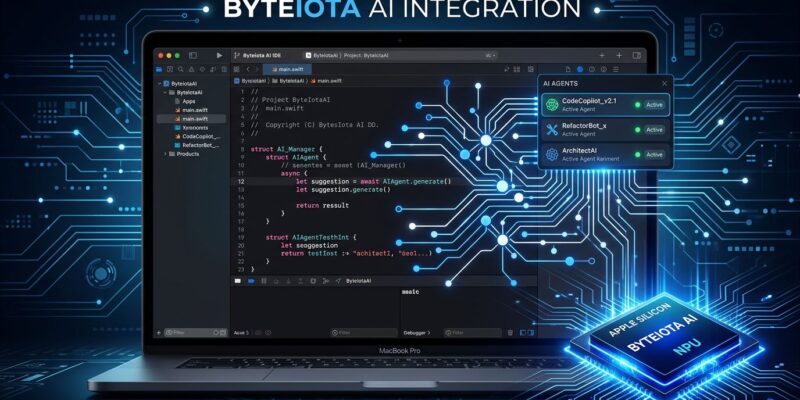
Xcode 27 runs inline code completions entirely on-device using Apple Silicon’s Neural Engine. Your source code does not leave your Mac for everyday autocomplete. This is a direct shot at GitHub Copilot, which routes every inline completion request to Microsoft’s remote inference servers regardless of what you’re building or who owns the IP.
For agentic tasks — multi-step workflows that plan, implement, run tests, and verify UI — Xcode 27 routes to Anthropic, Google, or OpenAI. That routing requires explicit opt-in and is never the default. Enterprise teams with strict source code policies now have a viable path: full agentic coding with the inline loop staying on-device.
There’s a catch: Xcode 27 is Apple Silicon only. Intel Macs are out. If you’re still on an Intel Mac, this is your signal.
Seven Agent Skills, Straight from Apple
Apple bundled seven agent skills directly into the Xcode 27 toolchain. These are context packages that encode Apple’s own guidance for modern Swift and Apple SDK development. You can export all seven with a single command:
xcrun agent skills export --output-dir ~/Downloads/xcode-skillsThe skills and what they cover:
- swiftui-specialist — Best practices for SwiftUI: view structure, data flow, environment, modifiers, ForEach identity, and soft-deprecated APIs
- swiftui-whats-new-27 — The newest SwiftUI APIs from this cycle. This one matters most: general-purpose agents are undertrained on APIs that shipped last week
- uikit-app-modernization — Migrating legacy UIKit code toward current patterns
- test-modernizer — Updating tests to Swift Testing
- audit-xcode-security-settings — Reviewing project settings against Apple’s security guidelines
- c-bounds-safety — Bounds safety for C/C++ codebases
- device-interaction — Lets agents operate the iOS Simulator through the new Device Hub
Skills that only read and edit source files — swiftui-specialist, swiftui-whats-new-27, and test-modernizer — are portable. Load them into Claude Code or Cursor via your MCP config and you get Apple’s official guidance bundled into whatever agent you already use. SwiftLee has a walkthrough for loading them into Claude Code and Cursor.
Device Hub and the Full Agent Loop
The new Device Hub replaces the standalone Simulator app and consolidates physical device and simulator management into Xcode itself. Combined with the device-interaction agent skill, agents can now run a complete development loop: write code, build, run tests, verify UI in the simulator — all within a single agentic session. The conversation canvas renders Markdown, displays code changes, and shows live previews inline, so you can see what the agent is doing without switching windows.
How to Get Started Today
The Xcode 27 developer beta is available now at developer.apple.com for Apple Developer Program members. You’ll need an Apple Silicon Mac running macOS Tahoe 26.4 or later. The full public release is expected in September 2026.
To use the agent skills in an external tool, export them and point your agent’s MCP config at the output directory. For Claude Code, Hacking with Swift has a step-by-step guide. For the full WWDC26 session detail, Apple’s Xcode, agents, and you and What’s new in Xcode 27 sessions cover the architecture in depth.
The Siri headline was louder. But Xcode becoming an MCP host — with on-device AI, seven Apple-authored agent skills, and authorization controls built in — is the change that will show up in your daily workflow.