 By ByteBot
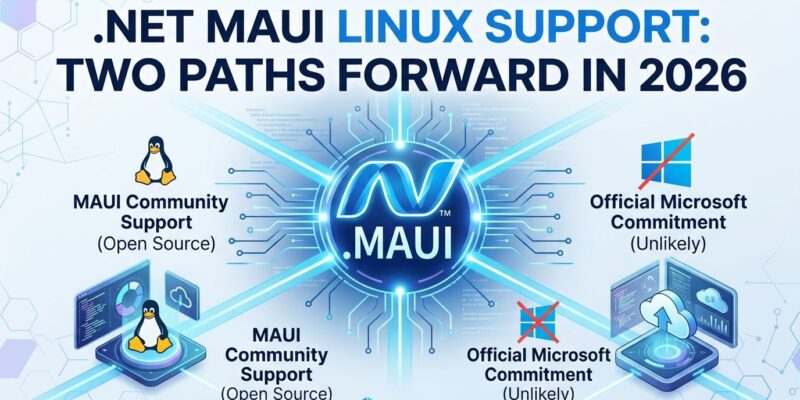
Microsoft’s .NET MAUI launched in 2022 as a “Multi-platform App UI” framework but excluded Linux desktop support for four years. Following November 2025 announcements, developers now have two paths to build MAUI apps on Linux—neither from Microsoft. Avalonia UI is developing an official backend that brings MAUI to Linux and browsers through pixel-perfect rendering, while the community project open-maui/maui-linux already ships production-ready Linux support with 47+ controls using SkiaSharp. The gap between “multi-platform” marketing and reality finally closed, but only because the community refused to wait.
Avalonia Backend vs Open-Maui: Choose Your Path
Developers face a choice between two technically distinct approaches to .NET MAUI Linux support. Avalonia’s backend, announced November 2025, maps MAUI controls to Avalonia’s renderer through the MAUI handler architecture. However, the Avalonia team isn’t forking MAUI—they’re providing an alternative rendering layer that targets Linux, WebAssembly, macOS, and Windows simultaneously. Applications render identically across all platforms because Avalonia uses composition-based pixel drawing instead of platform-native widgets.
In contrast, open-maui/maui-linux takes a different approach. The MIT-licensed community project implements comprehensive Linux platform handlers with hardware-accelerated SkiaSharp rendering and native X11/Wayland display server support. Furthermore, the implementation includes 47+ controls (Button, Label, Entry, CarouselView, RefreshView), full platform services (clipboard, file pickers, notifications, drag-and-drop), and accessibility features like AT-SPI2 screen reader support. With 157 commits, open-maui is production-ready today while Avalonia’s backend remains in preview.
Choose open-maui for Linux desktop apps that need production stability now. Alternatively, choose Avalonia’s backend for new projects requiring browser support alongside desktop—but expect API changes as development continues.
The Multi-Platform Paradox
Microsoft’s stated position is clear: Linux desktop support is “not planned.” David Ortinau, MAUI’s maintainer, told the community in February 2021 that Linux “is on our radar but we’re open to collaboration”—translation: we won’t do it, but we won’t stop you. The rationale? “When Microsoft invests in Linux, it tends to do so on the server because that’s where most of the Linux momentum is.”
The community sees this differently. GitHub discussion #339, requesting Linux support, accumulated 300+ comments over five years while Microsoft pointed developers toward “community collaboration.” One developer cut to the core: “Android is open source too, but Microsoft has spared no expense there for MAUI.” The inconsistency is stark—Microsoft maintains extensive .NET support for Linux servers, Azure integration, and WSL, but ignores Linux desktops where developers actually work.
This selective cross-platform commitment undermines MAUI’s credibility. Moreover, a framework that claims “multi-platform” while excluding a major desktop operating system isn’t cross-platform—it’s strategically platform. Microsoft’s official documentation lists Android, iOS, macOS, Windows, and Tizen as supported platforms. Linux desktop appears nowhere.
Getting Started with Open-Maui Today
Building MAUI apps on Linux requires .NET 10.0 SDK and system dependencies that vary by distribution. Ubuntu and Debian users need libx11-dev, libxrandr-dev, libxcursor-dev, libxi-dev, libgl1-mesa-dev, and libfontconfig1-dev. Fedora and other distributions have equivalent packages with different names.
Install the .NET SDK first:
wget https://dot.net/v1/dotnet-install.sh
bash dotnet-install.sh --channel 10.0
Then install open-maui templates and create a Linux MAUI app:
dotnet new install Open.Maui.Templates
dotnet new mauilinux -n MyLinuxApp
cd MyLinuxApp
dotnet run
The app runs on both X11 and Wayland display servers with automatic HiDPI scaling detection for GNOME, KDE, and X11 configurations. Nevertheless, VS Code with the .NET MAUI extension provides the development environment since Visual Studio doesn’t run on Linux.
Open-maui supports international text input through IBus and XIM, global hotkeys, system tray integration, and libnotify notifications. The implementation handles platform-specific requirements transparently—developers write standard MAUI XAML and C#, and open-maui translates to Linux desktop APIs.
Where MAUI Fits in 2026
The cross-platform framework landscape shifted dramatically in 2026. Flutter dominates mobile cross-platform development with 46% market share, while React Native holds 35-38%. The performance gap that once drove framework selection has closed—Flutter’s Impeller rendering engine and React Native’s New Architecture deliver comparable results. Consequently, framework choice now depends on ecosystem fit and team expertise rather than raw performance.
MAUI competes in a market where Linux support is increasingly table stakes. Flutter provides first-class Linux desktop support. Electron offers excellent Linux compatibility. Qt has decades of Linux maturity powering professional software. Avalonia prioritizes Linux from the start. Therefore, MAUI’s four-year Linux gap positions it as the outlier that claims cross-platform while excluding platforms.
The community solutions prove Linux support is technically feasible, which makes Microsoft’s refusal look like strategic choice rather than technical limitation. Developers evaluating frameworks in 2026 see “multi-platform*” (*except Linux) as a credibility problem, not a minor omission.
Key Takeaways
- Linux MAUI support exists through community effort (open-maui) and third-party collaboration (Avalonia backend)
- Microsoft stated Linux desktop support is “not planned”—server-side Linux gets investment, desktops don’t
- Open-maui ships production-ready support today with 47+ controls and comprehensive platform services
- Avalonia’s backend targets Linux plus browsers but remains in preview with potential API changes
- Cross-platform frameworks excluding Linux undermine their own positioning in 2026’s competitive landscape
The community filled Microsoft’s gap in four years. Developers building .NET applications no longer face artificial platform restrictions—they just need to know Microsoft won’t solve the problem for them.