 By
By WordPress 7.1 Beta 1 landed on July 15 with three changes that will actually affect your workflow: per-viewport block styling that eliminates most responsive CSS, a hard enforcement of the iframe post editor that closes the last escape hatch for outdated blocks, and — in a move nobody saw coming — Matt Mullenweg killing the AI knowledge post type days before names were scheduled to freeze. The final release ships August 19 at WordCamp US. You have one month to test and migrate.
Responsive Styling: The Elementor Gap, Closed
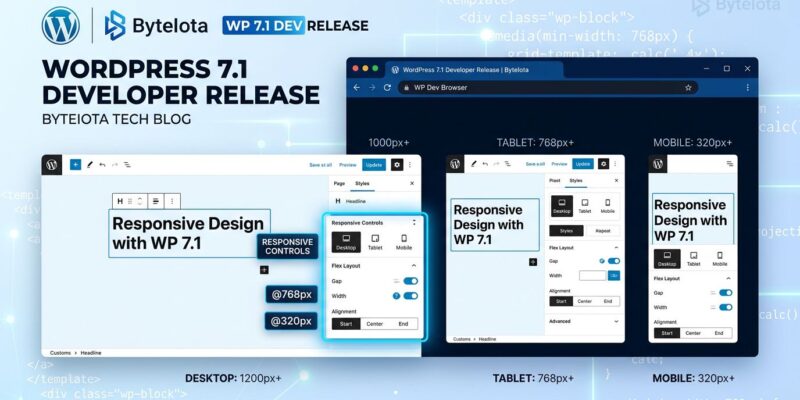
The headline feature of WordPress 7.1 is per-viewport block styling, and it is a bigger deal than it sounds. Until now, making a block theme look right across screen sizes meant writing custom CSS or reaching for a page builder. Starting with 7.1, you can style blocks per viewport — desktop, tablet, mobile — directly from the block inspector sidebar. No custom CSS. No extra plugins.
The system is desktop-first: set a font size or color on desktop and it cascades down to tablet and mobile unless you explicitly override it at smaller breakpoints. It works for both Global Styles and individual block instances, so you can set site-wide responsive defaults in Global Styles and still override them per block where you need it. Theme authors gain a new lever in theme.json to define custom breakpoints — critical for themes that need more granularity than the default three-tier split.
Gutenberg 23.5 replaces the old fixed desktop/tablet/mobile toggle with a freely resizable device preview. The difference matters: you can now drag the preview window to any width instead of snapping between three fixed sizes, which gives a much more accurate picture of how a design actually behaves. The Call for Testing went out July 3 — community feedback has been positive. Interactive state styling also ships: hover and focus styles for buttons and interactive blocks are now handled through a standardized set of editor controls, no CSS required.
Iframe Enforcement: The Deadline You Cannot Miss
WordPress 7.1 completes what 7.0 started. When 7.0 moved the Site Editor to a fully iframed canvas, it left the Post Editor behind — blocks on apiVersion 2 or lower could still fall back to non-iframe mode. That fallback is gone in 7.1. Gutenberg merged “Post editor: always iframe” on July 10, and the theme and apiVersion conditions that enabled fallback were deleted outright.
What that means in practice: if you have blocks that rely on scripts loaded via admin_enqueue_scripts, access document or window directly, or use useEffect with refs, those blocks will break. The iframe has a separate document and window from the admin page, so anything that assumes shared scope will silently fail or throw errors.
The official Block API migration guide covers the three changes that fix most cases: set "apiVersion": 3 in block.json (this is a compatibility signal, not a render change), move scripts from admin_enqueue_scripts to enqueue_block_editor_assets, and replace useEffect with refs with useRefEffect. All core blocks have already been updated. If a block is already breaking in the Site Editor, it will break in the Post Editor in 7.1 — use the Site Editor as your canary right now.
// block.json — update apiVersion to signal iframe readiness
{
  "apiVersion": 3,
  "name": "my-plugin/my-block"
}

// Move scripts from admin_enqueue_scripts to:
add_action( 'enqueue_block_editor_assets', 'my_block_editor_scripts' );
The wp_knowledge Veto: AI in Core Has to Wait
Here is where WordPress 7.1 gets interesting. Greg Ziolkowski formally proposed merging a wp_knowledge custom post type into core on June 22 — a REST-only, headless storage primitive for site guidelines, AI memories, and notes. The feature was already shipping in the Gutenberg plugin as an experimental since March. Zero footprint on sites that never use it. Names were scheduled to freeze at Beta 1 on July 15.
Mullenweg vetoed it. His reasoning: he does not want features in core without “real-world adoption with impressive week to week growth (think: double digits).” His priority for AI work is evals and benchmarking — the WP Bench effort — not storage primitives.
The community largely agreed — developers questioned whether wp_knowledge belongs in core at all rather than the plugin layer. But Automattic engineer Artur Piszek made the counter-argument worth hearing: without a shared convention in core, every plugin will build its own incompatible knowledge layer. He built a functional WordCamp Europe Telegram agent entirely on Guidelines to prove the use case is real.
Both sides have a point. The veto is probably correct for now — putting a storage primitive in core before the ecosystem understands what it needs from AI context is premature. But if Piszek is right, the cost of waiting is a messy plugin landscape that a future core merge will have to untangle.
What Else Ships
The Media Library gets infinite scroll (the “Load more” button is gone), client-side processing for HEIC, AVIF, and UltraHDR formats, and a new inline cropping tool. The admin toolbar now persists into the Post and Site Editors — Distraction Free mode still hides it. Block Bindings gains List Item block support, letting more content connect to dynamic data sources without custom code.
Beta 1 is available now via the WordPress Beta Tester plugin. Weekly betas continue through July. If you build or maintain blocks, the iframe migration is the thing to do this week — not next month.