 By
By AI coding agents have been running in the wrong environment since day one — yours, not your project’s. If your project declares Python 3.12 in its Dev Container but your laptop runs 3.11, the agent doesn’t care. It uses what’s on your host, silently executes the wrong version, and produces output that may or may not survive CI. VS Code 1.138, released September 16, fixes this. Agent sessions now run inside the project’s Dev Container.
The Problem Was Always Environment Mismatch
When Copilot or Codex ran agent sessions, they executed on the developer’s host machine. That worked fine for simple edits but broke down the moment the project had specific runtime requirements. Missing CLI tools, wrong Node version, absent database connections — the agent either failed outright or, worse, produced code that appeared to work locally but was silently wrong.
The community had been asking for this for months. The GitHub tracking issue for Dev Containers agent integration accumulated steady engagement. Blog posts with titles like “Stop giving AI agents your whole laptop” were circulating well before this fix shipped. The security concern was real too: an agent running on the host has access to credentials, configs, and unrelated project files far beyond what it needs for the task at hand.
How It Works in 1.138
The feature is gated behind a single setting:
{
  "chat.agentHost.devContainer.enabled": true
}
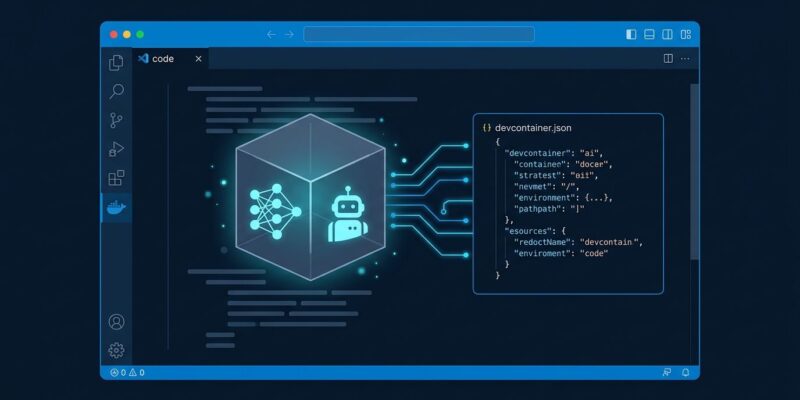
Once enabled, any local folder with a supported devcontainer.json will show a Use Dev Container action in the folder menu inside the Agents window. Select it, and VS Code starts the agent session inside that container — with the container’s runtime, libraries, and CLI tools, not your host’s.
Docker is required. Podman is not yet supported for agent host sessions. The feature is also rolling out gradually, which means even after updating you may need to flip the setting manually before it appears. One known rough edge: fresh setups sometimes fail to show the Codex sign-in option in the Agents window — a fix is in progress. The agent host also now forwards your host Git identity into the container automatically when it’s absent, so agent-made commits and checkpoints work without extra container configuration.
What Isolation Actually Gets You
To be precise: Dev Container isolation is not a full security sandbox. It narrows the agent’s access to what the container exposes, which is meaningful but not airtight. The GitSpawn vulnerability disclosed September 1 — where malicious .git/config files can trigger RCE through agent background calls — isn’t solved by container isolation. But running inside a container does reduce the collateral damage if something goes wrong. The agent can’t reach your SSH keys or other project directories.
The more immediate benefit is correctness. An agent running inside your project’s container sees the same environment as your CI pipeline. It fails for the same reasons CI fails and succeeds for the same reasons CI succeeds. That alignment alone is worth the setup cost.
Session Cleanup Is Now Automatic (Preview)
The second significant feature in 1.138 is session cleanup. Agent sessions accumulate fast — one per feature branch, per experiment, per refactor attempt. Until now, archiving them was manual.
Enable this to get VS Code to nudge you when a pull request merges:
{
  "chat.agentSessions.archiveNudge.enabled": true
}
Beyond the nudge, VS Code can automatically archive inactive sessions whose PRs have all merged, then permanently delete them after a configurable grace period, along with their associated Git worktrees. Both auto-cleanup settings are off by default. The worktree cleanup fails closed — it will not touch a dirty worktree, which means you won’t accidentally lose uncommitted work.
Expanded Codex: Switch Subscriptions Without Losing Context
If you’re signed into both GitHub Copilot and a ChatGPT subscription, the model picker in 1.138 lets you switch between Copilot-backed and ChatGPT-backed Codex models without dropping the current conversation. Sessions can also move between the ChatGPT app and VS Code, picking up where they left off.
The practical impact is limited for most developers with a single subscription. The signal is more interesting: Microsoft is positioning VS Code as a neutral agent hub that doesn’t force you to commit to one provider’s model.
Enable It Now If You Use Dev Containers
Two settings to add to your VS Code settings.json:
{
  "chat.agentHost.devContainer.enabled": true,
  "chat.agentSessions.archiveNudge.enabled": true
}
If you’re not yet using Dev Containers on your projects, this is a reasonable forcing function. The Dev Containers specification is mature, the tooling is solid, and the payoff — consistent environments across your whole team, including the AI members — is no longer theoretical. Check the official 1.138 release notes and the VS Code Agents documentation for full configuration details.