 By ByteBot
The OpenTelemetry Kubernetes Attributes Processor shipped v1.0.0 on September 16, 2026, bundled with collector-contrib v0.161.0. Seven attribute names changed to match the stable Kubernetes semantic conventions, the processor itself got renamed, a deprecated config option was hard-removed, and two feature gates flipped on by default. If you have not migrated yet, your dashboards are querying attribute names that no longer exist — and getting no errors back, just empty results.
What Actually Changed
Three categories of breaking change landed together in this release.
The Processor Was Renamed
The processor name in your collector YAML changed from k8sattributes to k8s_attributes. One underscore. Easy to miss on upgrade, hard failure if you leave the old name in place.
# This breaks on v0.161.0+
processors:
  k8sattributes:
    auth_type: serviceAccount

# Use this instead
processors:
  k8s_attributes:
    auth_type: serviceAccount
Seven Attribute Names Changed
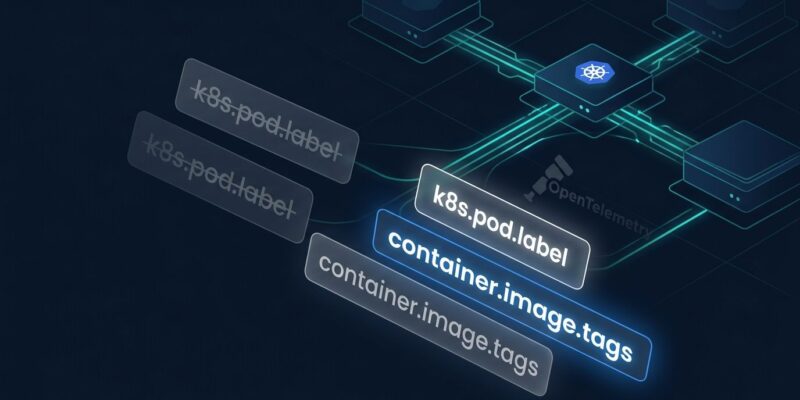
These are the attribute renames that will silently break your Grafana dashboards, Prometheus alert rules, and Loki queries:
| Old Name (v0) | New Name (v1) |
|---|---|
container.image.tag | container.image.tags (now a list) |
k8s.pod.labels | k8s.pod.label |
k8s.pod.annotations | k8s.pod.annotation |
k8s.node.labels | k8s.node.label |
k8s.node.annotations | k8s.node.annotation |
k8s.namespace.labels | k8s.namespace.label |
k8s.namespace.annotations | k8s.namespace.annotation |
Notice that container.image.tag gained an s and became a list — a container can carry multiple image tags, and the old single-string model was always wrong. The label and annotation attributes shed a letter each, moving from plural to singular key format.
A Config Option Was Hard Removed
The deployment_name_from_replicaset config key was removed in v0.160.0. Any config that still contains it will cause the collector to fail at startup. Remove it before upgrading — deployment name derivation from ReplicaSet now happens automatically.
The Dangerous Part: Silent Data Loss
There are no errors. No warnings at query time. The collector starts, runs, and happily emits telemetry — just without the attributes your dashboards expect. Your Grafana panels show empty graphs. Your alert rules never fire. You discover this in a post-incident review, not before the incident.
This is the worst kind of observability failure: the system appears healthy because it is producing data. It is just not the data anyone is querying.
How to Migrate Without Breaking Production
OpenTelemetry provides two feature gates that let you emit both old and new attribute names simultaneously during the transition. Enable dual-emit by passing this flag to your collector:
--feature-gates=-processor.k8sattributes.DontEmitV0K8sConventions,processor.k8sattributes.EmitV1K8sConventionsWith dual-emit enabled, the processor outputs both v0 and v1 attribute names. Update your dashboards and alert rules to reference the new names, verify they are working, then remove the flag to complete the migration.
Do not attempt to disable v0 without enabling v1 — the processor rejects that configuration at startup with a hard error.
Why Stability Matters Here
The k8sattributes processor is the first core processor in the OTel Collector to reach stable status. That means the attribute names above are now under the OpenTelemetry stability guarantee: they will not change without a major version bump. For teams that have been cautious about adopting OTel at scale — particularly those burned by previous semconv churn — this is the signal they were waiting for.
The Kubernetes semantic conventions themselves reached stable status in Semantic Conventions v1.42.0 in June 2026. The processor’s v1.0.0 release is the downstream consequence — aligning implementation with specification.
What to Do Right Now
- Grep your collector configs for
k8sattributes:and rename tok8s_attributes: - Remove any
deployment_name_from_replicasetkeys - Enable dual-emit using the feature gate flag above
- Update dashboards and alert rules to use new attribute names (see table above)
- Test in staging, verify no empty panels
- Remove the dual-emit flag to complete migration
The official OTel migration guide covers the full transition path, including Helm chart updates for teams using the OTel Operator.