This section contains the CLEAN content ready for WordPress publishing. NO scores, NO internal notes, NO SEO analysis – just the content itself.
On April 29, 2026, a malicious npm package impersonating TanStack stole developer credentials in a 27-minute attack window. Four versions of the unscoped “tanstack” package—2.0.4 through 2.0.7—used postinstall hooks to automatically exfiltrate .env files containing AWS keys, GitHub tokens, database passwords, and API secrets the moment developers ran npm install. Socket Research Team discovered the attack targeting the brand-squatted package name, exploiting the difference between “tanstack” and the legitimate “@tanstack/*” scoped packages. With roughly 19,830 prior downloads, the attacker had a ready pool of victims.
This isn’t an isolated incident—it follows the Axios attack in March 2026 and demonstrates how npm supply chain attacks are getting faster, more automated, and harder to detect. A simple typo now means full credential exposure.
Four Versions in 27 Minutes: Real-Time Attack Iteration
Between 17:08 and 17:35 UTC on April 29, the attacker published four malicious versions in rapid succession, refining the payload in real-time. Version 2.0.4 targeted .env and .env.local files directly. Version 2.0.5 shifted to benign files like README.md and AGENTS.md—a testing phase to verify the exfiltration endpoint worked. Version 2.0.6 implemented the most aggressive approach, globbing all .env.* variants including .env.production and .env.staging. Version 2.0.7 reverted to the 2.0.4 targeting pattern while disabling all logging for stealth.
Socket researchers documented: “All four versions were published within a 27-minute window and share the same exfiltration infrastructure, confirming this is a deliberate, planned attack rather than a gradual compromise.” The same Svix source ID—src_3387PLMB2uhXOBe3Q8sHu—appeared across all versions, tying them to a single actor. This wasn’t opportunistic malware distribution. The attacker used npm as a staging environment, testing and refining credential theft payloads live on the registry.
The speed matters. Developers have minimal time to respond between package compromise and active exploitation. Traditional security scanners that check packages weekly or monthly can’t catch attacks that evolve in minutes.
Unscoped Package Name-Squatting Exploits npm Security Gap
The attack exploited npm’s package naming system by registering the unscoped “tanstack” name. Scoped packages like @tanstack/query are owned by verified organizations and protected from name-squatting—you can’t register @tanstack/anything without controlling the @tanstack organization. Unscoped packages have no such protection. First-come-first-serve naming means anyone can register “tanstack” and impersonate the legitimate project.
Developers typing “npm install tanstack” instead of “npm install @tanstack/query” unknowingly install the malicious package. TanStack creator Tanner Linsley confirmed: “The maintainer of the unscoped tanstack package is not associated with TanStack or the official @tanstack/* projects in any way.” The attacker, using npm account sh20raj, had previously demanded $10,000 to transfer the package name—demonstrating this was premeditated brand-squatting, not accidental confusion.
npm’s security model fails here. Unscoped package names are a finite resource vulnerable to squatting, and there’s no mechanism to reclaim names used for brand impersonation. Organizations should mandate scoped packages in development policies. The @ prefix prevents this entire attack class.
Postinstall Hooks Execute Without User Consent
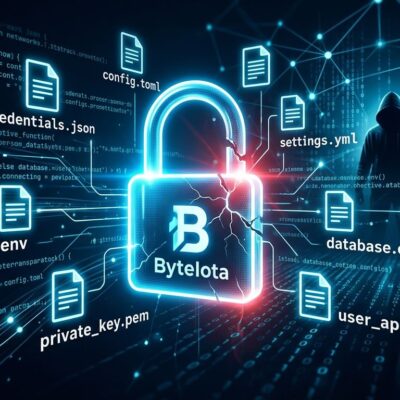
All four malicious versions contained postinstall hooks that executed automatically when developers ran npm install, npm ci, or yarn install. The script read .env files from the project directory and POSTed contents to a Svix webhook endpoint without warnings or prompts. Postinstall hooks run with the same privileges as the installing user—often with full filesystem and network access.
The malicious code used disguised function naming like sendReadme() to mask credential exfiltration. Files targeted included .env, .env.local, .env.production, and in version 2.0.6, all .env.* variants via glob patterns. Stolen data typically contained AWS access keys, GitHub personal access tokens, npm publish tokens, database connection strings, and third-party API keys for services like Stripe, OpenAI, and Twilio.
Microsoft’s security analysis of the March Axios attack noted: “npm’s lifecycle hooks provide multiple execution points where malicious code can run with the privileges of the installing user.” Postinstall hooks are too powerful by design. They execute arbitrary code automatically, giving attackers a perfect vector for credential theft. Developers must disable scripts by default or migrate to package managers with better security defaults like pnpm v10+, which disables postinstall hooks in dependencies out of the box.
Svix Dead-Drop and Immediate Defense
The attacker used Svix, a legitimate webhooks messaging platform, as a credential exfiltration endpoint. This “dead-drop” technique is clever: the malicious postinstall script POSTed stolen .env contents to a public Svix ingest URL, but only the authenticated attacker could retrieve the data. Blocking api.svix.com would break legitimate applications using Svix for webhooks. Traditional firewall rules and domain blocklists don’t work when the endpoint is a trusted service.
Developers need to check for compromise immediately. Search lock files for the affected versions:
# Check for malicious versions
grep -r "\"tanstack\": \"2\.0\.[4-7]\"" package-lock.json

# List all tanstack packages
npm ls tanstack
If affected versions are found, assume full credential compromise. Rotate all secrets: AWS keys, GitHub tokens, database passwords, API keys. Check CloudTrail logs and GitHub audit logs for unauthorized activity. Long-term defenses require configuration changes:
# Disable postinstall scripts in .npmrc
echo "ignore-scripts=true" >> .npmrc

# Set 7-day package age policy
echo "min-release-age=7" >> .npmrc

# Always use scoped packages
npm install @tanstack/react-query  # Not "tanstack"
pnpm v10, released in late 2025, became the first package manager to disable postinstall scripts by default, making it security-hardened out of the box. pnpm v11, released in April 2026, refined these defaults with better developer experience. Organizations should mandate these practices in developer onboarding and CI/CD pipelines. The npm ecosystem won’t fix itself—developers must implement defense-in-depth now.
Related: GitHub Reliability Crisis: HashiCorp Founder Leaves
Key Takeaways
- Check for versions 2.0.4 through 2.0.7 immediately in package-lock.json—assume compromise if found
- Use scoped packages exclusively (@tanstack/* not “tanstack”)—the @ prefix prevents brand-squatting
- Disable postinstall scripts with –ignore-scripts flag or .npmrc configuration
- Set package age policies (min-release-age=7) to avoid newly published packages
- Migrate to pnpm v10+ for security-hardened defaults that disable postinstall hooks
- Rotate all credentials if compromised: AWS keys, GitHub tokens, database passwords, API keys
The 27-minute attack window demonstrates that npm supply chain attacks are now fast, automated, and iteratively refined in real-time. Platform-level fixes from npm would help, but developers can’t wait. Implement scoped packages, disable postinstall hooks, and audit dependencies now.