 By
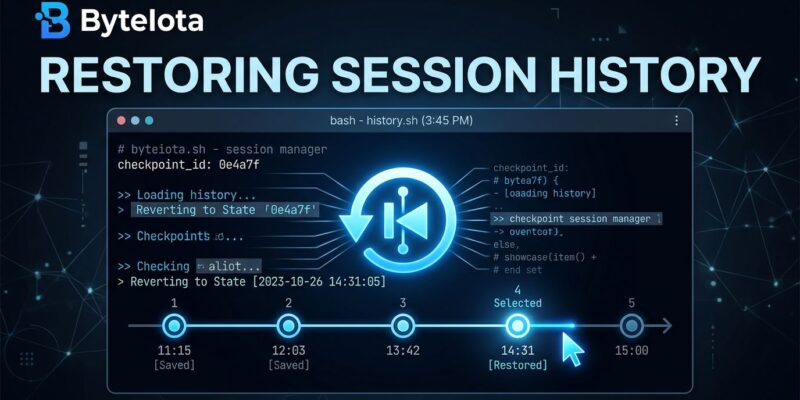
By OpenCode shipped two releases within 24 hours this week — v1.17.10 on June 24 and v1.17.11 on June 25. The headline feature in v1.17.11 is session snapshots: a checkpoint-and-revert system that rolls back your entire agent session — conversation history and all file changes — to any earlier message. If you have ever watched an AI agent confidently rewrite the wrong module, this is the feature you have been waiting for.
Finally: An Undo Button for AI Agents
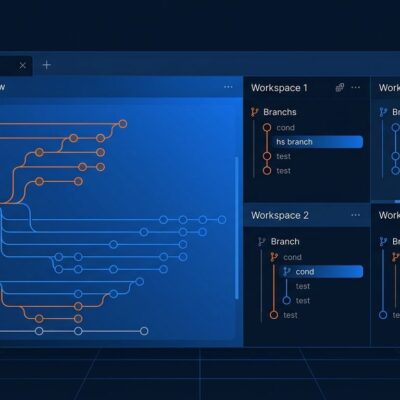
Session snapshots work exactly how the name suggests. After every message in a session, OpenCode captures a checkpoint — the conversation state and every file change made up to that point. The new revert control in the UI lets you pick any earlier snapshot and roll everything back. Files included.
This sounds obvious in retrospect, but no major AI coding agent has shipped this natively until now. Claude Code does not have it. Cursor does not have it. Developers have been working around the problem with manual git checkpoints and careful staging habits. Session snapshots make that workaround unnecessary.
The trust implication is significant. The hesitation most developers feel about giving agents large tasks — refactoring a core module, touching the database layer, restructuring a config system — comes from the irreversibility problem. If the agent takes a wrong turn, recovery is painful and slow. Snapshots change the calculus. You can now attempt the ambitious task and revert cleanly if it goes wrong.
The implementation detail worth noting: snapshot creation reuses existing Git objects to avoid re-hashing on large repositories. This is not a naive filesystem copy — the team clearly tested against real codebases and engineered around the obvious performance trap.
MCP Resource Templates: OpenCode Becomes a Proper MCP Client
v1.17.10 adds something quieter but architecturally significant: support for MCP resource templates. The Model Context Protocol lets servers expose data resources — files, database rows, API responses — and resource templates are URI-templated endpoints that generate those resources dynamically (for example: db://schemas/{table_name}).
Previously, OpenCode could call MCP tools but could not enumerate or read what resources a connected MCP server had available via templates. That gap mattered for teams running internal MCP servers that expose structured data. Now OpenCode can list the templates, read the resources they generate, and handle permission denials gracefully — tools are hidden when access is denied, and key collisions between multiple MCP servers are prevented automatically.
The practical unlock: an MCP server exposing your company’s database schemas becomes fully navigable by the agent. It can discover what tables exist, pull the right schema, and use that context without a developer manually fetching and pasting it. That is the difference between MCP as a demo feature and MCP as actual infrastructure.
8 Million Users and a Growth Story Worth Knowing
These releases land as OpenCode crosses a milestone that deserves context. In a BetaKit interview earlier this month, founder Dax Raad disclosed that the project has reached 8 million monthly active users and is on track for roughly $25 million in annualized revenue from its hosted-model service. The project debuted at a Toronto developer meetup one year ago with roughly 30 people in the room.
The growth has a founding story worth knowing. Early on, Anthropic blocked Claude Code connections inside OpenCode. Raad messaged OpenAI that same night; by morning, OpenAI officially supported the tool. That single incident — forced by a competitor’s restriction — pushed the team toward building something genuinely provider-agnostic. OpenCode now supports 75-plus model providers under an MIT license. The block was probably the best thing that happened to the project’s architecture.
–mini Mode and Desktop Polish
v1.17.10 also ships a --mini flag for opencode tui and opencode attach: a minimal interactive mode with replay controls, suitable for quick one-off tasks or scripted workflows where the full TUI is more than needed. On the desktop side, Chrome-style tab shortcuts (mod+1 through mod+9), draggable tabs, a redesigned titlebar, and an archived sessions panel bring the desktop app steadily closer to Cursor’s UX polish — while keeping the open-source, provider-agnostic engine underneath.
What to Do Now
If you are already on OpenCode, update now — session snapshots are too useful to leave on the table. Full details are in the official changelog. If you are evaluating OpenCode for the first time, start with our earlier guide to the tool, then check the MCP integration docs to see what is now possible with resource template support.