 By
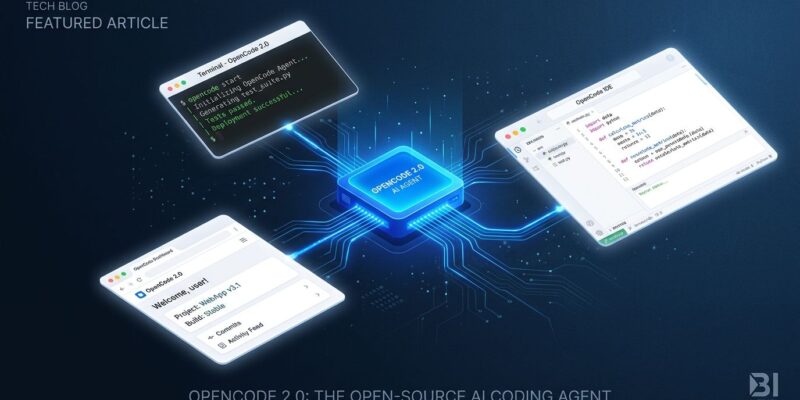
By OpenCode 2.0 shipped this week with a single architectural change that exposes a frustration most developers hadn’t consciously named: every AI coding agent interface you use today runs its own isolated session. Start an agent task in your terminal, switch to the desktop app, and you’re starting from scratch. The context is gone. OpenCode’s answer is a shared background service that all its interfaces connect to — making it the first open-source agent to match the cross-surface continuity that Claude Code and Codex CLI deliver through their proprietary cloud backends, but entirely on your machine.
One Process, Every Surface
The biggest change in 2.0 is architectural. OpenCode now runs a single background process on your machine — port 49374, localhost-only by default — and all its clients connect to it: the terminal UI, the desktop app, the web interface. Sessions, configuration, plugins, permissions, and tool execution all live in that one process.
In practice, this means you can start a debugging session in your terminal, pull up the browser interface to review agent progress visually, and continue in the desktop app when you want the richer layout — all against the same session with full context preserved. The official 2.0 announcement puts it plainly: “One shared server owns sessions, config, plugins, permissions and tool execution. Every client — TUI, desktop, web — connects to it.”
The privacy angle is worth noting. Claude Code achieves similar session continuity via Anthropic’s cloud backend. OpenCode’s shared service is local-first. Nothing leaves your machine unless you explicitly set up remote access.
Code Mode: Token Efficiency That Actually Matters
Code Mode is the feature that will have the biggest day-to-day impact for most users. The problem it solves: with standard agent tool use, every intermediate result from a tool call gets fed back into the model’s context window. Call five tools in sequence and you’ve loaded five intermediate payloads into context — most of which are irrelevant to the final answer.
Code Mode changes the execution model. Instead of sequential tool calls, the agent writes a short JavaScript script that chains all tool calls together, executes them, and returns only the final result to the model. One round trip. One context entry.
The numbers from real usage are significant. One documented case saw context drop from 177,444 tokens to 54,181 — a 69% reduction, with a single over-chatty integration accounting for most of the bloat. All MCP servers are opted into Code Mode by default in 2.0, which means adding a large number of MCP tools to your setup no longer comes with a prohibitive context window penalty.
Background Agents and the SDK
Two other additions complete the 2.0 picture. Background agents let you push long-running tasks — test suites, research agents, code review subagents — to run asynchronously while you continue interactive work. Press Ctrl+B to move a foreground task to background. A worktree API gives each concurrent agent an isolated working directory, so parallel agents don’t stomp on each other’s changes.
The @opencode/sdk is aimed at developers who want to build on top of OpenCode rather than just use it. It embeds the OpenCode agent runtime directly in custom applications — no separate process spawning needed. Documented use cases include monitoring CI build failures and automatically launching a diagnostic agent, or building tools that file GitHub bugs directly into Linear. Cloudflare has announced experimental support for running OpenCode 2.0 in Durable Objects via an OpenCodeHarness integration. For comparison, OpenAI’s Codex CLI background daemon took a narrower approach to async work — background agents in OpenCode 2.0 are considerably more flexible.
What Breaks If You’re Upgrading
Version 1.x plugins are not compatible with 2.0 — the plugin API was redesigned and requires a full port, not a config update. The server API was also rebuilt from scratch. Terminal configuration migrated from tui.json to ~/.config/opencode/cli.json, which happens automatically on first launch. V1 configs normalize automatically, so nothing breaks immediately, but custom plugins need migration work.
One flag worth tracking: the Hacker News discussion surfaced a configuration loading precedence issue the team identified as a security regression. They reverted the problematic changes quickly after community feedback. The pattern — ship, get flagged, fix fast — is consistent with OpenCode’s history. It’s not a reason to avoid upgrading, but it is a reason to pin versions in production environments and watch the changelog closely.
Where OpenCode Now Sits
With 2.0, OpenCode closes most of the UX gap with its closed-source competitors on the multi-surface experience front. It still leads on the dimension that matters most to developers avoiding lock-in: model agnostic (75+ providers), fully auditable, shared service running locally. Claude Code remains ahead on model quality for complex reasoning and overall polish. Codex CLI has the advantage of being bundled with ChatGPT plans including the free tier.
Code Mode is the one area where OpenCode is genuinely ahead of the closed tools. There’s no equivalent feature in Claude Code or Codex CLI. If you’re running a heavy MCP tool setup and fighting context window costs, that alone is worth the upgrade evaluation.