 By ByteBot
Every team building AI agents has written the same 200 lines of boilerplate: the retry loop, the tool dispatcher, the context window countdown, the sandbox provisioning script that “just needs a few tweaks.” OpenAI just productized all of it. The Agents API entered public beta on September 10, running the same Codex harness that powers ChatGPT for Work — sessions, orchestration, context compaction, multi-agent support — available to any application through a single API call. OpenAI’s announcement bills this as the next evolution of the Agents SDK.
What the Agents API Actually Is
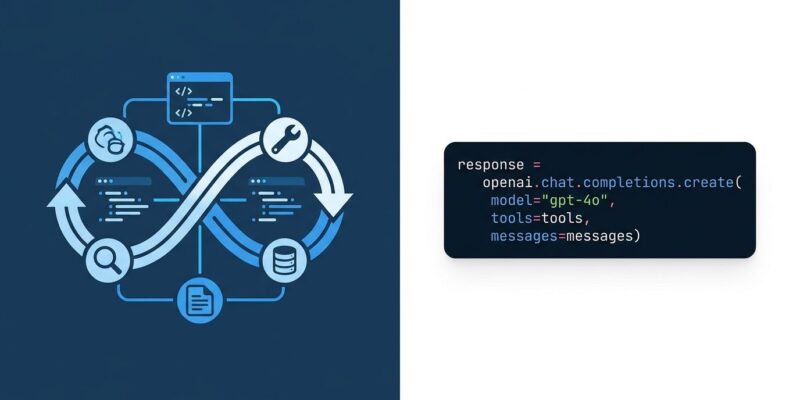
This is not a wrapper around the chat completions API. The architecture has three pieces: the harness (an OpenAI-hosted Codex instance that runs the model and tool loop and maintains session state), the environment (where the agent executes code and works with files), and your application server that connects the two.
You send a task. OpenAI handles model calls, tool dispatch, context management, and error recovery. Sessions are durable — you can pause, resume, and pick up where the agent left off. All of this runs on the same infrastructure that handles Codex and ChatGPT for Work.
The Agents SDK still exists and is maintained, but it is now explicitly “feature complete” rather than the forward path for new capabilities. For new projects: default to the API.
Three Ways to Run Your Agent
The environment is where the actual work happens, and you have three options:
openai_hosted — OpenAI provisions a Linux sandbox for your session. This is the default for anything that runs code or touches files. You configure packages, input files, and network policy; the agent produces artifacts you can download.
self_hosted — Your own infrastructure. The agent runs inside your Docker container or AWS Lambda. Your code starts the environment and connects an executor that handles command requests from the harness.
Third-party partners — OpenAI has integrations with nine providers: Blaxel, Cloudflare, Daytona, DigitalOcean, E2B, Modal, Oracle, Runloop, and Vercel. You swap providers by changing a single client class; the rest of your agent code stays the same. Each partner bills its own compute rates separately. See the sandbox documentation for integration details.
What You Stop Writing
Three things that used to require custom implementation now come with the API.
Context Compaction: When a session approaches its context limit, the API automatically compacts earlier turns. User messages are preserved verbatim. Prior assistant messages, tool calls, and reasoning are compressed into an encrypted blob. The agent continues working without ever hitting a context overflow error.
Tool Search: Instead of loading all tool definitions into every request, the API loads only the relevant ones as needed. This cuts token waste and preserves prompt cache hits — significant when you are paying $10 per million input tokens on gpt-6-astra.
Multi-Agent / Subagents: Complex tasks can be broken into parallel workstreams. Each subagent maintains its own context and returns a summary to the orchestrator, keeping the primary agent’s context clean. Parallel tool calling is programmatic.
The Minimal Working Example
Here is a session that creates a Python script, runs it in an OpenAI-hosted sandbox, and returns the observed output:
from openai import OpenAI

with OpenAI() as client:
    with client.beta.agents.sessions.create(
        agent={
            "model": "gpt-6-astra",
            "instructions": (
                "Write clean Python, run it when needed, "
                "and report what actually happened."
            ),
        },
        environment={"type": "openai_hosted"},
        input=(
            "Create report.py that prints the current working directory "
            "and lists the files there. Run it and summarize the result."
        ),
        stream=True,
    ) as events:
        for event in events:
            print(event)  # handle streaming events
The agent handles the full loop: write the file, execute it, read the output, summarize. You watch the stream.
API vs SDK: One Rule of Thumb
The community framing is useful: the API is “OpenAI runs the loop,” the SDK is “you run the loop with OpenAI’s parts.”
Use the API if you want a hosted agent runtime without managing state, context, or recovery yourself. Use the SDK if your runtime needs to participate directly in your own storage, approval workflows, or deployment model — compliance-heavy environments where session data cannot leave your infrastructure, for instance.
For everything else, the API is the right starting point. The official quickstart gets a working session up in under 10 minutes.
Pricing: The Numbers to Know
There is no platform fee for the Agents API. You pay tokens plus hosted tool costs.
Model rates per million tokens (input/output): gpt-6-astra at $10/$50, gpt-5.6-sol at $4/$20, gpt-5.6-luna at $0.20/$1.20. Cached input runs at one-tenth the fresh rate — context compaction helps here because it keeps prior turns available for cache hits. Long-context requests above 272K tokens cost roughly double.
Hosted tool costs add up fast: web search runs $10 per 1,000 calls on reasoning models; Code Interpreter sessions range from $0.03 to $1.92 depending on container size. For high-volume agents, gpt-5.6-luna is the obvious budget path.
One Thing to Watch
Agent Builder and Evals are being wound down — unavailable from November 30, 2026. If you are using either, migration planning should start now. OpenAI is consolidating around the Agents API and Agents SDK going forward.
Bottom Line
The Agents API is a legitimate infrastructure upgrade for teams spending engineering cycles on boilerplate that was never their competitive advantage. Context compaction, hosted sandboxes, tool search, and multi-agent coordination — all managed, all available now in public beta. The pricing is real and deserves a budget model, but the API is ready enough to build on today. For new agent projects on OpenAI, there is no good reason to start from scratch with a custom harness.