 By
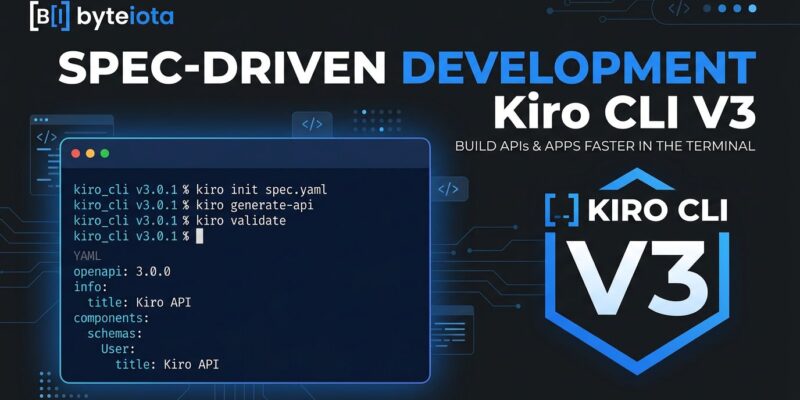
By Kiro just shipped CLI V3 in early access, and it resolves the platform’s most glaring gap: terminal-first developers can now run the full spec-driven workflow — requirements, design, task execution — without touching the IDE. Run kiro-cli --v3 to opt in. Your 2.x setup stays untouched.
What Changed in V3
Three features define the release. Each one addresses a concrete pain point from 2.x, and together they close the gap between the IDE and the CLI entirely.
1. The Spec Agent Is Now in the Terminal
Until now, Kiro’s defining feature — spec-driven development — lived exclusively in the IDE. V3 changes that. Terminal developers get the full workflow: specs in the Kiro CLI work the same way they do in the IDE.
The process: run /spec new user-auth to start. Kiro generates a requirements.md file using EARS notation (Easy Approach to Requirements Syntax, originally developed at Rolls-Royce for aerospace engineering). EARS turns fuzzy feature descriptions into machine-readable acceptance criteria:
WHEN a user submits a valid email on the reset form
THE SYSTEM SHALL send a one-time reset link valid for 30 minutes.

WHILE a reset link is unused and unexpired
THE SYSTEM SHALL allow exactly one password change before it expires.
After reviewing requirements, Kiro generates design.md — architecture, sequence diagrams, component breakdown. Then tasks.md — an ordered implementation plan with dependency tracking. Run /spec run 3 and the agent executes task 3 autonomously, streaming progress without waiting for further prompts.
This matters because the spec-driven workflow is what separates Kiro from every other AI coding tool. It was IDE-only until today.
2. Declarative Permissions Replace Ad-Hoc Approvals
In V2, every agent action that touched the filesystem or shell spawned an approval prompt. That worked for individuals. It does not work for teams shipping production code through CI or agentic pipelines.
V3 introduces capability-based permissions via a permissions.yaml file. You declare exactly what the agent can do, check it into version control, and move on:
permissions:
  - capability: shell
    effect: allow
    match: "npm *"
  - capability: shell
    effect: exclude
    match: "npm publish*"
  - capability: fs_write
    effect: allow
    match: "src/**"
One rule can allow or deny an entire category of operations across all tools. Categories include shell, fs_read, fs_write, and mcp. The security detail worth knowing: compound commands (;, &&, ||, |) are split before pattern matching. A rule for npm test * will not accidentally match npm test ; curl attacker.com. That is deliberate, and it is the right design decision.
3. Standalone Hook Files
Hooks in V2 were embedded in a monolithic config. In V3, each hook lives at .kiro/hooks/<n>.json — its own file, versioned schema, portable across teams. Add a hook, delete a hook, share a hook via pull request without touching anything else.
V3 adds four new lifecycle triggers that V2 did not have: PreTaskExec and PostTaskExec (for spec task automation), PostFileDelete, and Manual (trigger hooks explicitly on demand). Hooks support two action types: command (shell subprocess; exit code 2 blocks execution for pre-hooks) and agent (prompt injection into model context, no subprocess spawned).
Before You Opt In: One Hard Warning
The V3 session format is not backward compatible. Sessions created in V3 cannot be reopened in V2. Back up ~/.kiro/sessions/ before running kiro-cli --v3. A migration guide for converting V2 configurations is listed as coming soon — meaning it does not exist yet. Be deliberate if you have ongoing sessions to preserve.
The Architecture Behind the Release
Kiro CLI V3 is not a port of IDE features. It is built on the same unified agent harness that powers the Kiro IDE and Kiro Web. Claude Sonnet 5 — added across IDE, CLI, and Web in this release cycle — ships to all surfaces simultaneously. Future harness improvements will too. The CLI will no longer lag behind the IDE.
The strategic picture: AWS is betting that spec-first development beats vibe coding for teams with complexity or compliance requirements. V3 is that bet extending to the terminal. Whether the spec mode price (/bin/bash.20 per credit versus /bin/bash.04 for standard chat) justifies itself depends on the project. For straightforward CRUD work, probably not. For anything involving regulated data, multiple developers, or a feature that needs documented requirements, the structure earns its keep.
How to Try Kiro CLI V3
Kiro CLI V3 is available as opt-in early access. It runs alongside your existing 2.x install with no disruption to your current setup:
# Activate V3 (2.x stays intact)
kiro-cli --v3

# Start a spec
/spec new <feature-name>

# Execute a spec task autonomously
/spec run <task-number>
For context on the broader Kiro IDE 1.0 release — including Agent Focus mode and the Claude Sonnet 5 rollout — the Kiro general availability blog post covers the full picture.