 By ByteBot
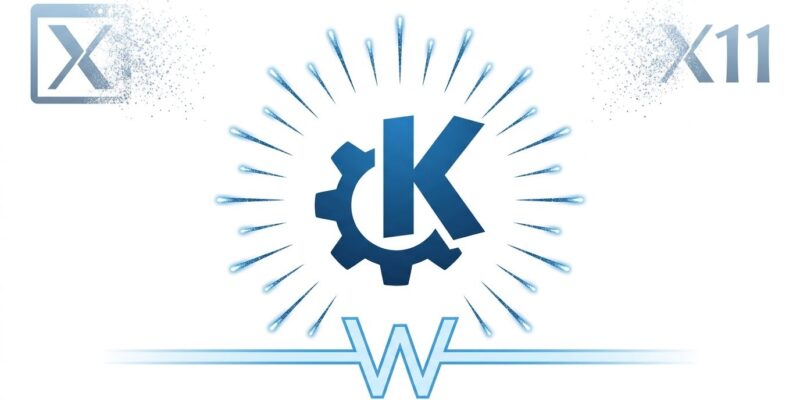
On October 14, 1996, Matthias Ettrich posted to a Usenet group announcing the “Kool Desktop Environment.” Thirty years later, KDE ships Plasma 6.8 on that same date — and this time, X11 is not invited. The release is not just a birthday. It is the moment KDE formally completes its migration to Wayland, stripping the X11 session from the login screen entirely. If you have been running Plasma on Wayland already, nothing changes for you tomorrow. If you have been clinging to the X11 session, your options just got narrower.
X11 Is Out. XWayland Is Not.
Plasma 6.7 was the last release with an X11 login option. In 6.8, the X11 session is gone from the display manager, and all X11-specific code paths inside Plasma Shell, System Settings, and device configuration have been removed. KDE developer David Edmundson confirmed the removal months ago: the project he called “EX-11” is now complete.
What does not go away is XWayland. The compatibility layer stays, so X11 applications — including most games and legacy tooling — continue to work transparently inside a Wayland session. The one real edge case: older NVIDIA GPUs running proprietary drivers below version 495 cannot run Wayland natively at all. XWayland itself requires driver 555 or newer. If you are on hardware that old, Plasma 6.8 is not for you yet.
The removal makes sense. KDE’s own telemetry showed over 95% of Plasma 6.6 users were already on Wayland. Maintaining two full code paths for something almost nobody was using was making everything slower to develop and test. This was overdue.
NVIDIA Finally Gets Triple Buffering by Default
This one has been a long time coming. Triple buffering on NVIDIA GPUs is now enabled by default — not as an opt-in experiment, but as the default configuration. The years of bugs that previously made this unreliable on NVIDIA hardware have been resolved. The result is smoother animation delivery and better frame consistency for a significant chunk of the Linux GPU market.
If you have been on NVIDIA with Wayland and noticed jank in animations or window transitions, this is the fix. It was broken for long enough that many people gave up and assumed it was a fundamental NVIDIA/Wayland incompatibility. It was not.
Remote Desktop Finally Works Properly
Remote desktop on Wayland has been the biggest rough edge in KDE’s Wayland story. Plasma 6.8 closes most of the gaps in one release.
The most immediately useful change: clipboard now syncs in both directions over RDP. Previously, you could copy from the remote machine to your local clipboard, but not the other direction. That asymmetry was a constant friction point for anyone doing remote development work. Both directions now work.
The second big addition is an unattended access mode. When you connect remotely in this mode, the physical displays on the host machine disconnect from the session. Nobody sitting near that machine can see what you are doing. This is standard behavior on Windows remote desktop but was missing from Wayland-based KDE remote desktop until now. Screen quality also adjusts dynamically based on available bandwidth, and virtual screens resize to match the client’s display layout.
Union Theming Reaches QtWidgets (Still a Preview)
Union, KDE’s CSS-based theming engine, first shipped in Plasma 6.7 for QML applications. In 6.8, it extends to QtWidgets applications — Dolphin, Kate, KMail, and similar apps. Developer Akseli Lahtinen wrote roughly 9,000 lines of QStyle code to make this work, mapping CSS rules onto Qt’s rigid painting framework. The result is, for the first time, a single shared CSS source file driving both the QtWidgets and QtQuick sides of Breeze.
It is still marked as a technology preview. KDE acknowledges some designs were built with QtQuick in mind and can look slightly off in QtWidgets apps. To try it: System Settings → Appearance → Application Style → select “Breeze (Union).” Expect visual quirks. The goal for future releases is to promote this out of preview once the rough edges are smoothed.
Everything Else Worth Knowing
Screen recording in Spectacle now captures audio. KPipeWire improvements deliver higher quality and lower latency for all screencasts. The built-in dwell clicker lands as an accessibility feature. Kup backup scheduler becomes an official desktop component following the standard Plasma release cycle.
On smaller things: KRunner navigation is fixed, Discover auto-updates now reliably work for Flatpak apps, and the Weather Report widget no longer shows a silent empty square when it cannot fetch data.
Plasma 6.8 will roll out through individual distributions on their own schedules. KDE neon and Arch Linux tend to ship quickly. Kubuntu and Fedora follow within days to weeks. The KDE 30th anniversary page has community event details if you want to celebrate. Check the distro distribution page for release timing specifics, and see the full list of changes on Linuxiac for anything not covered here.