
 By ByteBot
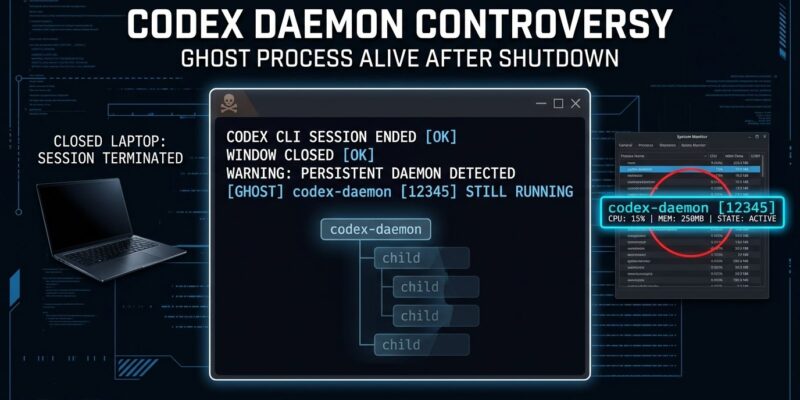
Codex CLI now runs on your machine when you are not using it. Since version 0.157.0, opening an interactive Codex session silently spawns a Codex CLI background daemon that keeps running after you close the window. It copies 374MB of binaries to ~/.codex, checks for updates every hour, and — when it finds one — sends SIGKILL to your active coding session after a 60-second grace period. A GitHub issue asking OpenAI to make this opt-in landed on Hacker News front page on October 12 with 484 points. The top comment was succinct: “Just let Sam Altman install a rootkit on your box.”
What the Codex CLI Daemon Actually Does
The behavior ships enabled by default starting with 0.157.0. When you open any interactive Codex session, it spawns a detached process that runs independently in the background. Here is what that process does:
- Copies the entire platform package (~374MB) into
~/.codex/packages/app-server-daemon/releases/<version>/ - Persists after you close Codex — keeps running until you manually stop it or reboot
- Checks for new releases every five minutes initially, then every hour
- On update: sends SIGTERM to the app-server, waits 60 seconds, then sends SIGKILL — even mid-session
- Locks in the environment variables (including
HTTPS_PROXY) from whichever shell first started it
That last point is quietly painful in practice. Start Codex from a project terminal with a custom proxy configured, and every subsequent session inherits that proxy — whether you want it or not. Developers working across multiple projects with different network configs have been getting wrong behavior for weeks without a clear explanation.
Additionally, old release copies are never cleaned up automatically. Developers running Codex daily report 10 to 20GB of stale binaries accumulating in ~/.codex.
The CLI Contract OpenAI Broke
There is a reasonable principle behind every CLI tool: the tool does nothing when you are not running it. You invoke it, it runs, it exits. That is the deal — and it is so obvious that nobody had to write it down.
OpenAI broke that deal. They did it silently — no prompt, no opt-in screen, no changelog entry that said “we are now installing a persistent background process on your machine.” The daemon exists because it shaves milliseconds off Codex’s cold-start time. That is a real benefit. However, it is a benefit worth approximately zero if you did not agree to pay for it with a self-updating process running on your hardware.
This is cloud-service thinking applied to a local tool. On a cloud service, a vendor can spin up processes, update them, restart them — that is the product. On a developer’s laptop, the rules are different. You do not get to run a process without permission, and you certainly do not get to kill active work sessions to push your own updates.
How to Disable the Daemon
If you are on Codex CLI 0.157.0 or later, run these commands to stop and remove the daemon:
codex features disable daemon_auto_start
codex app-server daemon stop
rm -rf ~/.codex/packages/app-server-daemon
Alternatively, set daemon_auto_start = false in your config.toml before the first run. Note: disabling auto-start prevents new sessions from spawning the daemon, but if one is already running you need the stop command separately. For CI/CD environments, add codex features disable daemon_auto_start as a setup step — the daemon has been breaking pipelines by spawning background processes in environments that do not expect them. A detailed workaround guide covers edge cases if the above commands do not fully clean up.
The Bigger Problem with AI Tooling
This is not an isolated engineering mistake. AI tooling companies are systematically pushing toward persistent presence on developer machines, and the Codex daemon is a clear example of that impulse getting through without enough scrutiny.
The same week this story landed on Hacker News, a supply chain attack compromised the Tensorlake npm package and targeted AI developer credentials directly. Separately, security researchers at Cymulate found that Codex CLI stores OAuth tokens in plaintext at ~/.codex/auth.json, and that a named pipe vulnerability on Windows let unprivileged users hijack the CLI entirely. A self-updating background process running with your credentials, in an environment with known plaintext token storage, is a meaningful attack surface — not just an inconvenience.
OpenAI’s fix is simple and they know it: flip the default. Make daemon_auto_start = false out of the box, add a one-time prompt at install explaining the tradeoff, and implement automatic cleanup of old release copies. GitHub issues #48195, #51961, and #51787 are all open with no official response as of October 13. Until they act, the commands above will do what OpenAI should have done by default.














