
 By ByteBot
GitHub Universe 2026 opens in San Francisco today, and GitHub arrived with its most consequential Copilot update since launch. Over the past month: the redesigned Copilot CLI terminal interface reached general availability, computer use entered public preview, agentic autofix for code scanning went GA, and Cowork expanded into event-driven business automation. This is not feature creep. GitHub is methodically converting Copilot from a code suggestion engine into a platform that runs workflows, patches vulnerabilities, and benchmarks how agent-first your team is against the competition.
Agentic Autofix: AI That Closes Its Own Security Tickets
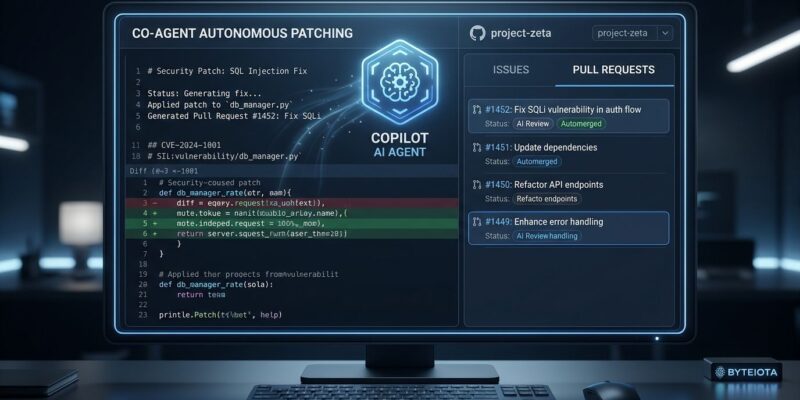
The most significant change dropped on October 15: agentic autofix for code scanning reached general availability for GitHub Code Security and Advanced Security customers. The pitch is straightforward — Copilot does not just flag vulnerabilities, it fixes them. When assigned to a code scanning alert, the agent explores relevant files, generates a proposed fix, and reruns CodeQL to confirm the alert is actually closed before opening a draft pull request with a plain-English explanation of what it did and why.
What this compresses is meaningful. A security alert used to mean a ticket, a triage meeting, a developer context-switching mid-sprint, another PR, another review cycle. Now it means a draft PR arriving in your queue with the fix already validated against CodeQL. The developer reviews and merges. The agent handled the rest. GitHub caps this at 25 default-branch alerts at a time, and it runs on AI credits plus Actions minutes — it is not free at scale. Human review before merge remains mandatory. But the workflow is fundamentally different from anything available six months ago.
Computer Use: The Agent That Can Click Things
On October 1, Copilot CLI added computer use in public preview on macOS and Windows. The agent can now interact with graphical environments — not just text files and terminal output. It can operate approved desktop applications. Three competitors launched comparable capabilities within weeks of the announcement, which signals exactly where the arms race is heading.
The governing constraint is local sandboxing, which reached general availability in early October across Copilot CLI, the Copilot app, and VS Code. Sandboxing gives the agent explicit, auditable boundaries over which filesystem paths, networks, and credentials it can access. Without sandboxing GA, computer use in production would be reckless. With it, the feature moves from demo territory into something a team can deploy with a reasonable security posture.
The CLI Is Now a Full Agent Workspace
The Copilot CLI’s redesigned terminal interface reached GA in June and gained its complete feature set this month. The tabbed layout covers Sessions, Gists, Issues, and Pull Requests — all inside the terminal. MCP server management runs inline. Dynamic workflows support sequential and parallel steps with human checkpoints. You can switch between GPT, Claude, and Gemini models in the same session.
# Inline MCP server management
/mcp add <server>       # Add an MCP server without leaving the terminal
/mcp search <term>      # Browse available servers
/skills                 # Toggle agent capabilities
/theme high-contrast    # Accessibility options

# Copilot CLI agent modes
gh copilot --plan       # Guided: clarifies before executing
gh copilot --autopilot  # Autonomous: iterates without stopping
This is not a shell wrapper with autocomplete. It is a development environment that lives in a terminal, with live access to your repository’s open issues and pull requests, MCP server orchestration, and the choice between Plan mode (guided, with clarifications before execution) or Autopilot mode (autonomous, iterates without stopping). The distinction matters more now that the agent has computer use capabilities.
Cowork Goes Event-Driven
The feature getting the least attention may have the most enterprise impact. Copilot Cowork expanded into event-driven business automation this month. You define a trigger — a specific email, a Teams message, a webhook — Cowork proposes an automation, and you confirm it. That puts GitHub competing with Zapier and n8n, not just Cursor and Windsurf. The coding assistant is becoming a cross-system orchestrator. Engineering managers and platform teams will feel this more than individual contributors will. Give it six months before it appears in enterprise procurement conversations.
The Agent-First Benchmark
GitHub added an opt-in industry comparison section to the Copilot impact dashboard. Companies can now see how their agent-first adoption stacks up against peers in their sector. This sounds like a minor analytics feature. It is not. When GitHub starts measuring something and makes it visible to your leadership, it becomes a KPI. Expect this number in engineering OKRs within a year.
The GitHub Universe theme — “All together now, in the agentic era” — reflects a genuine platform thesis, not just conference branding. Sessions at Universe 2026 cover agent memory management, context as infrastructure, and fine-grained MCP server authorization — not beginner AI demos. The question GitHub is asking is not “should we use agents” but “where do agents accelerate work, and where does human judgment remain essential.” That is a more mature question than the industry was asking twelve months ago, and GitHub is the platform best positioned to operationalize the answer.


