 By
By GitHub just shipped a standalone desktop app for Copilot — and it is not another IDE plugin. The GitHub Copilot app, now in technical preview as of May 14, runs agent sessions in isolated parallel workstreams with their own git worktrees, branches, and task state. Every major coding AI in 2026 still lives inside an IDE. Copilot just stepped out.
Not Agent Mode. Not the CLI. Something New.
If you’ve used Copilot’s agent mode in VS Code, you know the deal: you sit there watching the agent work in real time, nudging it when it goes sideways. If you’ve used the cloud-based coding agent, you assign it an issue and come back to a pull request. Both are useful. Neither is what the Copilot app does.
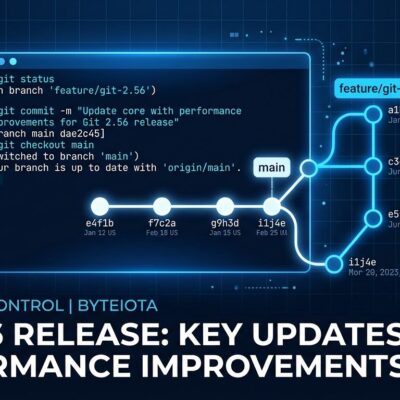
The app is a desktop-native environment for parallel agent sessions. Each session gets its own git worktree, its own branch, and its own task state. Three agents working the same repo simultaneously, and they don’t know each other exist. No branch conflicts. No waiting for one task to finish before starting the next.
That single detail — parallel isolated sessions — is what changes the working model. You stop thinking serially. Feature A runs while you review the diff from bug fix B while the refactor in session C hits a failing test and asks you what to do next.
The Inbox: GitHub as Your Work Queue
The app includes an inbox-style interface that pulls issues, pull requests, CI checks, and tasks from across your repositories into one view. Pick up a work item, assign it to a session, and the agent starts. No browser tabs. No context switching to GitHub.com to find what you were looking at.
For developers working across multiple repos — which is most developers — this matters more than it sounds. GitHub has always been where the work lives, but it’s been scattered. The Copilot app treats GitHub as a task queue and your job as managing throughput, not hunting for context.
Steering, Reviewing, and Merging Without Leaving the App
You don’t have to wait until an agent finishes to give feedback. Leave a typed comment mid-task, redirect the scope, review the diff as it builds. When you’re ready to land the change, the app hands off to your existing pull request workflow — same review requirements, same merge conditions your team already uses.
If there are merge conflicts, clicking “Fix with Copilot” in the merge box kicks off a resolution pass. Copilot analyzes the conflicting changes, resolves them, verifies that the build and tests still pass, and then requests your review before merging. You stay in control of the merge; the agent handles the mechanical work of getting there.
The full lifecycle — from work item to merged PR — stays inside one tool. That’s the pitch, and it’s a real one.
Who Can Use It Right Now
Here’s where the honest read diverges from the announcement framing.
GitHub Copilot Business and Enterprise customers can access the app now, provided their organization has enabled preview features and Copilot CLI. Download it at github.com/features/preview/github-app, sign in, and you’re through the door.
Individual Pro and Pro+ users are on a waitlist. GitHub paused new individual plan sign-ups on April 20 because agentic workflows consume significantly more compute than the original pricing model was built to handle. The Copilot app is real, but the infrastructure to support it at individual-user scale isn’t there yet at the pricing tiers most developers are on.
That’s not a knock on the product — it’s useful context. If you’re on Business or Enterprise, you have access today. If you’re on Pro, join the waitlist and expect a wait measured in weeks, not days.
The Bigger Signal
GitHub has been public about building “Agent HQ” — a control plane that will let you orchestrate agents from Anthropic, OpenAI, Google, and others under a single Copilot subscription. The desktop app is the first tangible step in that direction: one interface for managing parallel, multi-source agent sessions tied to your actual GitHub work.
The distinction GitHub has always drawn between synchronous agent mode and asynchronous coding agents is collapsing into something more fluid. The Copilot app doesn’t pick a lane — it’s designed to handle both the immediate session you’re steering and the background tasks you’ve delegated. That’s the model the whole market is moving toward. GitHub is just the first to ship a desktop interface for it built on top of its own issue and PR infrastructure.
How to Get Access
For Business and Enterprise users: check that your organization has enabled preview features and Copilot CLI, then download the app from the official getting started docs. Sign in with GitHub, select your repositories, and start a session.
For Pro and Pro+ users: join the waitlist at github.com/features/preview. Sign-ups are closed for now, but GitHub has said availability will expand. Watch the GitHub Changelog for the announcement when it opens.