 By ByteBot
Deno 2.9 landed on June 25 with three things at once: deno desktop, a new command that compiles any TypeScript web project into a native binary; a 2x cold-startup improvement (34ms down to 17ms); and direct support for npm, pnpm, yarn, and Bun lockfiles — so existing Node.js projects can migrate without touching a configuration file. Three improvements, one release. The concept ByteIota covered on June 22 is now a binary you can actually ship.
What deno desktop Does
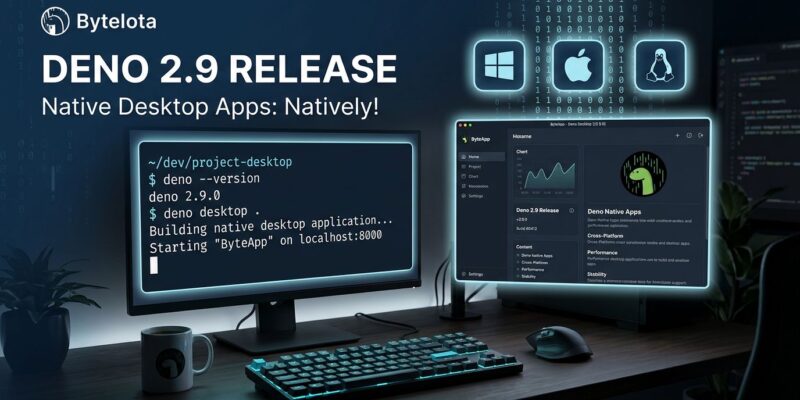
deno desktop . auto-detects your framework, compiles the project, and outputs a self-contained native binary. No Electron boilerplate, no separate install step for users. The binary opens a window backed by a local Deno server, with the UI rendered by the operating system’s own WebView engine — WebView2 on Windows, WebKit on macOS and Linux.
Framework detection covers the major options: Next.js, Astro, Deno Fresh, SvelteKit, Remix, Nuxt, SolidStart, TanStack Start, and Vite SSR projects are all detected automatically with no code changes required. If you need identical rendering across every platform, the CEF backend bundles Chromium — at the cost of tens of megabytes.
Platform outputs follow OS conventions: .app and .dmg on macOS, .exe and .msi on Windows, .AppImage, .deb, and .rpm on Linux. Cross-compilation is one flag:
deno desktop --all-targets  # builds for all platforms from one machine
deno desktop --hmr main.ts  # hot module replacement during development
A single Linux CI runner produces binaries for Windows, macOS, and Linux in one pass.
The Numbers
Deno’s own benchmarks for 2.9 show cold startup at 17ms (down from 34ms), memory use 2.2x–3.1x lower under load, and HTTP throughput up 1.11x–1.27x. The new deno compile --bundle flag runs tree-shaking before embedding — a lodash-heavy hello-world dropped from 11.6 MB to 1.5 MB. Pair it with --minify and compiled npm binaries run about 1.9x faster than their npm counterparts.
The 17ms startup number is the one worth quoting — it’s faster than most developers expect from a TypeScript runtime.
Where deno desktop Stands Against the Competition
| deno desktop | Electron | Tauri | |
|---|---|---|---|
| Binary size | 40–68 MB | 80–244 MB | 2–10 MB |
| Cold startup | ~17ms runtime | 1–2s | <0.5s |
| Backend language | TypeScript | JavaScript/Node | Rust |
| Status | Experimental | Mature | Stable |
The honest comparison: Tauri (Rust) ships 2–10 MB binaries and starts in under half a second. deno desktop ships 40–68 MB using the WebView backend. Electron ships 80–244 MB and takes 1–2 seconds. deno desktop sits between Tauri and Electron — better than Electron, clearly behind Tauri on size and speed. The Deno documentation itself acknowledges Tauri produces apps “an order of magnitude smaller.”
The case for deno desktop: it’s for TypeScript-first teams who want cross-platform desktop capability without learning Rust. If you’re already writing TypeScript for the web, this is the path of least resistance. If you’re optimizing for binary size or startup time, Tauri is still the answer.
One caveat both tools share: using the OS WebView backend means rendering differs between macOS (WebKit) and Windows (WebView2). If cross-platform visual consistency is a requirement, the CEF backend brings Chromium — and most of the size advantage disappears.
Node.js Migration Got Meaningfully Easier
deno install now reads npm, pnpm, yarn, and Bun lockfiles directly — no conversion, no manual rewrite. Deno 2.9 also auto-resolves lockfile merge conflict markers, populates node_modules/.bin per workspace member for local tooling compatibility, and applies a 24-hour minimum age guard to all package installs as a supply-chain safeguard.
# Migration is now two commands
deno upgrade          # get 2.9
deno install          # reads your existing package-lock.json / pnpm-lock.yaml / bun.lockb
Bare Node built-ins now resolve without configuration: import "fs" maps to node:fs unconditionally. That eliminates a common stumbling block when porting existing Node.js code.
The Rest of 2.9
CSS module imports landed behind the --unstable-raw-imports flag, useful for front-end components that import their own stylesheets. The test runner gained snapshot testing, Deno.test.each for parameterized tests, CI sharding, and coverage thresholds. The Node.js compatibility target moved to Node 26.
Verdict
deno desktop is experimental — the Deno team is explicit that “some platform features are still landing” with no stable timeline. That said, it’s the only option for shipping a cross-platform desktop app entirely in TypeScript without adding Rust to your toolchain. The startup and memory improvements are real and measurable. The lockfile migration support removes the biggest practical friction for teams evaluating the switch from Node.js.
Get started: deno upgrade to 2.9, then read the official Deno 2.9 release post for the full changelog. The deno desktop docs cover framework setup, configuration options, and platform-specific output formats.