 By ByteBot
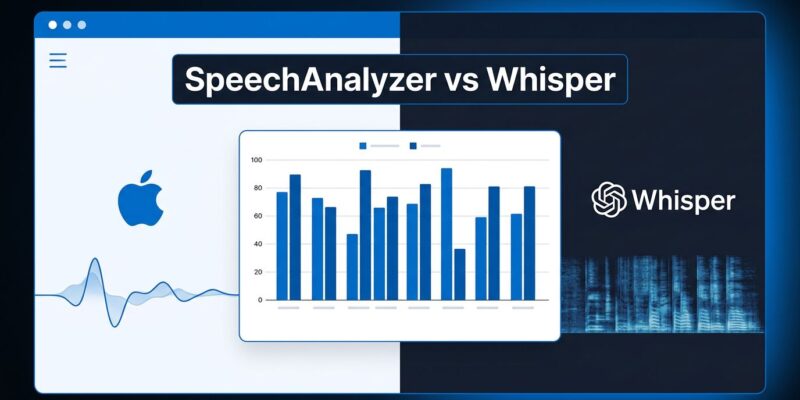
Apple quietly replaced the best on-device speech recognition option for iOS developers — and today’s benchmark confirms the upgrade is real. An independent test published July 13 hit #1 on Hacker News with 294 points: Apple’s SpeechAnalyzer API (shipping now with iOS 26 and macOS 26) cuts word error rate from 9.02% to 2.12% on clean speech, beats Whisper Small in accuracy while running three times faster, all on-device with no API costs. If you build transcription, dictation, or voice features on Apple platforms, the migration calculus just changed.
Why SpeechAnalyzer Exists
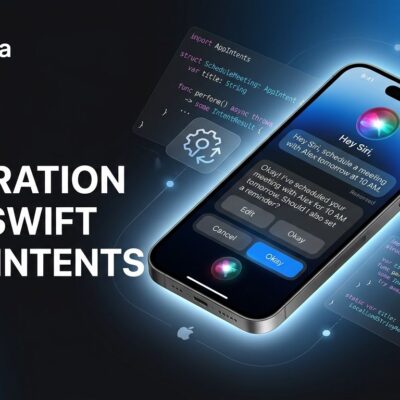
SFSpeechRecognizer shipped with iOS 10. Twelve years later, it still had a hard one-minute session limit, a rate cap of 1,000 requests per device per hour, and a callback-based API that aged badly against Swift’s concurrency model. It also relied on Apple’s servers for most languages, meaning audio left the device on every request. SpeechAnalyzer fixes all of that: unlimited session length, no rate caps, fully on-device processing, and a clean async/await interface built around AsyncSequence. Apple has already deployed it in Notes, Voice Memos, Journal, and Apple Intelligence Call Summarization.
The Numbers
The Inscribe benchmark tested SpeechAnalyzer, Whisper Small, and the legacy SFSpeechRecognizer model against 5,559 transcriptions from the LibriSpeech corpus — results published publicly for independent verification.
| Engine | Clean WER | Noisy WER | Speed (vs real-time) |
|---|---|---|---|
| SpeechAnalyzer | 2.12% | 4.56% | 12–40× |
| Whisper Small | 3.74% | 7.95% | ~4× |
| SFSpeechRecognizer | 9.02% | 16.25% | varies |
In plain terms: an hour-long meeting transcribed with the legacy API contains roughly four times as many wrong words as the same recording run through SpeechAnalyzer. On an M2 Pro, SpeechAnalyzer processes an hour of audio in under five minutes. The benchmark covered English read speech only — real-world noisy meetings and non-American accents remain open questions. The Hacker News thread has Australian and British developers skeptical about Apple’s accent handling.
Three Modules, One Migration Target
SpeechAnalyzer is a coordinator. You plug in modules, feed it audio via AsyncStream or a file URL, and results stream back through each module’s AsyncSequence. There are three modules today:
- SpeechTranscriber — long-form audio (meetings, lectures, podcasts). Clean output, minimal formatting.
- DictationTranscriber — short-form dictation with automatic punctuation. This is the direct SFSpeechRecognizer replacement.
- SpeechDetector — voice activity detection only, no transcription. Must be paired with a transcriber for useful output.
If you’re on SFSpeechRecognizer today, DictationTranscriber is your migration target. The frameworks coexist, so the migration is a single availability check:
if #available(iOS 26.0, *) {
    let transcriber = DictationTranscriber(locale: .current)
    let analyzer = SpeechAnalyzer(modules: [transcriber])
    try await analyzer.start(inputSequence: audioInputSequence)
    for try await result in transcriber.results {
        if result.isFinal { updateUI(result.text) }
    }
} else {
    // existing SFSpeechRecognizer path
}
One implementation gotcha flagged in the community: ending your AsyncStream input does not terminate the session. You must explicitly call the analyzer’s finish method, or the await hangs indefinitely. Preload language models during app startup via AssetInventory — downloading mid-session blocks the user.
What Whisper Still Wins
SpeechAnalyzer supports roughly 39 languages. Whisper supports 100. If your app transcribes Finnish, Ukrainian, or Swahili — or if you need to support iOS 18 and 19 — SpeechAnalyzer is not an option today.
There’s also a missing feature: contextual strings. SFSpeechRecognizer let you provide domain-specific terms (drug names, legal terminology, product names) to boost accuracy. SpeechAnalyzer dropped this. Medical and legal app developers are stuck on the legacy API until Apple brings it back.
Speaker diarization — identifying who said what — is also absent. WhisperKit and Argmax Pro both have it. Notably, Argmax has announced plans to integrate SpeechAnalyzer as an optional backend in WhisperKit, which is a revealing signal: even Whisper’s primary Apple-platform maintainer sees the writing on the wall.
When to Use What
| Scenario | Best Choice |
|---|---|
| English-first app, iOS 26+, privacy matters | SpeechAnalyzer |
| 40+ language support or iOS 18 users | WhisperKit |
| Medical/legal with custom vocabulary | SFSpeechRecognizer (for now) |
| Speaker diarization needed | WhisperKit or Argmax Pro |
| Android or cross-platform | Whisper / cloud API |
The Bottom Line
For English on Apple Silicon, SpeechAnalyzer is the best on-device speech recognition available. The benchmark numbers are credible, the raw transcripts are public, and Apple’s system apps back up the accuracy claims. The async/await API is genuinely better than what came before. If your app targets iOS 26 and you’re doing anything with audio, watch the WWDC25 session and start a migration branch this week.
Whisper isn’t dead — its multilingual breadth and cross-platform story keep it relevant. But on Apple platforms, for English, the default just changed.