 By
By Google’s Gemini CLI stops serving individual accounts on June 18, 2026 — 26 days from now. The replacement is Antigravity CLI, a Go-based rewrite released at Google I/O on May 19. Migration is manageable, but there’s one silent failure that will break your MCP integrations without a single error message. This guide covers every step.
Who Needs to Migrate
If you use Gemini CLI on a personal Google account, a Google AI Pro or Ultra subscription, or the free Gemini Code Assist individual tier — you must migrate. Enterprise license holders and developers accessing Gemini models through paid API keys are exempt; the June 18 deadline does not apply to them.
Until June 18, both the gemini and agy binaries coexist safely. You can run both in parallel, which makes this a low-risk transition. Don’t wait until the last week.
Five Steps to Migrate
1. Install Antigravity CLI
The new binary is agy — not antigravity, not gemini. Install it with a one-liner:
curl -fsSL https://antigravity.google/cli/install.sh | bash
agy --version
Windows users: run irm https://antigravity.google/cli/install.ps1 | iex in PowerShell. The binary is compiled Go — no Node.js runtime required.
2. Authenticate
Run agy with no arguments. In a local terminal, it opens a browser for Google OAuth. On SSH or remote machines, it prints an authorization URL to complete on your local machine — a genuine improvement over the manual workarounds Gemini CLI required for remote sessions.
3. Import Your Extensions and Commands
agy plugin import geminiThis auto-converts Gemini CLI extensions and commands into Antigravity skills. Most of your existing setup carries over. Custom themes do not — that’s a known gap with no ETA on support.
4. Move Workspace Skills
Global skills in ~/.gemini/skills/ auto-load without any action. Workspace skills require a manual move per project:
mkdir -p .agents
git mv .gemini/skills .agents/skills
If both .gemini/skills/ and .agents/skills/ exist in the same workspace, keep only the .agents/ version and remove the other.
5. Migrate MCP Configuration
This is where developers get burned. Read carefully.
Gemini CLI stored MCP server configuration inline in settings.json. Antigravity CLI uses a separate mcp_config.json file. More importantly, the field name for remote servers changes from url to serverUrl — and if you miss this rename, the server fails silently with no error output.
// OLD: .gemini/settings.json
{
  "mcpServers": {
    "my-server": { "url": "https://mcp.example.com" }
  }
}

// NEW: .agents/mcp_config.json
{
  "my-server": { "serverUrl": "https://mcp.example.com" }
}
This rename applies only to remote (URL-based) MCP servers. Local servers using command and args fields require no changes. Move your global MCP config to ~/.gemini/antigravity-cli/mcp_config.json.
Before and After: What Changes
| Concept | Gemini CLI | Antigravity CLI |
|---|---|---|
| Binary | gemini | agy |
| Language | Node.js | Go |
| Workspace skills | .gemini/skills/ | .agents/skills/ |
| Global skills | ~/.gemini/skills/ | Auto-loaded (no change) |
| MCP config | Inline in settings.json | Separate mcp_config.json |
| Remote MCP field | url | serverUrl |
| Context files | GEMINI.md / AGENTS.md | Same — no change needed |
| Hooks | JSON hooks | Same format — no change |
| SSH auth | Manual workarounds | First-class URL flow |
What You Get From the Go Rewrite
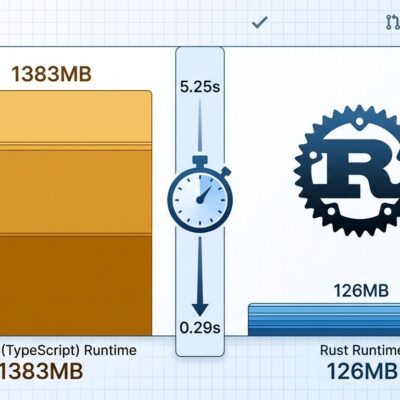
Antigravity CLI is not just a rebrand. The Go rewrite delivers faster startup and lower memory consumption compared to the Node.js-based Gemini CLI. The architecture is shared with the Antigravity 2.0 desktop app, which means improvements to the core agent system ship to both surfaces simultaneously — you’re not running a second-class CLI version.
The CLI supports up to five parallel subagents and includes slash commands for session control: /resume, /rewind, /permissions, /model, /skills, /mcp, and /tasks. SSH authentication is now first-class — remote sessions print an authorization URL rather than failing.
One important pre-deadline task: update any CI pipelines or cron scripts that invoke gemini directly. It’s a straightforward find-and-replace to agy, but it won’t happen automatically and it will break your pipeline on June 18.
Validate Before You Commit
After completing the steps above, run the migration validator:
agy doctorThen run a representative real task on one of your existing repos. Watch specifically for MCP server calls — the silent serverUrl failure only surfaces during actual tool invocations, not at startup. According to the GitHub community migration thread, 20–30 minutes on a real-world task gives you 90% confidence your setup is correct.
The official Google announcement includes additional migration resources and video walkthroughs. Enterprise customers retain access to Gemini CLI beyond June 18 under their existing licenses.
You have 26 days. The migration is straightforward if you follow the steps in order, and the Go rewrite genuinely justifies the switch. The only way this goes wrong is if you skip the MCP config rename — and now you know to watch for it.