 By
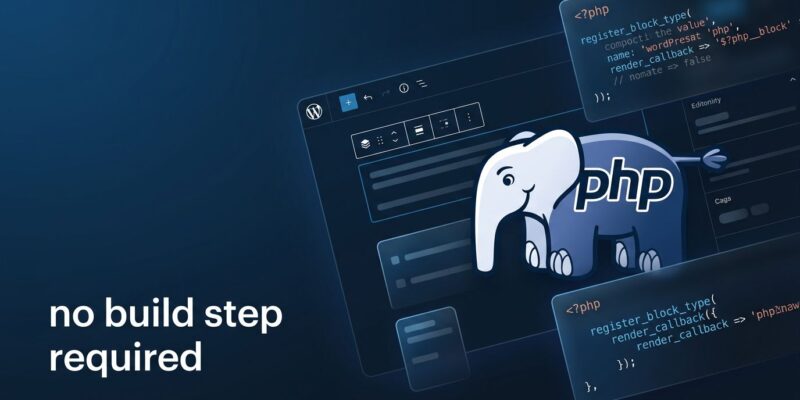
By WordPress 7.0 “Armstrong” shipped on May 20, and for PHP plugin developers, it changes something fundamental. For the first time since Gutenberg launched in 2018, you can register a fully functional native block using only PHP — no Node.js, no webpack, no React, no build step. One flag in register_block_type() and the editor scaffolds your block automatically.
That’s eight years of PHP developers being told to learn a JavaScript toolchain just to ship blocks in the CMS they’ve built careers on. WordPress 7.0 acknowledges that was a problem worth fixing.
PHP-Only Block Registration: How It Works
The mechanism is a single new key in the supports array: 'autoRegister' => true. Set it, and WordPress does the rest.
register_block_type( 'my-plugin/server-block', array(
    'render_callback' => function( $attributes ) {
        $wrapper_attributes = get_block_wrapper_attributes();
        return sprintf(
            '<div %1$s>%2$s</div>',
            $wrapper_attributes,
            esc_html( $attributes['message'] ?? 'Hello from PHP' )
        );
    },
    'attributes' => array(
        'message' => array( 'type' => 'string', 'default' => 'Hello' ),
    ),
    'supports' => array(
        'autoRegister' => true,
        'color' => array( 'background' => true ),
    ),
) );
Under the hood, WordPress passes your block metadata — attributes, title, icon — to the editor via a JavaScript global called autoRegisterBlocks. The block editor reads this and scaffolds a standard block interface, including Inspector Controls generated automatically from your attribute definitions. Block preview works via ServerSideRender: the editor calls the WordPress REST API on each attribute change, your PHP render_callback runs, and the result appears in the canvas.
No webpack config. No npm run build. No node_modules folder sitting in your plugin directory. For simple to moderately complex blocks, this is everything you need.
The current supported attribute types are string, number, integer, boolean, and enum. More complex types — arrays, nested objects — still require JavaScript. Blocks that need real-time canvas manipulation, drag-and-drop behavior, or rich interactive editing also stay in JavaScript territory. PHP-only blocks are not a replacement for the full block API. They’re an expansion of what you can ship without leaving PHP.
Block Bindings API: Dynamic Data, Finally for Everyone
Alongside PHP-only blocks, the Block Bindings API reaches a new level of maturity in 7.0. This API connects block attributes to dynamic data sources — post metadata, custom fields, external sources — through the editor UI, with no custom JavaScript required.
The 7.0 update expands coverage in two ways. First, pattern overrides now work with custom blocks, not just core blocks. Second, the new block_bindings_supported_attributes filter lets any block opt into the Bindings system. Once you expose an attribute through that filter, it’s available for custom binding sources and the built-in core/pattern-overrides source simultaneously.
In practice: build a product description block in pure PHP, register its attributes with show_in_rest = true on the underlying post meta, and the editor gives you a dropdown in the Attributes panel to connect them. Your block pulls live content from the field on render. No JavaScript. No custom REST endpoint. The plumbing is already there.
Two More Things Worth Knowing
The Site Editor is now a platform. The new @wordpress/boot package lets plugins register custom Site Editor pages using WordPress’s internal routing infrastructure. The Site Editor gains a proper routing layer with route validation — plugins can build modern admin interfaces with client-side routing without writing PHP registration boilerplate. Brand kit screens, design system pages, custom block libraries: all viable as Site Editor extensions now.
AI infrastructure is now in core. WordPress 7.0 ships the Abilities API (with its JavaScript counterpart complete), the Connectors API for AI provider credentials, an AI Client, and an MCP Adapter that exposes WordPress as an MCP server. Community-built providers for OpenRouter, Ollama, and Mistral are already available. WordPress Playground now supports MCP, so AI agents can install plugins, run PHP, and scaffold themes via conversation directly in the browser. This isn’t a set of AI features — it’s AI plumbing. That’s the right approach.
What You Should Do Now
If you maintain a plugin or theme that ships blocks, test your existing blocks against 7.0. The PHP-only path is opt-in — nothing breaks automatically. But evaluate whether any of your simpler blocks could drop the build pipeline entirely. For new blocks, start with autoRegister and add JavaScript only when you genuinely need it.
Read the WordPress 7.0 Field Guide on Make WordPress Core for the full technical detail on Block Bindings, the Interactivity API updates, and DataViews work. The PHP-only block registration dev note by the core team is the definitive reference for the autoRegister implementation. For the Block Bindings API, Full Site Editing’s reference is thorough and well-maintained.
WordPress 7.0 is the first version in years that materially lowers the barrier to block development. The JavaScript requirement wasn’t a principled stance — it was friction that pushed capable PHP developers toward avoidance. Removing it doesn’t just help individual developers; it opens the block ecosystem to a much larger slice of the WordPress community. That’s good for plugins, good for themes, and good for WordPress itself.