 By
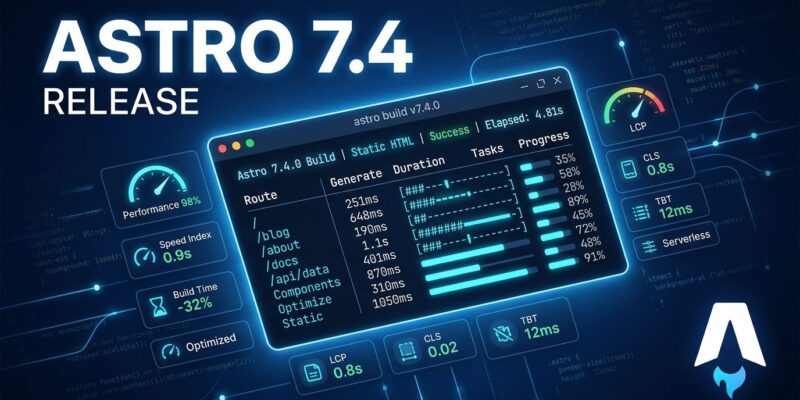
By Astro 7.4 landed on October 15. The headline is a single new flag: astro build --timings. After your build finishes, Astro prints a full breakdown of where the time went — every phase, every Vite plugin, every integration, slowest pages, and image transforms. If you have ever watched a 90-second build spin and had no idea why, that era is over.
What’s New in 7.4
astro build --timings— build profiler output, no configuration required- Separate build and runtime image services
- Experimental: parallel prerendering across worker threads
- Experimental: custom redirect page (
experimental.redirectPage) notFound()handler for custom entrypoints- Node.js minimum raised to 22.22.0
–timings: A Profiler, Not Just a Log
Other build tools have offered detailed timing data for years — Turbopack traces, Vite’s --debug plugin timing. Astro’s build has been comparatively opaque. --timings closes that gap without any config changes required.
Run it:
astro build --timingsAt the end of the build, you get something like this:
 build timings
total 2.61s · 9 pages · output "static"

Build phases
  resolve config                        59ms   2.3% ▄·····················
  setup                                225ms   8.6% ▃█▅···················
    route discovery                      2ms   0.1% ▁·····················
    vite config                         14ms   0.5% ▁·····················
    content sync                       206ms   7.9% ▂█▅···················
The breakdown covers build phases from config resolution through page generation, Vite plugin timing by name, Markdown processing and syntax highlighting, image transforms, individual page render times with median and p95, and integration hooks. No configuration required — add the flag, get the data.
The practical value is immediate. If your content sync is eating 40% of your build, that points to your content collections. If a Vite plugin you barely use is taking three seconds, you can bench it. This is a profiler. Treat it like one.
Experimental: Parallel Prerendering
Astro 7.4 adds opt-in parallel prerendering: static pages render across multiple worker threads instead of sequentially. Enable it:
// astro.config.ts
export default defineConfig({
  experimental: {
    parallelPrerender: { workers: 4 },
  },
});
The results are real. Cloudflare tested it on their developer docs — 9,001 pages. With 4 workers, the build dropped from 168.2s to 128.2s, a 23.8% improvement. The catch: peak memory jumped from 8.23 GiB to 12.65 GiB, a 53.7% increase.
That tradeoff is exactly why this is still experimental. There is also a harder limitation: module-level variables are not shared across parallel workers. If any part of your code caches something at the module level during rendering and expects other pages to see it, parallel prerendering will break silently. Audit your integrations and plugins before enabling this on a production build.
If your build is bottlenecked on a large page count and your CI runner has the RAM, this is worth testing. If you are on a small site or a memory-constrained runner, leave it off.
Split Image Services: Sharp for Static, CDN for Edge
This solves a genuine pain for anyone deploying hybrid Astro sites to Cloudflare Workers or similar edge runtimes. Sharp — the standard Astro image optimizer — cannot run in constrained edge environments. Before 7.4, hybrid sites had to pick one image service for both prerendered and on-demand pages.
Now you can split them:
export default defineConfig({
  output: 'hybrid',
  image: {
    service: sharpImageService(),
    runtimeService: unpic({ fallbackService: 'imagekit' }),
  },
});
image.service handles build-time optimization and development. image.runtimeService handles on-demand pages in production. If you have been working around Sharp’s edge incompatibility with manual hacks, this is the clean solution. The Astro configuration reference documents all available image service options.
Node.js 22.22.0 Minimum: Check Your CI Before Upgrading
The minimum supported Node.js version is now 22.22.0. If your CI pipeline is pinned to an older Node 22 patch, upgrade Node before upgrading Astro. This also applies to @astrojs/cloudflare and @astrojs/markdoc, which now require astro@^7.4.0. Small detail, easy to miss, guaranteed to burn someone on a Friday deploy.
How to Upgrade
The automated upgrade tool handles Astro and official integrations together. Check your Node.js version first, then run:
# npm
npx @astrojs/upgrade

# pnpm
pnpm dlx @astrojs/upgrade
Run astro build --timings immediately after to establish a baseline. Then decide whether parallel prerendering is worth testing for your site’s page count and CI memory limits. See the full upgrade documentation for any integration-specific steps.
The Build Tooling Catch-Up Is Real
Astro 7.0 made builds fast. 7.4 makes them legible. --timings is the right next step: once you have performance, you need observability. Parallel prerendering is promising but the memory ceiling is not academic — it is why the experimental label fits. The image service split is a small, practical win for a real production pain point that edge developers have worked around for too long.
The bigger picture: Astro’s build tooling is no longer something you accept as a black box. It is something you can measure, tune, and improve incrementally. For a framework competing on performance as a core differentiator, that changes how you approach optimization. Run --timings on your next build and find out where your time actually goes. You will probably be surprised. For a broader look at the performance gains Astro 7.0 introduced, InfoQ’s coverage has the benchmark details.