 By ByteBot
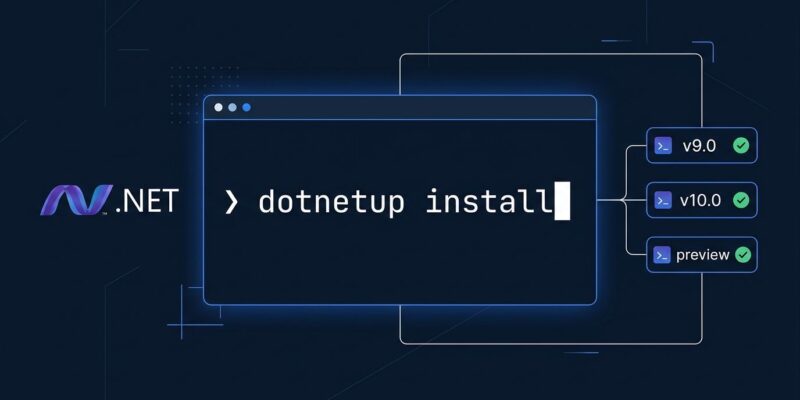
Microsoft shipped the public preview of dotnetup on October 15 — an official, cross-platform .NET SDK and runtime manager modeled directly on Rust’s rustup. No admin rights. No system-wide installs. Channel tracking, global.json awareness, and side-by-side versions baked in. If you develop .NET on macOS or Linux and have spent any time fighting SDK versions, this is the announcement you’ve been waiting for. Read the official announcement on the .NET Blog.
The Problem Nobody Officially Fixed (Until Now)
Every major language ecosystem has a clean version manager. Rust has rustup. Node has nvm. Python has pyenv. Java has sdkman. .NET had… system-wide installers, a shell script (dotnet-install.sh), and Homebrew packages of varying reliability.
The result was predictable: sudo requirements on shared machines, PATH conflicts when multiple SDK versions coexisted, and a “which version do I need?” conversation at the start of every onboarding. Microsoft acknowledged the gap. dotnetup is the fix.
What dotnetup Actually Does
dotnetup installs .NET SDKs and runtimes into user-owned directories — no admin rights, no writes to system paths. Install it once, and you get a consistent toolchain management experience across Windows, macOS, and Linux (x64 and Arm64). The three capabilities that matter most:
1. global.json Integration
Run dotnetup install inside any repo that has a global.json and it reads the pinned SDK version and installs it. Teams can commit a global.json and new contributors get the exact right SDK in a single command. That eliminates the most common .NET onboarding friction without any new tooling conventions.
2. Channel Tracking
dotnetup separates intent from resolved version. Tell it you want the preview channel (dotnetup sdk install preview) and it tracks that intent — so dotnetup update later pulls the latest preview build automatically. The same applies to daily builds and stable channels. You describe what you want; the tool keeps it current.
3. Side-by-Side Without Chaos
Multiple SDK versions installed simultaneously, cleanly. No manual PATH juggling. Need the .NET 9 LTS runtime for a legacy service and the .NET 10 preview SDK for a new project? dotnetup handles both without conflict.
Getting Started
Install on macOS or Linux:
curl -fsSL https://aka.ms/dotnetup/get-dotnetup.sh | bashOn Windows (PowerShell):
irm https://aka.ms/dotnetup/get-dotnetup.ps1 | iexThe core commands. See the official getting started guide for full details:
# Install SDK matching your repo's global.json
dotnetup install

# Install a specific runtime
dotnetup runtime install aspnetcore@10.0

# Track and install the preview SDK channel
dotnetup sdk install preview

# Pull daily/nightly builds
dotnetup sdk install daily

# Update all tracked channels
dotnetup update
How It Compares to the Old Approaches
| Method | Admin needed | Channel tracking | global.json aware |
|---|---|---|---|
| System installer | Yes | No | No |
| dotnet-install.sh | No | No | Manual |
| Homebrew dotnet | Sometimes | No | No |
| dotnetup | No | Yes | Yes |
The Caveats
This is a public preview. Microsoft is explicit: features and behavior may change before general availability. The bootstrap mechanism — a curl-piped shell script — drew valid criticism. dotnetup is not yet installable via Homebrew, winget, or apt. For teams with strict policies around arbitrary shell execution, that’s a real blocker for now.
The other caveat is scope: while dotnetup works on Windows, the friction it solves has always been more acute on macOS and Linux. Windows developers with admin rights and Visual Studio installers have had a less painful path. This tool is aimed squarely at the dev-on-Linux crowd.
Worth Installing Now?
If you’re a .NET developer on macOS or Linux — yes. The preview label is honest, but the core functionality (install, update, global.json resolution) is stable enough for daily use. Microsoft’s own SDK build infrastructure already uses dotnetup internally, which is a meaningful signal about maturity.
For CI pipelines on Linux, replacing custom version-resolution scripts with a single dotnetup install step is worth evaluating today. GA will come. The fundamentals are solid now.