 By ByteBot
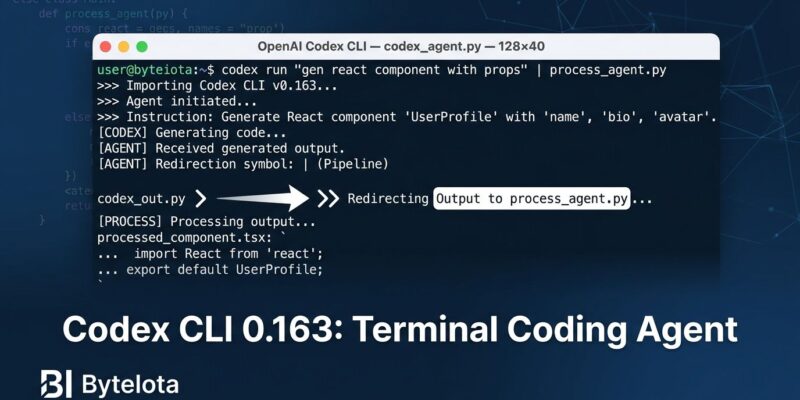
OpenAI shipped Codex CLI 0.163.0 on October 15 with a default flip that most developers will not notice until something breaks. Mid-response steering — the ability to redirect Codex while it is still generating code or running commands — is now on by default. If you use Codex interactively, this is a genuine improvement. If you have scripts that pipe input into a live session, you have a silent breaking change waiting for you.
What Changed: Enter Steers, Tab Queues
Before 0.163, any input you typed while Codex was responding simply waited. It queued behind the active response and fired only after Codex finished. That made the agent feel like a batch processor — you submitted a task and waited for the result before correcting course.
As of 0.163, pressing Enter during an active response steers it immediately. The current run adjusts to your new instruction in real time. Pressing Tab queues the message for the next run, preserving the old behavior when you want it. Critically, interrupting a turn does not just cancel the visible text output — it stops active Code Mode cells and their nested tool calls. That means if Codex was mid-way through executing a file write or running a shell command, the interrupt halts it. This is a behavioral change in execution, not a UI tweak.
The feature first shipped as an opt-in flag called instant_interrupt in version 0.159. OpenAI spent a few releases gathering data before flipping it to default in 0.163. The release notes flag it as “under development” despite the default-on status — treat that as a signal to verify behavior in your specific setup rather than a reason to avoid it. You can follow the full changelog at Codex Updates on Releasebot.
The Breaking Change: Check Your Automation Scripts
The people who need to pay attention are those running scripts that invoke Codex non-interactively — CI/CD pipelines, test automation, or tooling that pipes follow-up input into a live session while a response streams. Those scripts assumed that input arriving during a response would queue quietly and wait. That assumption is no longer valid.
OpenAI’s own test suites had to opt out of the new default because they were written against the old queuing behavior. If the team that built the tool needed to update their tests for this change, it is worth auditing your own automation. The recommended approach: test any input-fed scripts against a throwaway repository before relying on them in production. Verify that Ctrl+X and F9 do not conflict with existing shell bindings in your environment. The Developers Digest breakdown covers the specific scenarios where scripts break and what to audit.
Canceling a queued prompt now returns the text and attachments to the composer rather than discarding them — a useful safety net if you interrupt something unintentionally.
The Rest of the Release: /config, Parallel Lookups, and Daybreak
The steering change gets the headline, but 0.163 ships several other meaningful updates. The /config panel now has a search bar across its five tabs (Appearance, Notifications, Input, Sessions, Text selection). Settings that support immediate application do so; the rest show a restart prompt. If you have ever lost time scrolling through preferences to find a single toggle, the search bar fixes that. A full walkthrough of the new config system is available in the ChatGPT AI Hub technical breakdown.
Independent read-only tool calls — skill queries, memory lookups, conversation-history searches — now execute in parallel rather than sequentially. Goal creation and updates remain serialized. The practical effect is faster responses in sessions where Codex needs to pull multiple context items before acting.
Daybreak is now default for eligible accounts, reversing the explicit opt-in required since version 0.161. The eligibility criteria are not documented in the release notes, and codex exec selects it automatically when the server signals access. The /daemon command now warns you about in-flight work in other sessions before restarting the background server, then reconnects automatically.
Security improvements round out the release: thread resume now restores permissions and network approvals from the previous session, proxy validation now runs before DNS lookups, and duplicate Host headers are rejected. The bundled zsh has been removed; if your config references retired shell flags, you will receive a migration notice.
How to Upgrade
For interactive Codex CLI users, 0.163 is a straightforward upgrade. The ability to course-correct mid-run without killing the session addresses the most frustrating part of long agent tasks. Upgrade with a single command:
npm i -g @openai/codex@0.163.0For anyone running automation on top of Codex CLI, audit before upgrading. The behavioral change in input handling is real — it broke OpenAI’s own internal tests. Steering lets you catch mistakes sooner; it does not remove the need to read the diff. You can review the complete release notes and PR references in the official 0.163 release breakdown.