 By
By Six days before Chainguard launched Workspaces, a credential-stealing worm called Shai-Hulud was burrowing through the Tensorlake npm SDK. It ran via a preinstall hook — before any application code, before any agent, before any system prompt telling it to behave. It grabbed GitHub tokens, AWS credentials, Kubernetes secrets, and Claude configuration files sitting in developers’ home directories. The worm didn’t attack the AI agent. It attacked the host the agent was running on. On October 14, Chainguard shipped its answer: Workspaces, hardened microVMs that put your AI coding agent somewhere it can’t reach your real credentials in the first place.
What Chainguard Workspaces Actually Does
Workspaces runs your AI coding agent in a hardware-isolated microVM built from zero-CVE Chainguard OS packages. The key architecture decision: credentials are injected outside the microVM as short-lived encrypted surrogates useless if extracted. The agent gets access to what it needs; it never touches the real keys. Your ~/.aws, ~/.ssh, and AI tool config files stay on the host, unreachable from inside the sandbox.
The workflow: run chainctl develop init to enable the beta, then chainctl develop start to spin up a workspace. It syncs your local working tree — including uncommitted edits — and starts a tamper-proof flight recorder logging every command, code change, and network call. Detach and the session snapshots. Return and you resume exactly where you left off. Teams can run parallel workspaces for competing approaches without credential collision.
Egress controls are configurable. Shai-Hulud resolved its command-and-control endpoint through Ethereum smart contracts and roughly 30 public RPC endpoints. In a workspace with locked egress, that call goes nowhere.
The MCP Layer: Policy Enforcement, Not Polite Requests
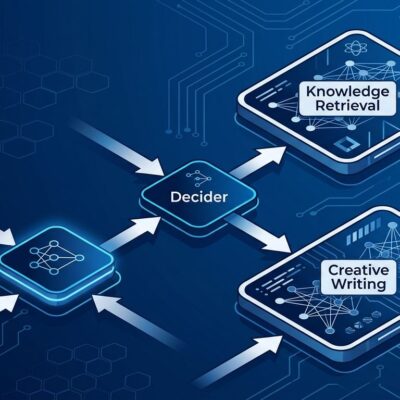
Chainguard also shipped four MCP servers as generally available. The four servers — cg-oci, cg-apk, cg-versions, and cg-api — handle image verification, package resolution, EOL status, and org policy enforcement respectively.
When an agent uses cg-versions, it cannot recommend an end-of-life package because the tool call returns a hard block, not an advisory. The agent isn’t being asked to avoid bad dependencies — the MCP server makes it structurally impossible. Same goal as a system prompt instruction; completely different enforcement mechanism. Any MCP-compatible client (Claude Code, Cursor, others) connects via standard OAuth.
Chainguard Checks: The Speed Argument
The third product in this release is Checks, which addresses the standard security pitch objection: “this will slow us down.” Checks moves CI into the development loop. Agents inside Workspaces invoke the production test suite via chainctl checks run before a pull request opens. Each successful run produces a signed attestation — merge gates verify the attestation rather than rerunning the suite. Faster CI, not slower, with a cryptographic record that the agent’s code passed before humans saw it.
Prompt Guardrails Are Not Security
The uncomfortable truth Chainguard’s launch makes plain: telling an AI agent “don’t steal credentials” in a system prompt is not a security control. It’s a courtesy note. Prompt-level instructions operate at the same abstraction layer as the threats they’re meant to stop. Shai-Hulud ran during npm install, before the agent process existed. A compromised dependency, a malicious preinstall hook, a prompt injection in a multi-agent chain — these execute below the model layer where guardrails live.
Hardware isolation addresses the threat model that prompts can’t. It doesn’t replace careful permission scoping or application-level controls. But it provides a floor software-only approaches cannot: if the agent — or anything it installs — is compromised, the blast radius stops at the microVM boundary.
What Developers Should Do Now
Workspaces is in beta with a free 30-day trial. Access it via chainctl develop init. Currently supports Claude, with other agents planned. Pricing is compute-based, with warm snapshots and idle pausing to keep costs down. The four MCP servers are generally available today and work with any MCP-compatible client — start there without waiting for the Workspaces beta.
If you’re running AI coding agents in CI or giving them access to cloud credentials, the Tensorlake incident report is required reading. Socket flagged the malicious version 11 minutes after publication. At 12,000 weekly downloads, 11 minutes was enough. The window for treating isolated agent execution as someone else’s problem is closing fast.