 By ByteBot
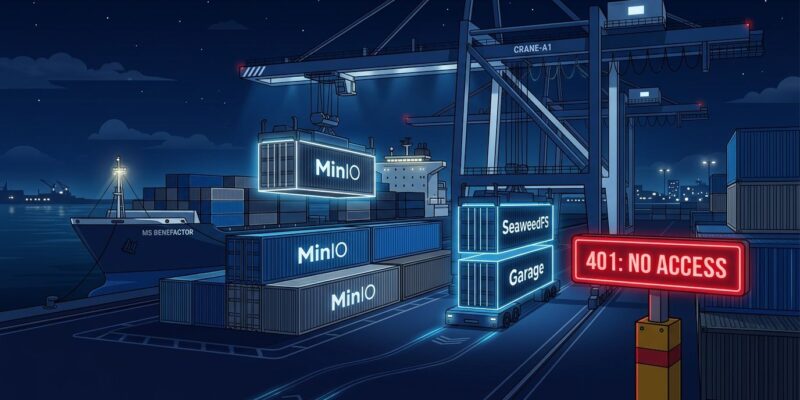
MinIO deleted its Docker Hub repositories on September 11. Most teams patched their docker-compose.yml files to point at quay.io/minio/minio and called it solved. Three weeks later that fix broke too: Quay started requiring authentication on September 24, killing anonymous pulls across CI/CD pipelines worldwide. If your builds are failing right now with 401 Unauthorized pulling MinIO, this is why — and here is what to do in the next thirty minutes.
What Happened, In Order
MinIO’s open-source retreat was gradual, then sudden. In October 2025 it stopped publishing free binaries; the repo went to “no longer maintained” in February 2026, was formally archived in April, and then on September 11 the images were deleted outright from Docker Hub — not hidden, not gated, deleted. The error developers started seeing was pull access denied for minio/minio, repository does not exist. The standard workaround — repoint to quay.io/minio/minio — worked for thirteen days before Quay gated it too.
As of September 24, both registries refuse anonymous pulls. Dozens of projects filed GitHub issues in a 72-hour window. The pattern — MinIO, then Quay, both shutting the door — is deliberate. MinIO confirmed the access change. This is not a transient outage.
Why You Cannot Just Pin the Last Image
The temptation is to find an anonymously-pullable mirror of the last community build and pin it. Do not do this in production. The last free MinIO release carries CVE-2026-40344, a CVSS 8.8 authentication bypass in the Snowball auto-extract handler. An attacker who knows any valid access key can write arbitrary objects to any bucket without knowing the secret key or providing a valid cryptographic signature. The fix exists only in MinIO AIStor, the commercial product. The community edition will never be patched.
Your Three Options
Option 1: MinIO AIStor Free Tier (Fast, Temporary)
If you need something running in five minutes, MinIO’s commercial successor has a free tier with images still anonymously pullable on Quay:
services:
  minio:
    image: quay.io/minio/aistor/minio:RELEASE.2026-09-19T17-05-25Z
    command: server /data --console-address ":9001"
    environment:
      MINIO_ROOT_USER: minioadmin
      MINIO_ROOT_PASSWORD: minioadmin
      MINIO_UPDATE_MINFREQDAYS: "0"
    ports:
      - "9000:9000"
      - "9001:9001"
    volumes:
      - minio-data:/data
The env vars and ports are identical to the community edition. This works as a dev environment or CI stopgap, but it carries AGPL-3.0 license terms and telemetry enabled by default (the MINIO_UPDATE_MINFREQDAYS flag silences the update check). It is not a long-term answer for production.
Option 2: SeaweedFS (Recommended Replacement)
SeaweedFS is the 2026 community consensus for production MinIO replacement. Apache-2.0 licensed, ~30K GitHub stars, in continuous development since 2012 — it handles billions of small files and its S3 gateway is compatible with the AWS SDK v2. Kubeflow Pipelines already switched to it as the default object store after MinIO’s retreat.
services:
  seaweedfs:
    image: chrislusf/seaweedfs:4.47
    command: server -s3 -s3.port=9000 -master.volumeSizeLimitMB=100
    ports:
      - "9000:9000"
      - "9001:9333"
    environment:
      S3_ACCESS_KEY: minioadmin
      S3_SECRET_KEY: minioadmin
    volumes:
      - seaweedfs-data:/data
No code changes needed if your application uses the AWS SDK through a configurable endpoint — just swap the endpoint URL. SeaweedFS does not have a built-in web UI as polished as MinIO’s, but the S3 API surface that most applications actually use is fully covered. If you want the UI back, RustFS 1.0 ships one — though it is newer and less battle-tested for production at scale.
Option 3: Garage (For Multi-Site or Minimal Footprint)
If you run across multiple physical locations or need something that runs on 512MB of RAM, Garage is the answer. Built by a French self-hosting collective, it is designed specifically for geo-distributed clusters and runs happily on a Raspberry Pi. Its S3 API coverage handles the standard operations most applications need. Where it falls short is advanced features like object locking and lifecycle policies — fine for most dev and CI use cases, less fine for compliance-heavy production.
Migrating Data Off Production MinIO
If you have production data on a self-hosted MinIO instance, migrate it before the CVE exposure adds to your risk surface. rclone handles S3-to-S3 copies between compatible backends without downtime:
# Copy data from MinIO to SeaweedFS
rclone copy --transfers 32 --checkers 32 --checksum   minio:your-bucket seaweedfs:your-bucket

# Verify everything transferred correctly
rclone check minio:your-bucket seaweedfs:your-bucket

# Once verified, delete from the old backend
rclone delete minio:your-bucket
Run the copy while both instances are live, verify with a checksum pass, then flip your application’s endpoint. Zero downtime with a brief dual-write window if needed.
The Bottom Line
MinIO as a community project is finished. The Docker Hub images are gone, the Quay images are gated, the last free release carries an unpatched CVSS 8.8 vulnerability, and the commercial product (AIStor) is what MinIO is now. This is the same playbook HashiCorp ran with Terraform — the popular open-source tool becomes the onramp, then the gates close.
For most teams: use the AIStor free tier today to stop the bleeding, schedule a SeaweedFS migration this sprint. For teams running production MinIO at scale: move to SeaweedFS now and use rclone to carry the data across. The window for an orderly migration is this week. After that, teams still running the unpatched community image are carrying a known, actively-tracked authentication bypass in production — and paying attention to it only after something goes wrong.