 By
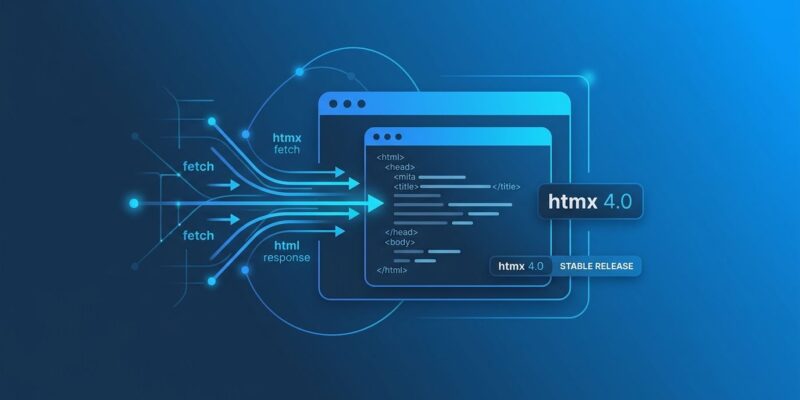
By htmx 4.0.0 shipped today. Eight months after the first beta, the stable release is out — and it rewrites how the library works at a level most people aren’t expecting. The transport layer is gone. Property inheritance flips. Error handling changes direction. Before you update your CDN link or run npm install, here is what actually breaks and why the changes matter.
The Fetch API Replaces XHR — This Is the Whole Point
Every previous version of htmx used XMLHttpRequest under the hood. XHR dates to Internet Explorer in the late 1990s and has one serious limitation: the browser has to buffer the entire response before htmx can swap it into the DOM. In htmx 4.0, XHR is gone. The Fetch API with ReadableStream takes its place.
The practical result is real HTML streaming. Fragments can render as they arrive from the server without waiting for the full response to complete — a streaming UI, from a 14KB library. The htmx team published an essay called "The fetch()ening" explaining the reasoning in detail.
What breaks: any XHR interceptors, custom transport hooks, or libraries that patched into htmx’s request layer in 2.x will break outright. If you have zero custom transport code, you will not notice the switch. If you do, audit it before upgrading.
Idiomorph Is Now in Core
DOM morphing was a popular htmx extension in version 2. In htmx 4, Idiomorph ships inside the library itself — no extension required. The new swap modes are morphInner and morphOuter.
Where a regular swap replaces the target element entirely, a morph swap merges new content into the existing DOM, preserving nodes in place. Focus state does not jump. Video keeps playing. CSS transitions stay smooth. If you were using the Idiomorph extension, remove it — it is now redundant.
Inheritance Changed — This Will Silently Break the Most Codebases
In htmx 2.x, child elements automatically inherited htmx attributes from parent elements. Set hx-target="#results" on a form, and every child button would use that target without any extra markup. In htmx 4.0, inheritance is explicit. The attribute silently stops flowing unless you opt in.
<!-- htmx 2.x: target inherited automatically -->
<div hx-target="#results">
  <button hx-get="/search">Search</button>
</div>

<!-- htmx 4.0: must declare inheritance explicitly -->
<div hx-target:inherited="#results">
  <button hx-get="/search">Search</button>
</div>
The dangerous part is that this does not throw an error. Buttons just stop targeting the right element. Before upgrading, search your templates for hx-target, hx-swap, and hx-confirm on parent elements and add :inherited wherever child elements depend on that value. If you want to migrate incrementally, the htmx-2-compat extension restores the old inheritance behavior as a bridge.
Error Responses Swap Now — and You Can Target Them by Status Code
htmx 2.x did not swap 400 or 500 responses by default. If your server returned a 422 with validation error HTML, htmx ignored the body. htmx 4.0 flips this: error responses are swapped into the target by default.
This is a reasonable default — users get immediate visual feedback instead of a frozen form. The new hx-status attribute gives you granular control:
<button hx-post="/submit"
        hx-status:422="#form-errors"
        hx-status:5xx="#server-error">
  Submit
</button>
If you had error-handling logic that relied on htmx silently ignoring bad responses, you need to update it.
hx-partial Replaces the Complicated Parts of Out-of-Band Swaps
Out-of-band swaps in htmx 2.x were a way to update multiple DOM elements from a single server response. They worked, but the pattern was confusing — especially when targeting elements outside the immediate response scope. htmx 4 simplifies OOB swaps to replace-by-ID only, and introduces the <hx-partial> element for anything more complex:
<!-- Server returns multiple targets in one response -->
<hx-partial target="#header">Updated header</hx-partial>
<hx-partial target="#notifications">3 new alerts</hx-partial>
More explicit, easier to read, and easier to debug than the 2.x OOB approach.
The Back Button Works Differently
htmx 2.x stored DOM snapshots in localStorage to restore pages on back-navigation. The snapshots captured 3rd-party library mutations — so navigating back would restore a DOM state that had no corresponding JavaScript state, causing subtle bugs. htmx 4 deletes the localStorage cache and makes a fresh network request on back-nav instead. With HTTP caching in place, this is fast and correct.
When to Upgrade
For new projects: start on htmx 4 today. It lives at four.htmx.org — htmx.org still serves the 2.x release. For existing projects: run the inheritance and XHR audit first, use the htmx-2-compat extension as a bridge, and migrate in sections. htmx 2.x is not going anywhere — the team committed to long-term support for it. There is no deadline forcing an upgrade, but the streaming capabilities and morphing improvements in 4.0 are the kind of thing that makes you want to switch anyway.
The full migration guide and release notes are at the official htmx 4.0 announcement. The InfoWorld breakdown covers additional context on the ecosystem reaction.