 By
By Running LLM-generated code safely has been a tax on every AI application team. You spin up E2B, integrate Firecracker MicroVMs, configure session limits, manage a separate orchestration layer — and the whole time you’re thinking: this can’t be the permanent answer. Google Cloud Run Sandboxes, now in public preview, is a credible argument that it doesn’t have to be. As of July 10, you can isolate arbitrary code execution inside your existing Cloud Run service, with no additional infrastructure and no extra charge.
What Cloud Run Sandboxes Actually Are
The key detail is that sandboxes run inside your existing Cloud Run instance, not alongside it. You add one flag at deploy time (--sandbox-launcher) and a lightweight sandbox binary lands in your execution environment. From there, your application calls sandbox do to spawn an isolated process, run a command, collect output, and auto-destruct — all within the same resource allocation you’re already paying for.
Performance is not the bottleneck here. Google’s benchmark ran 1,000 sandboxes sequentially and hit 500ms average latency. Cold starts are in the milliseconds. If your agent needs to run a user’s Python snippet, analyze a CSV, or execute a shell command generated by a model, the execution roundtrip is fast enough that it doesn’t become the UX problem.
The Security Model: Three Default-Deny Boundaries
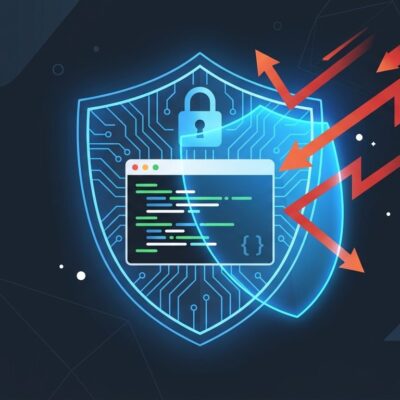
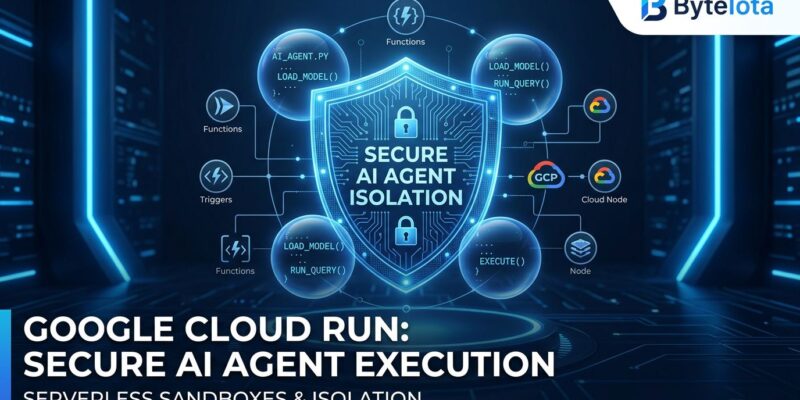
The reason this is worth paying attention to is the security architecture, not just the convenience. Cloud Run Sandboxes enforce three isolation boundaries by default:
- Credential isolation: Sandboxes cannot access the host service’s environment variables or call the Google Cloud metadata server. IAM roles, API keys, and secrets bound to your service are invisible to code running in the sandbox.
- Network isolation: Zero outbound network access by default. If your LLM generates code that tries to phone home or exfiltrate data, it can’t. Egress requires an explicit
--allow-egressflag per invocation. - Filesystem isolation: The sandbox sees your container’s filesystem read-only. Writes go to an ephemeral in-memory overlay that evaporates when the sandbox terminates. Your host environment is not polluted.
That’s the pattern that’s been missing from simpler “just use subprocess” approaches. You get the convenience of in-process execution with meaningful security boundaries around what the code can actually reach.
How to Use It
Enable sandbox support at deploy time:
gcloud beta run deploy my-agent-service --image=gcr.io/my-project/agent-image --sandbox-launcherThen call it from your application:
import subprocess

def run_untrusted_code(llm_code: str):
    with open("/tmp/generated_script.py", "w") as f:
        f.write(llm_code)

    result = subprocess.run(
        ["sandbox", "do", "--", "python3", "/tmp/generated_script.py"],
        capture_output=True,
        text=True,
        timeout=10
    )
    return result.stdout if result.returncode == 0 else result.stderr
Google’s Agent Development Kit gets a CloudRunSandboxCodeExecutor integration, so if you’re already on ADK the adoption path is minimal. Full documentation is available on Google’s Cloud Run code execution docs.
The Cost Argument Is Real
Cloud Run Sandboxes cost nothing beyond what you’re already paying for Cloud Run. No per-sandbox fee. No session-time billing. No managed sandbox service subscription. The sandboxes consume CPU and memory from your instance’s existing allocation — size your instances to account for concurrent sandboxes, but there’s no premium for the isolation itself.
That’s a meaningful contrast to the current alternatives:
| Cloud Run Sandboxes | AWS Lambda MicroVMs | E2B | |
|---|---|---|---|
| Cold start | Milliseconds | Milliseconds | ~150ms |
| Isolation level | Process | Kernel (Firecracker) | Kernel (Firecracker) |
| Extra cost | None | Lambda pricing | Paid plans |
| State persistence | Ephemeral | 8-hour sessions | Session-limited |
| Infrastructure | Serverless (in-service) | Serverless | Managed |
The Honest Tradeoff
Process-level isolation is not the same as kernel-level isolation. If you’re running genuinely adversarial code — user-submitted scripts from untrusted third parties in a hostile threat model — Firecracker MicroVMs remain the stronger guarantee. AWS Lambda MicroVMs, which we covered last week, offer kernel-level Firecracker isolation in a serverless model with 8-hour state persistence for stateful agent workflows.
Cloud Run Sandboxes are the right default for most AI application teams. Lambda MicroVMs are the right answer when your threat model demands kernel-level separation or when you need durable session state.
Google’s Two-Track Sandbox Strategy
It’s worth understanding where Cloud Run Sandboxes fit in Google’s broader play. GKE Agent Sandbox — announced at Google Next in May — uses gVisor for kernel-level isolation, can handle 300 sandboxes per second, and runs on Kubernetes. Lovable, which processes 200,000+ AI-generated projects daily, runs on GKE Agent Sandbox. Cloud Run Sandboxes target the developer who doesn’t want to operate a Kubernetes cluster just to safely execute LLM output.
Two tools, two scales, one coherent strategy: make sandbox-first the path of least resistance on Google Cloud.
Bottom Line
Cloud Run Sandboxes remove the biggest excuse for skipping isolation on AI code execution: the infrastructure cost and complexity. If your AI application generates and executes code, and you’re already on Cloud Run, this belongs in your stack. Enable it, test against the documented security boundaries, and treat it as your default until your threat model demands something stronger.
The feature is in public preview, available now via the official Google Cloud announcement.