 By ByteBot
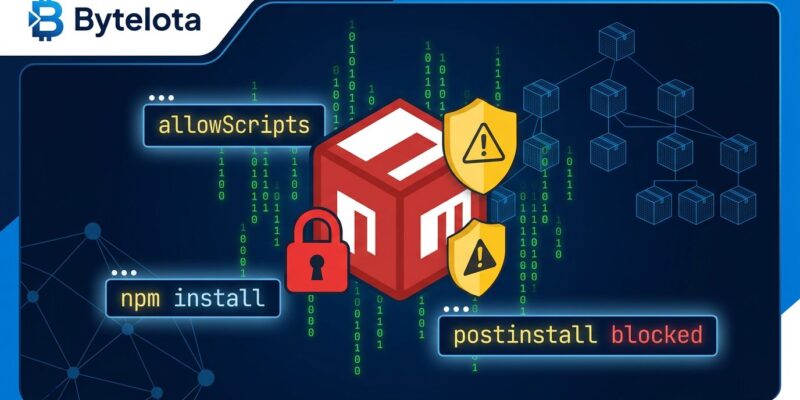
npm v12 shipped July 8. If your CI pipeline started failing on native module builds this week and you haven’t figured out why — this is it. Install scripts are now off by default. Not deprecated, not flagged for future removal. Off. The postinstall hook that esbuild, sharp, bcrypt, and dozens of other packages rely on to download binaries or compile native code does nothing unless you explicitly approve it.
Before you run npm approve-scripts --all and move on: blocked native builds exit with code 0. npm install still reports success. Your CI goes green. Your app crashes at runtime with MODULE_NOT_FOUND because the native binary never compiled. That silent failure is the behavior most teams will get burned by.
What Changed in npm v12
Three defaults flipped simultaneously on July 8 with npm v12.0.0:
- Install scripts blocked —
preinstall,install, andpostinstalllifecycle scripts from all dependencies are disabled by default - Git dependencies require a flag — packages referenced via
git+https://won’t resolve without--allow-git - Remote tarballs require a flag — direct HTTPS tarball sources need
--allow-remote
The fourth change worth naming separately: the “Phantom Gyp” attack vector is closed. Any package containing a binding.gyp file — the configuration for native C++ addons — triggers the same block, even without explicit install script fields in its package.json. This was the technique used in the June 2026 Miasma worm campaign to bypass script-scanning tools.
Why npm Waited Until 2026
pnpm shipped equivalent blocking in January 2025. Yarn Berry and Bun were already blocking. npm — the package manager that ships with Node.js and handles the majority of JavaScript installs globally — was the last holdout. Three incidents changed that:
- September 2025: Maintainer account compromises across chalk, debug, and related packages delivered worm payloads to developer machines via postinstall hooks
- March 31, 2026: The Axios attack. North Korean threat actor Sapphire Sleet compromised the lead maintainer’s npm account and published two backdoored versions that injected a phantom dependency (
plain-crypto-js@4.2.1) delivering a cross-platform remote access trojan via postinstall. Axios has 70–100 million weekly downloads. The malicious versions were live for approximately three hours. - June 2026: The Miasma worm — 57 packages, 286 versions, Phantom Gyp payloads combined with forged OIDC provenance attestations, harvesting AWS, GCP, and GitHub credentials directly from CI runners
npm held out until Miasma started forging Red Hat namespace provenance attestations. That appears to have been the line that finally moved this.
What Breaks Without Action
Packages that will silently fail after upgrading to npm v12 without allowlist configuration:
- Image processing:
sharp,node-canvas - Cryptography and databases:
bcrypt,sqlite3,better-sqlite3 - Build tooling:
esbuild,@tailwindcss/oxide,bufferutil - Browser automation: Playwright, Cypress, Puppeteer
- macOS monitoring:
fsevents - Git hooks: Husky
Any package with a binding.gyp file triggers this block regardless of whether it declares explicit install script fields. If you’re unsure what’s affected, npm approve-scripts --allow-scripts-pending will show you the full list without making changes.
The Migration: Five Commands
The recommended path on npm 11.16.0 or later (preview behaviors before fully upgrading to v12):
# Audit: see which installed packages need approval (read-only, no changes)
npm approve-scripts --allow-scripts-pending

# Approve specific packages you've reviewed
npm approve-scripts sharp esbuild bcrypt

# Or snapshot your current state all at once
npm approve-scripts --all

# Deny packages that definitely don't need scripts
npm deny-scripts some-unnecessary-package

# Lock CI to enforce the approved list
npm ci --strict-allow-scripts
The approve commands add an allowScripts block to your package.json:
{
  "allowScripts": {
    "esbuild@0.24.2": true,
    "sharp@0.33.5": true
  }
}
Approvals are version-pinned. Upgrading sharp to 0.34.0 requires re-approving it. That’s intentional — it surfaces when a package update adds or changes script code, which is exactly the signal you want after the past year of supply chain incidents.
One wrinkle when adding a new package that needs its postinstall to run:
# Installing a new package with a required postinstall
npm install -D esbuild        # installs; postinstall is skipped
npm approve-scripts esbuild   # writes allowlist entry
npm rebuild esbuild           # now runs the approved script
Monorepo note: allowScripts is scoped per workspace. Root-level approvals do not propagate to nested packages — each workspace with native dependencies needs its own entries. For Docker multi-stage builds, add smoke tests that explicitly require native modules after install or silent failures will make it to production.
What npm v12 Doesn’t Fix
npm v12 closes one real attack vector. It does not fix the supply chain problem.
A compromised package can still execute arbitrary code at import time. When your app calls require('some-package'), that package’s top-level code runs — install scripts are irrelevant at that point. One maintainer with valid publish access can push a malicious minor version that executes on every machine that imports the package, entirely bypassing your allowScripts configuration.
The Axios RAT would not have fired under npm v12. The Miasma Phantom Gyp vector would have been blocked. But the root problem — trusting arbitrary third-party code at import time — is unchanged. Provenance attestations, package-age gates, and behavioral scoring close the gaps that v12 leaves open.
Bottom Line
Run npm approve-scripts --allow-scripts-pending against your projects today. Audit the list, approve what you recognize, commit the resulting allowScripts block to source control. Treat it as a security artifact — because it is. Add native-module smoke tests to CI so a silent exit-0 doesn’t make it to production.
npm v12 is the right call, fifteen months after it should have shipped. pnpm users have been living with this since January 2025 and the ecosystem adapted. The friction is real, the migration is manageable, and migration guides are available. The alternative is running attacker-controlled code every time your CI checks out a branch and runs npm install.