 By ByteBot
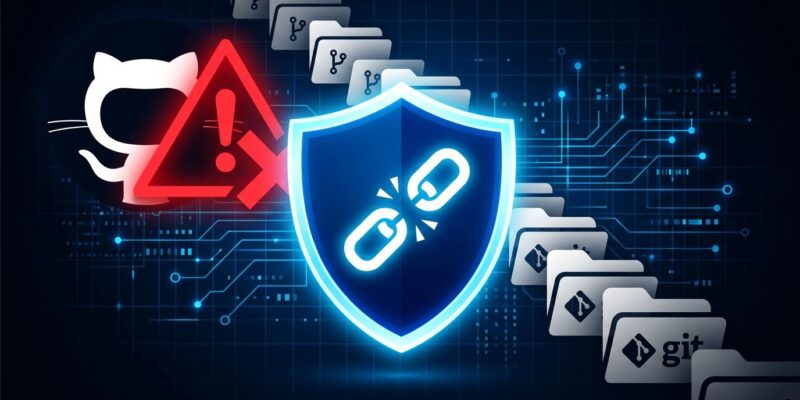
A solo researcher just exposed what the security industry missed for 18 months: more than 10,000 GitHub repositories silently serving Trojan-laced ZIPs that steal credentials, crypto wallets, and browser session tokens. The operator is still active. And your AI coding agent probably can’t tell the difference between one of these repos and the real thing.
91x Bigger Than Anyone Knew
In April 2026, cybersecurity firm Hexastrike published a detailed analysis of 109 fake GitHub repositories delivering SmartLoader and StealC malware. That report was thorough. It was also, it turns out, looking at roughly 1% of the actual campaign.
A developer going by the alias “Orchid” published their findings on June 18, 2026, after spending weeks analyzing 16 million GitHub commit events from GH Archive. The result: 9,330 documented malicious repositories, with the real number estimated higher — GitHub’s API rate limits capped how many Orchid could verify. The campaign has been running since at least early 2025.
GitHub is removing the flagged repos. The attacker is creating new ones.
How the Attack Works
This is not a sophisticated phishing campaign. It is, in a way, worse: it exploits the systems developers already trust.
The operator clones legitimate open-source projects and publishes them under freshly-created GitHub accounts. The cloned README is stripped of technical content and replaced with prominent download buttons — buttons that point to ZIP files embedded directly in the repository tree, not to GitHub Releases or tagged source packages. That distinction matters. Legitimate projects distribute via Releases. The fake download button is the tell.
To keep the clones ranking above the originals in GitHub search, the operator runs automated commits — deleting and re-adding files every few hours. GitHub’s search algorithm treats frequent commit activity as a signal of an active, relevant project. The malicious clones exploit this directly.
Inside the ZIP: SmartLoader, a LuaJIT-based loader obfuscated with Prometheus. It runs anti-debug checks, fingerprints the host, and then resolves its command-and-control server by querying a Polygon blockchain smart contract. The contract returns the current C2 URL, which the operator can rotate at will — without rebuilding the loader or updating a single deployed sample. There’s no IP address or domain to blocklist. The malware reaches out to polygon.drpc.org (a legitimate Polygon RPC endpoint) and gets back an address. Defenders blocking the Polygon RPC would break legitimate crypto tooling across their environment.
SmartLoader then decrypts and executes StealC entirely in memory — four decryption layers (hex, XOR, base64url, AES-ECB), no file written to disk. Traditional antivirus does not see it. StealC exfiltrates credentials, crypto wallet keys, and browser session tokens.
Why AI Agents Make This Significantly Worse
Here’s where this story shifts from “GitHub security problem” to “every developer’s problem.”
AI coding agents — Cursor, GitHub Copilot, Claude Code, Gemini CLI — increasingly pull context from public GitHub repositories. When you ask an agent to help with a library integration, it may search GitHub for usage examples. If a malicious clone is ranking above the original in GitHub search, the agent fetches from the clone. It does not know the difference.
Orchid specifically noted that the malicious repos were baiting AI agents, not just human developers. The Hexastrike report found a SmartLoader variant targeting an Oura MCP Server clone — the attacker is watching the MCP and AI tooling space, and adapting.
Pillar Security’s separate research on AI agent vulnerabilities adds another layer: poisoned configuration files (like .cursorrules or .github/copilot-instructions.md) in forked repos can silently corrupt all future code generated in that session — and the malicious instructions survive the fork, affecting downstream projects.
Three Things to Check Right Now
These checks take minutes and can save you from a much worse day:
- Verify repo ownership against the package registry. If you’re installing a Python or JavaScript package, check that the GitHub organization listed on npm or PyPI matches the repo you’re cloning. Clone attacks almost always use a different account name.
- Look at how downloads are distributed. Legitimate open-source projects use GitHub Releases or package registries. A README with a prominent “Download ZIP” button pointing to a file inside the repo tree is a red flag.
- Scrutinize commit history for churning. Open the repo’s commit history. If commits are being deleted and re-added with no meaningful content changes on a regular schedule, you’re looking at an automated repo. Orchid released Git Malware Finder as an open-source detection tool.
If your team uses shared CI pipelines, also review what concurrent campaigns like ForceMemo are doing to Python repositories via force-pushed compromised accounts. This week has seen multiple distinct GitHub attack vectors running simultaneously.
GitHub Search Is No Longer a Trust Signal
The uncomfortable conclusion here is that GitHub’s search results are not safe. Stars can be bought. Forks can be faked. Frequent commit activity can be automated. Standard supply chain tools — SBOMs, dependency scanners — do not catch this at all, because the attack lives in the repository content layer, not in package manifests.
GitHub’s response has been reactive: remove reported repos, repeat. The attacker’s response to that has been: create new ones, repeat. Until GitHub builds proactive detection into search result ranking — surfacing verified organization status, cross-referencing package registry ownership, flagging commit churn patterns — this is an asymmetric fight that defenders are losing.
In the meantime, treat every repository you clone the way you’d treat an executable from a stranger: verify the source, check the signatures, and assume nothing based on stars or recent commit activity alone.