 By
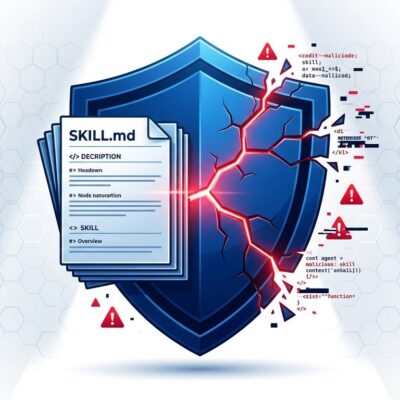
By On May 18, 2026, an automated attacker compromised 5,561 GitHub repositories in a single six-hour window. The campaign — now tracked as Megalodon — injected malicious GitHub Actions workflows that drain every cloud credential a CI runner can reach: AWS keys, GCP tokens, Azure credentials, SSH private keys, Kubernetes configs, Docker auth, and Vault tokens. By May 21, the attacker’s server had logged 575,352 stolen files totaling 449 GB. CISA issued an advisory. If your open source project uses GitHub Actions, audit your workflow files today.
How the Megalodon Attack Worked
Megalodon is a direct Poisoned Pipeline Execution (d-PPE) attack. Unlike fork-based supply chain attacks that require a pull request, d-PPE exploits direct write access to a repository’s default branch — bypassing pull request review gates entirely. The attackers gained that access through infostealer-harvested GitHub credentials: roughly 33% of affected repository usernames matched machines already flagged on infostealer logs.
The campaign deployed two distinct workflow variants. The first, SysDiag, adds a new .github/workflows/ci.yml triggered on every push and pull request, firing automatically on all subsequent CI runs. The second, Optimize-Build, replaced existing workflow files with a workflow_dispatch trigger — a dormant backdoor the attacker can fire on demand via the GitHub API. Both variants share the same command-and-control server and the same base64-encoded exfiltration payload.
The stealth factor matters here. Commits arrived under author names like build-bot, auto-ci, ci-bot, and pipeline-bot with messages mimicking routine CI maintenance. Tiledesk, an open source live chat platform, published seven poisoned npm releases (versions 2.18.6 through 2.18.12) over three days without realizing its repository was backdoored — because the payload lived in a CI workflow file, not in application source code a maintainer would spot in a code review.
Check If Your Repo Is Compromised
Before rotating credentials, confirm your exposure. Check these signals in any repository that uses GitHub Actions:
- Search
.github/workflows/for files named SysDiag or Optimize-Build - Look for commits from author names:
build-bot,auto-ci,ci-bot,pipeline-bot - Run a GitHub code search for
Q0I9Imh0dHA6Ly8yMTYu— the opening characters of the base64-encoded payload - Check the Actions tab for unexpected
workflow_dispatchruns after May 18, 2026 - SafeDep published the full dataset of all 5,718 malicious commits as a CSV — cross-reference your repository names
The StepSecurity analysis — from the team that discovered the campaign via their Harden Runner monitoring tool — includes full indicator-of-compromise details and C2 infrastructure identifiers.
Remediation Steps
Whether or not you find evidence of compromise, close these gaps immediately:
- Rotate all CI credentials now. That means AWS, GCP, Azure, SSH keys, GitHub tokens, npm auth tokens, Docker registry credentials, and any database connection strings that were available in CI runs since May 18.
- Revert unauthorized workflow file changes. Per the CISA advisory, review and revert any workflow files modified by bot-style accounts on or after May 18, 2026.
- Protect workflow files with CODEOWNERS. Add
/.github/workflows/ @security-teamto your CODEOWNERS file and require code owner approval in branch protection rules. Workflow file changes then require explicit security team review before merge. - Pin GitHub Actions to SHA hashes. Replace
uses: actions/checkout@v4with the pinned SHA equivalent. Tags are mutable; SHAs are not — a compromised action can push a new tag without changing the SHA you pinned. - Lock down workflow permissions. Add
permissions: read-allat the workflow level. Only addid-token: writeto workflows that explicitly use OIDC federation — and document why.
The Structural Fix: Replace Long-Lived Secrets with OIDC
Megalodon succeeded at scale because GitHub makes it easy — too easy — to store long-lived credentials as repository secrets. An AWS_SECRET_ACCESS_KEY stored in GitHub secrets is valid 24/7. Every CI runner that uses it is a high-value exfiltration target on every single job run.
The architectural answer is OIDC federation. Instead of storing a static AWS key, your workflow requests a short-lived token from GitHub’s OIDC provider at job startup. Your cloud account exchanges it for temporary credentials that expire when the job ends. Even if Megalodon-style malware exfiltrates that token mid-run, it is useless to an attacker attempting to reuse it minutes later. GitHub’s OIDC documentation covers AWS, GCP, Azure, and HashiCorp Vault configurations.
The rule in 2026: use OIDC for cloud provider access. Use GITHUB_TOKEN for GitHub API calls. Store static secrets only for third-party services that don’t support either. If your CI pipeline still has a static AWS_SECRET_ACCESS_KEY sitting in repository secrets, Megalodon is the bill arriving for that architectural decision. Rotate now. Then eliminate the static key entirely.