 By ByteBot
Valve just made it official. The Steam Machine starts at $1,049 for the 512GB model, $1,349 for 2TB. Pre-orders open June 25. Hardware ships June 30. If you are a game developer wondering whether any of this requires action on your part, the short answer is: probably not. However, if your game uses kernel-level anti-cheat, you have a decision to make — and the window to make it is now.
What the Steam Machine Actually Is
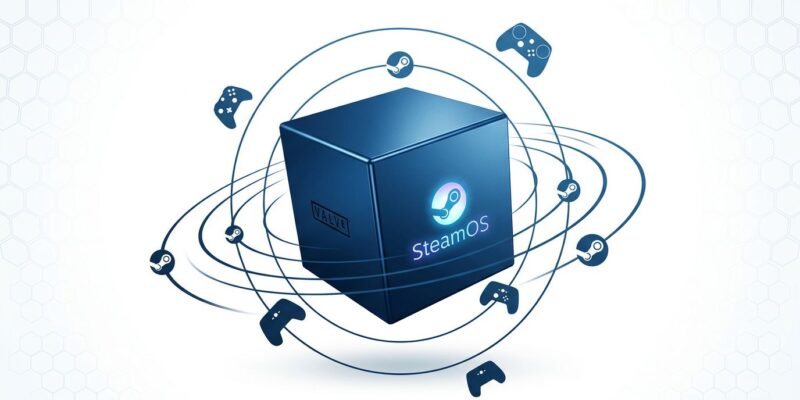
The Steam Machine is a compact 6-inch cube running SteamOS — Valve’s Arch Linux-based gaming OS, the same one powering the Steam Deck. Under the hood: an AMD Zen 4 processor (6 cores, up to 4.8GHz), RDNA3 graphics with 8GB GDDR6 VRAM, 16GB DDR5 RAM, and either a 512GB or 2TB SSD. Valve claims six times the Steam Deck’s performance and targets 4K at 60fps via AMD FSR upscaling, though PCWorld notes that 8GB VRAM is increasingly tight by 2026 standards, and FSR from a lower native resolution is not equivalent to native 4K output.
The pricing math matters for developers assessing whether this platform deserves attention. A PCPartPicker build with equivalent specs runs about $1,072 — so the Steam Machine is competitively priced as a pre-built gaming PC. Against a $600 PS5 or Xbox Series X, however, it costs $450 more. That gap means the Steam Machine is primarily an enthusiast and Linux advocate product at launch, not a mainstream console replacement. Supply is also lottery-based initially, so do not expect a massive installed base in year one.
The Good News for Steam Machine Developers: You Are Probably Done
Here is what matters most for the majority of developers. Tens of thousands of Steam games have gone through the Steam Deck Verified program. Valve confirmed in November 2025 that those verifications transfer to the Steam Machine automatically. Moreover, the requirements are nearly identical — same controller input support, 1080p at 30fps minimum, no Linux incompatibility warnings. If your game runs well on Deck, it runs well on Machine. No new builds, no new submission, no additional testing overhead.
That compatibility is possible because of Proton, Valve’s Windows-to-Linux compatibility layer. As of early 2026, Proton runs approximately 90% of the Steam library — roughly 54,000 of 60,000-plus titles. Furthermore, Unity announced expanded official SteamOS and Steam Machine support in March 2026. Valve’s “one game build” strategy via Proton, FEX, and Leptin is largely working: ship a Windows build and reach SteamOS devices without a native Linux port. You can verify your game’s community-reported compatibility at ProtonDB — Gold or Platinum ratings indicate the game runs well through Proton.
The Anti-Cheat Problem: Steam Machine Developers Face a Real Decision
If your game uses kernel-level anti-cheat, the Steam Machine is a platform you currently cannot support. Valorant, every Call of Duty title, Battlefield 6, and EA Sports titles are all incompatible with SteamOS. The reason is structural: Linux’s open kernel makes it possible to modify the OS in ways that kernel-level anti-cheat needs to detect and prevent — but cannot, because hardware attestation works differently than on Windows. Over 682 anti-cheat-protected titles are currently incompatible with SteamOS according to Engadget’s analysis.
That said, two solutions work with Proton and Linux today. Easy Anti-Cheat and BattlEye both support Linux with manual enablement. For EAC, you enable Linux as a client platform on the EAC partner portal and add easyanticheat_x64.so to your game depot alongside the Windows library. For BattlEye, contact your Valve or BattlEye technical representative. Riot Vanguard and Activision’s proprietary solution currently have no Linux path. Valve’s official Proton developer documentation covers the exact steps for EAC and BattlEye enablement.
Valve’s long-term bet is that the console form factor attracts more multiplayer gamers than the portable Deck did, and more players means stronger incentive for publishers to fix Linux anti-cheat support. It is a reasonable argument — but publishers have resisted this for years. League of Legends had only 800 daily Linux users when Riot made Vanguard mandatory. That is why the economics never justified the work. Steam Machine needs to meaningfully change those numbers before competitive multiplayer titles follow.
Developer Checklist: What to Do Right Now
- Check your Steam Deck Verified status. If you are Verified, you are already Steam Machine Verified. Nothing to do.
- Run a ProtonDB check. Search your game at protondb.com — Gold or Platinum community ratings indicate you are in good shape even without formal verification.
- Audit your anti-cheat integration. If you use EAC or BattlEye, enabling Linux support is a few hours of work and opens the platform immediately. If you rely on Riot Vanguard or a proprietary anti-cheat solution, you have no path forward until those vendors add Linux support.
- Avoid the common Proton blockers. Separate game launchers, Media Foundation codecs, and kernel-level DRM all create Proton compatibility issues. If you are planning any of these for a new title, reconsider.
- Request a developer kit. Valve provides hardware for pre-launch testing. If you have any SteamOS compatibility uncertainty, a developer kit is the fastest way to verify.
The Bigger Picture
Valve tried this in 2015 and failed. That first generation fragmented across dozens of third-party manufacturers, launched with a thin game library, and relied on a Proton that barely existed. The 2026 Steam Machine enters a different ecosystem entirely: Proton at 90% library compatibility, millions of Steam Deck units proving the concept works, and a mature SteamOS that delivers a console-like experience without configuration overhead.
For most developers, the Steam Machine requires nothing new. For competitive multiplayer studios with kernel-level anti-cheat, however, the decision window has opened: enable Linux support via EAC or BattlEye, or watch a growing installed base play virtually everything on Steam except your game. Valve is betting that position becomes uncomfortable enough to force change. Given the trajectory, they might be right this time.