 By ByteBot
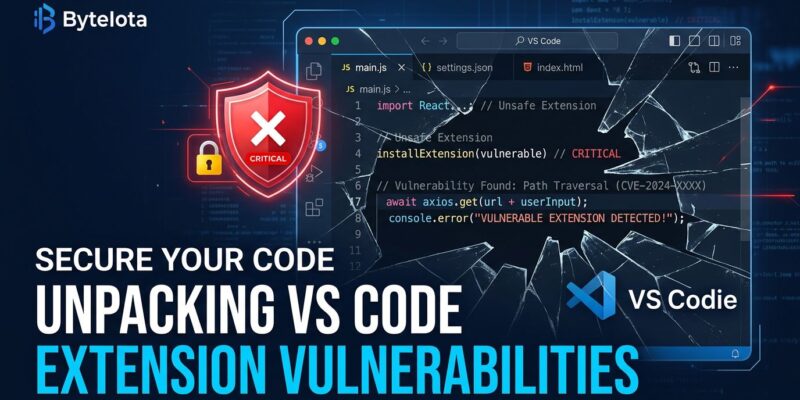
Four VS Code extensions with a combined 128 million installs contain critical security vulnerabilities that allow remote code execution and silent file exfiltration. OX Security researchers disclosed the flaws to maintainers starting June 2025. Nine months later, three remain unpatched. If Live Server, Code Runner, or Markdown Preview Enhanced is installed on your machine, you are running vulnerable software right now.
The Three Unpatched CVEs
The most dangerous is Live Server (72 million installs, CVE-2025-65717, CVSS 9.1). The extension spins up a local HTTP server at localhost:5500 for browser previews — and leaves it completely open to cross-origin requests. Any webpage you visit while Live Server is running can query that server, crawl your entire workspace, and ship the contents to an attacker-controlled domain. Source code, .env files, API keys, cloud credentials — all of it. You do not need to click anything. Visiting the wrong URL is enough.
Code Runner (37 million installs, CVE-2025-65715, CVSS 7.8) takes a different route to the same destination. The extension pulls executor commands from settings.json and passes them directly to a shell without sanitization. Poison the settings — through a phishing lure, a rogue snippet from a trusted-looking repo, or a malicious companion extension — and the next time a developer runs any code, they hand an attacker a shell. In 2026, where AI coding agents routinely read and modify settings.json, the attack surface for this one has quietly widened.
Markdown Preview Enhanced (8.5 million installs, CVE-2025-65716, CVSS 8.8) skips the setup entirely: just open a crafted .md file. The extension renders Markdown inside a script-executing iframe, which means a malicious file embedded in a PR, a documentation link, or an email attachment can enumerate local ports, fingerprint running services, and exfiltrate data before you close the tab.
Microsoft Patched Theirs — Then Found Another
Microsoft’s Live Preview extension (11 million installs) had an XSS vulnerability in the same disclosure batch. Microsoft initially dismissed OX Security’s report as low severity, then quietly released a patch (v0.4.16) in September 2025 — without notifying the researchers or assigning a CVE. Months later, a separate path traversal vulnerability (CVE-2026-41612) was discovered and patched in v0.4.19 on May 12, 2026. If you use Live Preview, update now. It is the only one of the four extensions that has been actively maintained.
Nine Months of Silence
OX Security attempted responsible disclosure through email, GitHub issues, and social channels. Three maintainers never responded. The VS Code Marketplace has no mechanism to force patches, remove vulnerable popular extensions, or require security contacts. Millions of developers are running software with known critical flaws because there is no enforcement path from discovery to resolution.
The VS Code team’s public position — articulated by a team member in February — is that this is a user trust problem. That framing does not hold up. Developers trust extensions because the Marketplace presents them as verified, actively maintained tools. Live Server has 72 million installs precisely because it is the standard recommendation for web development. Telling developers they should have known better is not a security policy.
What to Do Right Now
- Live Server: Disable it when you are not actively previewing. Use
npx serveor your browser’s built-in DevTools server instead. The risk does not justify keeping it running in the background. - Code Runner: Audit your
settings.jsonfor unexpected executor entries. Do not paste config snippets from untrusted sources. If you use an AI coding assistant, review what it writes to your settings. - Markdown Preview Enhanced: Switch to VS Code’s native Markdown preview (Ctrl+Shift+V on Windows/Linux, Cmd+Shift+V on macOS). No script execution.
- Microsoft Live Preview: Update to v0.4.19 or later immediately.
- Generally: Use VS Code’s Restricted Mode when opening unfamiliar repos. Extensions are disabled by default in restricted workspaces.
The Actual Problem Is the Trust Model
VS Code extensions run with the same privileges as the editor. No permission model. No sandbox. No consent prompts. A VS Code extension can read any file on your machine, open any network port, and make outbound connections — all without declaring any of this at install time. Compare this to iOS or Android, where every permission is listed before you install. Developers accept this tradeoff because extensions are enormously useful. But developer machines in 2026 hold source code, production credentials, SSH keys, cloud access tokens, and AI agent contexts. They are high-value targets, and the extension model was not designed for this threat landscape.
The good news is that mitigations are straightforward. Disable Live Server when not in use, switch Markdown renderers, and stay current on Live Preview updates. The inconvenience is low; the risk reduction is significant.