 By
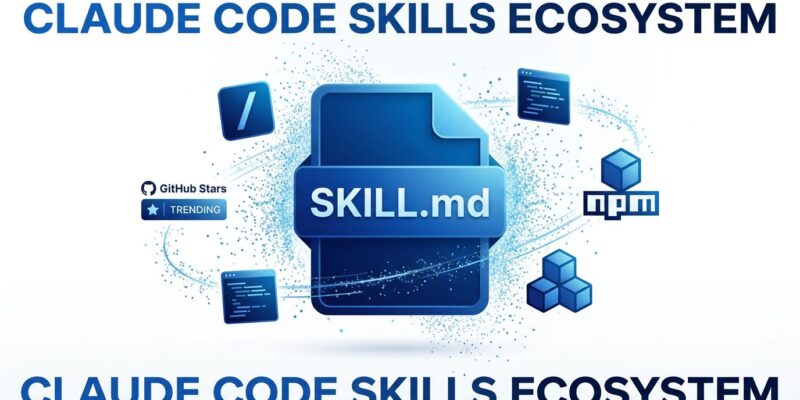
By Matt Pocock’s skills repository hit #1 trending on GitHub today with 21,900 stars, gaining 2,507 stars in just 24 hours. This isn’t just another viral repo—it signals that Claude Code Skills have reached mainstream developer adoption. Skills solve the fundamental problem of AI coding assistants: instead of explaining the same workflow to Claude repeatedly, you create a SKILL.md file once, then invoke it automatically across all sessions. This “teach once, use forever” approach transforms AI from a chat interface into a reliable workflow automation tool.
What Claude Code Skills Are
Claude Code Skills are reusable agent capabilities distributed as simple markdown files. Each skill contains YAML frontmatter (name and description) plus markdown instructions that Claude follows when invoked. Unlike manual prompting that produces inconsistent results 60-70% of the time, skills provide the same structured output 95%+ of the time.
The structure is dead simple. Create a SKILL.md file with metadata and instructions:
---
name: format-code
description: Format code according to team standards (Prettier + ESLint)
---

# Code Formatting Skill

When invoked, format all modified files:
1. Run Prettier with config from .prettierrc
2. Run ESLint with --fix flag
3. Report any unfixable issues
4. Confirm formatting complete
Drop it in ~/.claude/skills/ and you’re done. The skill becomes a /slash-command in Claude Code, or Claude auto-loads it based on context. No complex setup, no vendor lock-in—just markdown files in a directory.
This matters because developers waste hours repeating the same prompts to AI assistants. If you explain a task to AI more than 3 times per week, that’s a skill candidate. Moreover, code review checklists, PRD generation, test-driven development enforcement, and git safety guardrails become one-time automations.
The Skills Ecosystem Just Hit Critical Mass
Matt Pocock’s trending status isn’t an isolated spike. The entire skills ecosystem exploded this month. VoltAgent’s awesome-agent-skills registry curates 1000+ skills compatible with Claude Code, Codex, and Cursor. Furthermore, ComposioHQ launched another curated collection, and JetBrains released official skills for Swift 6 strict concurrency and modern Go idioms.
Skills now distribute via npm—no more manual file copying:
npx skills@latest add mattpocock/skills/to-prdOne command installs a production-ready skill. Consequently, this is the “npm moment” for AI workflows—a universal package system for teaching AI agents specialized tasks. When major dev tool vendors publish official skills and repositories go viral overnight, the ecosystem has crossed into mainstream adoption.
Hacker News discussions with 100+ comments debate skill registries, composition patterns, and marketplace economics. Developers aren’t asking “should I use skills?” anymore. Instead, they’re asking “which skills should I install first?”
4 Production Skills from Matt Pocock’s Directory
Matt Pocock published 17 production-quality skills—not toy examples, but the actual workflows he uses daily as a TypeScript educator. Four stand out for immediate practical value.
to-prd converts conversation context into structured Product Requirement Documents and submits them directly to GitHub as issues. Instead of manually translating whiteboard discussions into tickets, the skill captures conversation state, formats it according to your PRD template, and creates the issue automatically. Additionally, teams using this report 30-60 minutes saved per planning session.
git-guardrails-claude-code blocks dangerous git commands before execution. It intercepts push –force, reset –hard, and clean -f operations, prompting for confirmation before proceeding. Data loss from accidental destructive commands drops to zero. Therefore, every developer should install this skill immediately.
tdd enforces test-driven development with red-green-refactor cycles. When invoked, Claude writes failing tests first, implements minimal code to pass, then refactors. No more “I’ll add tests later” promises that never happen. Meanwhile, the skill validates test coverage before allowing commits.
request-refactor-plan creates detailed refactor plans via user interview. Claude asks what code needs refactoring, identifies the problem, maps dependencies, and breaks the work into tiny commits (under 100 lines each). In fact, the plan gets filed as a GitHub issue with estimated effort and risk mitigation strategies.
These aren’t theoretical. Install them now and automate workflows today. That’s the power shift skills represent—from “AI can help if you prompt correctly” to “AI executes your team’s exact processes automatically.”
How to Create Your First Custom Skill
Creating skills requires identifying repetitive workflows, writing clear instructions, and iterating based on results. Start by listing tasks you explain to Claude weekly. Code formatting? Test generation? Documentation updates? Pick one.
Write the SKILL.md file following official guidelines. Be specific—vague instructions produce vague results. However, instead of “help me code better,” write “generate React component with TypeScript interfaces, PropTypes validation, unit tests using Jest, and Storybook story.” Specify file locations, tool configurations, and validation steps.
Test the skill multiple times. Run it on different codebases, edge cases, and error conditions. Refine instructions based on failures. Moreover, add REFERENCE.md files for supplemental information that keeps SKILL.md focused. Include validation scripts that verify skill execution succeeded (tests passed, build completed).
The barrier to entry is low (markdown files), but the impact is high (permanent automation). Consequently, skills become team knowledge transfer—new developers execute team practices day one without knowledge transfer sessions. Senior developers encode their expertise once rather than repeating the same code review feedback forever.
Skills vs Prompts: When to Use Each
Skills are procedural knowledge—they teach HOW to perform tasks. In contrast, prompts are reusable templates requiring manual invocation each time. Custom instructions are always-on guidelines defining WHAT to prefer globally.
Use skills for repetitive multi-step workflows: code review processes, architectural pattern applications, testing strategies. Use prompts for occasional tasks that don’t need automation: exploratory analysis, one-off refactorings, experimental features. Furthermore, use custom instructions for global preferences: code style, verbosity level, explanation depth.
Skills compose beautifully. A “deploy-to-production” skill can invoke “run-tests,” “build-docker-image,” and “update-k8s-manifests” skills sequentially. This modularity beats monolithic prompts that try to do everything at once.
The trade-off is maintenance. Skills need updates when team conventions change. Nevertheless, that’s exactly the point—update the skill once, everyone benefits instantly. No more “did everyone see the new code review guidelines?” messages that half the team ignores.
Key Takeaways
- Claude Code Skills are reusable agent capabilities that execute consistently (95%+ vs 60-70% for manual prompting)—the “teach once, use forever” paradigm eliminates repetitive AI interactions
- Matt Pocock’s repository trending #1 (21,900 stars, 2,507 gained today) signals mainstream adoption—this is the “npm moment” for AI workflows, with 1000+ skills in registries and official vendor support from JetBrains
- Install production-ready skills immediately:
npx skills@latest add mattpocock/skills/git-guardrails-claude-codeprevents data loss,to-prdautomates planning,tddenforces testing - Create your first skill by identifying a workflow you explain to AI 3+ times per week—write specific instructions in SKILL.md, test on multiple codebases, iterate based on failures
- Skills become team knowledge transfer infrastructure—new developers execute expert practices automatically without documentation archaeology or tribal knowledge hunts