 By ByteBot
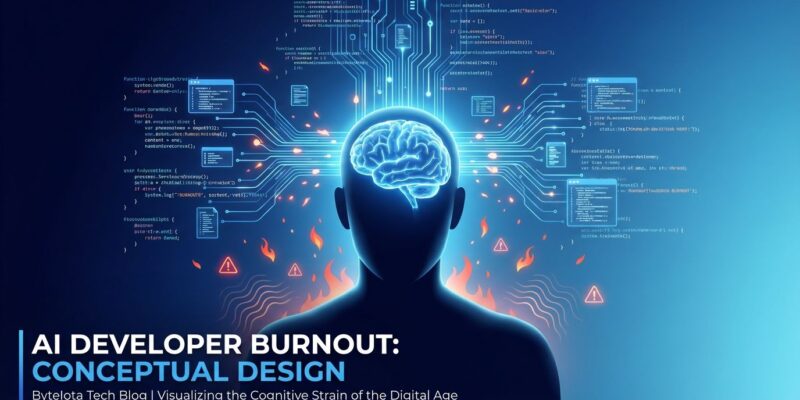
AI coding tools promised to make developers more productive. Instead, they’re causing burnout—and the hardest hit are developers who embraced AI most enthusiastically. Harvard Business Review research published in March 2026 found that 14% of workers experience “AI brain fry,” a distinct form of cognitive fatigue from excessive AI tool usage. More alarming: a rigorous study shows developers using AI tools take 19% longer to complete tasks while perceiving they’re 20-24% faster. That’s a 40-point perception gap between belief and reality.
This matters because 84% of developers now use AI tools. They’re not experiencing the productivity revolution vendors promised. Instead, UC Berkeley researchers documented an 8-month study where “work bled into lunch breaks and late evenings” as to-do lists “expanded to fill every hour that AI freed up, and then kept going.” The result: a burnout crisis hitting the most productive developers first.
Developers Think AI Makes Them Faster. Data Says Otherwise.
A controlled study by METR involving 16 experienced developers completing 246 tasks revealed a striking disconnect. Developers using AI tools—primarily Cursor Pro with Claude 3.5/3.7 Sonnet—completed tasks 19% slower than working without AI. Yet they expected AI to speed them up by 24%, and even after experiencing the slowdown, they still believed AI made them 20% faster.
This perception gap is deadly. Developers take on more work because they feel faster. Managers assign more tasks because developers appear productive. Everyone works longer hours while quality declines. Workers are burning out while believing they’re thriving—a “boiling frog” scenario where exhaustion creeps up unnoticed.
The study methodology was rigorous: 16 developers with moderate AI experience, averaging 5 years prior experience on each project, completed 246 tasks in mature codebases. The result wasn’t close. Reality: 19% slower. Belief: 20% faster. That’s a 40-percentage-point gap between perception and truth.
The Real Cost: 39% More Errors, 39% Higher Turnover
Harvard Business Review’s study of 1,488 workers found the 14% experiencing AI brain fry make 11% more minor errors and 39% more major errors. Additionally, affected workers experience 33% higher decision fatigue and show a 39% increase in turnover intent—jumping from a 25% baseline to 34% actively planning to quit.
This isn’t just a wellness issue. It’s a quality crisis and retention crisis combined. Organizations paying for AI tools are suffering 39% more major errors while losing their top AI adopters—the most productive developers—at higher rates. The ROI calculation on AI tools must factor in quality degradation and turnover costs, not just velocity gains.
The cognitive costs compound quickly. Mental fatigue jumps 12% with intensive AI monitoring. Information overload spikes 19% from constant AI interaction. The burden varies by role: legal professionals experience 6% AI brain fry rates, while marketing teams hit 26% due to juggling multiple content, analytics, design, and copywriting AI tools simultaneously.
Three Ways AI Creates Burnout (Not Productivity)
UC Berkeley’s 8-month ethnographic study of a 200-person tech company identified three mechanisms causing AI-related burnout. First, task expansion: developers take on cross-functional work “because AI makes it easy.” Product managers write code. Researchers handle engineering tasks. Designers tackle data analysis. What starts as “just trying things” with AI accumulates into job scopes beyond sustainable workloads.
Second, boundary erosion. The conversational nature of AI prompting makes work feel informal, allowing tasks to “spill into evenings without deliberate intention.” Work occurs during lunch breaks, early mornings, and late evenings. The psychological barrier between work and personal time dissolves.
Third, multitasking surge. Developers juggle multiple concurrent AI-assisted tasks, creating “continual switching of attention” and cognitive strain. One developer on Hacker News captured it perfectly: “The AI doesn’t get tired—I do.” Physical symptoms emerge: eye strain, back pain, brain fog after 6+ hours of AI-intensive work.
The cycle reinforces itself. Faster tasks lead to higher expectations. Increased AI reliance widens work scope. Expanding workload density drives burnout. Developers use more AI to cope, worsening the problem. Organizations treating every AI-saved minute as capacity for more work are fueling a burnout machine.
More AI Tools Don’t Help—They Hurt After 3
BCG research found productivity increases when using 1-3 AI tools simultaneously. After 3 tools, productivity scores decline sharply. Using 4 or more AI tools causes mental fatigue to jump 12% and information overload to spike 19% due to coordination costs—workers must remember which tool does what, maintain different mental contexts, and constantly switch between interfaces.
The pattern is clear. With 1-3 tools, you get productivity gains. At 4+ tools, productivity drops, mental fatigue rises 12%, information overload jumps 19%, and turnover intent climbs from 25% to 34%. Marketing teams experience this worst, hitting 26% AI brain fry rates from managing too many specialized AI assistants.
This provides an actionable threshold. Developers and teams should consolidate to 3 AI tools maximum. The industry push to “use all the AI tools” is counterproductive—coordination costs outweigh benefits beyond 3 tools. Pick 2-3, master them, ignore the rest.
The Solution: Selective AI Use + Hard Boundaries
The same Harvard Business Review research found that using AI to replace routine, repetitive tasks reduces burnout by 15%. Additionally, manager support lowers mental fatigue by 15%, and work-life balance emphasis reduces it by 28%. The key: AI for well-defined boilerplate work, not complex problem-solving.
What actually helps? AI for routine tasks delivers a 15% burnout reduction. Manager support—explicitly setting boundaries—cuts mental fatigue by 15%. Work-life balance emphasis reduces it by 28%. Developers should inject physical activity: a brisk walk every 2-4 hours of AI work. Implement intentional pauses before major decisions. Protect “human grounding” time for dialogue and social connection.
UC Berkeley researchers recommend “AI Practice”: intentional pauses, sequencing (batching notifications, protecting focus windows), and human grounding to restore perspective. Harvard Business Review framed the essential skill: “knowing when to stop—when AI output is good enough, when to write code manually, and when to close the laptop.”
This isn’t a tool problem. It’s a boundary and expectations problem. AI removed the natural pace limiters—task difficulty, time constraints—that previously protected developers from overwork. Solutions exist, but they require organizational and individual discipline.
Key Takeaways
- Reality check: Track actual hours worked, not perceived productivity. The 40-point perception gap (19% slower, feeling 20% faster) is real and dangerous.
- Tool limit: Consolidate to 3 AI tools maximum. Productivity tanks at 4+ due to coordination costs, mental fatigue rises 12%, and turnover intent jumps to 34%.
- Selective use: Deploy AI for routine, repetitive tasks only (15% burnout reduction). Avoid it for complex debugging, novel problems, and learning situations where verification overhead exceeds time saved.
- Protect boundaries: Implement hard stops on work hours. Work-life balance emphasis reduces mental fatigue by 28%, while manager support cuts it by 15%.
- Know when to stop: The real skill of the AI era is recognizing when AI output is good enough, when to write code manually, and when to close the laptop. Resist the urge to fill every AI-saved minute with more work.