 By ByteBot
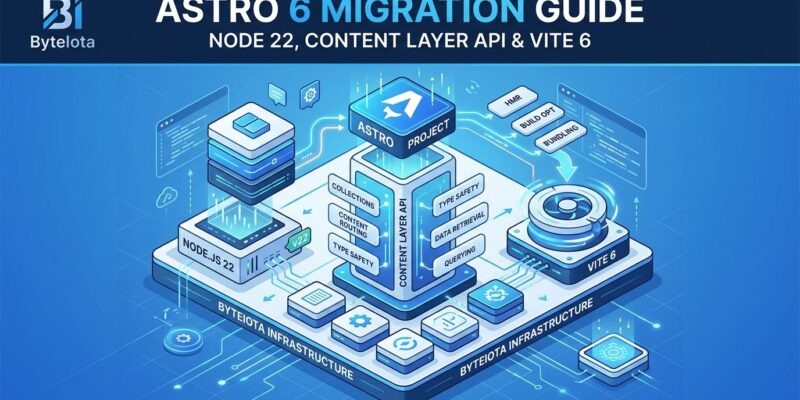
Astro 6.0 dropped on March 10, 2026, with the biggest architectural shift in the framework’s history: a redesigned dev server that runs your production runtime during development. If you’re on Astro 5 or earlier, you’ll need to upgrade to Node 22+, migrate to the Content Layer API, and update to Vite 7 and Zod 4. The payoff? No more “works in dev, breaks in prod” surprises—especially if you’re deploying to Cloudflare Workers or other edge runtimes.
Node 22+ and Content Layer API: The Hard Part
Astro 6 requires Node 22.12.0 or higher. Node 18 and 20 support is gone. Update your local environment, CI/CD configs (GitHub Actions, Netlify, Vercel), and production servers before attempting the upgrade.
The legacy Content Collections API is completely removed. All collections must use the new Content Layer API with loaders. This is where most migration time goes—community reports estimate 1-2 hours for typical projects, with one developer migrating a 50-page site in under 90 minutes.
// BEFORE (Astro 5 - doesn't work anymore)
import { defineCollection, z } from 'astro:content';
const blog = defineCollection({
  type: 'content',
  schema: z.object({ title: z.string() })
});

// AFTER (Astro 6 - required)
import { defineCollection } from 'astro:content';
import { glob } from 'astro/loaders';
import { z } from 'astro/zod';
const blog = defineCollection({
  loader: glob({ pattern: '**/[^_]*.{md,mdx}', base: "./src/data/blog" }),
  schema: z.object({ title: z.string() })
});
The glob loader replaces the old type: 'content' pattern. If you have multiple collections, migrate them one at a time using the collectionsBackwardsCompat experimental flag. This lets you upgrade incrementally instead of refactoring everything at once.
Dev/Prod Parity via Vite Environment API: The Killer Feature
The redesigned dev server uses Vite 7’s Environment API to run production runtimes during development. For Cloudflare users, astro dev now runs workerd (Cloudflare’s runtime) instead of Node.js. You get local access to bindings—KV, R2, D1—without deploying.
This solves a fundamental pain point: runtime inconsistencies between development and production. Astro creator Fred K. Schott explains: “By leveraging Vite’s new Environment API, astro dev can now run a custom runtime environment during development. The dev server and build pipeline now share the same code paths, unifying your development experience with production.”
The Astro team discovered and fixed numerous bugs during the rebuild—issues that only surfaced in development or only in production. That’s the whole point: when your dev environment matches production exactly, bugs have nowhere to hide.
Related: Hono Framework: Build Edge APIs on Cloudflare Workers
Zod 4 Breaking Changes to Watch
Astro 6 upgrades to Zod 4, introducing breaking changes in validation methods, error messages, and default values. First, update the import path: z now comes from astro/zod, not astro:content. Missing this causes cryptic build errors.
// BEFORE (Zod 3)
email: z.string().email()
title: z.string().min(5, { message: "Too short" })
views: z.string().transform(Number).default("0")

// AFTER (Zod 4)
email: z.email()  // Direct method
title: z.string().min(5, { error: "Too short" })  // message → error
views: z.string().transform(Number).default(0)  // Match output type
The last change—default value type matching—is easy to miss. Zod 4 requires defaults to match output types after transforms. A .transform(Number) field needs a numeric default (0), not a string default (“0”). Your build will fail until you fix these mismatches.
Live Content Collections and Built-in CSP
Live Content Collections, now stable in Astro 6, fetch content at request time without rebuilds. Content updates appear immediately—perfect for CMS-driven sites pulling from Contentful, Sanity, or WordPress. You use the same getCollection() and getEntry() APIs as build-time collections, so the mental model stays consistent.
Built-in Content Security Policy support is the other headline feature. Set csp: true in your config, and Astro auto-hashes scripts and styles for both static and dynamic pages. Responsive image styles are calculated at build time and included in the CSP policy automatically. Astro is the first meta-framework to offer unified CSP across all render modes.
Schott notes the complexity: “CSP is deceptively hard to implement in a framework like Astro. It requires knowing every script and style on a page so they can be hashed and included in the policy. But for dynamic pages, content can change per request—which means hashing on the fly and injecting the right headers at runtime.”
Other frameworks haven’t solved this. Astro has.
When to Upgrade to Astro 6
Upgrade now if you’re deploying to Cloudflare or other edge runtimes. Dev/prod parity is worth the migration effort. The workerd integration alone eliminates the guesswork around local bindings and runtime behavior.
Wait if you’re stuck on Node 18 or 20 infrastructure and can’t upgrade yet. Astro 5 still works. Also wait if you have hundreds of content collections—migration takes longer at scale, and you’ll need dedicated time to refactor.
The migration workflow: (1) Install Node 22+. (2) Update dependencies: npm install astro@latest vite@^7 zod@^4. (3) Migrate content collections to the Content Layer API. (4) Update Zod schemas for import paths and validation changes. (5) Test with astro preview before deploying to catch runtime issues.
Use the collectionsBackwardsCompat flag in astro.config.mjs to enable incremental migration. This lets you convert collections one at a time while keeping the rest functional—critical for large projects with dozens of collections.
Key Takeaways
- Node 22.12.0+ is required—update local dev, CI/CD configs, and production servers before upgrading
- Content Layer API migration is mandatory and time-consuming, but
collectionsBackwardsCompatenables incremental refactoring - Dev/prod parity via Vite Environment API eliminates “works in dev, breaks in prod” bugs, especially for edge runtimes
- Zod 4 breaks import paths (
astro/zod), validation methods (z.email()), and default value types (must match output after transforms) - Live Content Collections and built-in CSP are production-ready features worth upgrading for if you need request-time content or security hardening