 By
By Zed 1.3.5 shipped Terminal Threads on May 20, and if you’re running Claude Code through Zed’s ACP integration, you have until June 15 to act. That’s when Anthropic splits its billing into two pools — and the way most developers have been using Claude Code in Zed falls into the expensive one. Terminal Threads are the fix, and the setup takes about 30 seconds.
What Anthropic Is Changing on June 15
Starting June 15, Anthropic separates Claude subscription usage into two categories. First-party tool usage — the official claude CLI, claude.ai chat — stays covered by your existing subscription limits as before. Third-party and SDK usage — anything running through ACP, claude -p, or third-party integrations including Zed’s ACP integration — moves to a new capped credit pool billed at full API rates. Anthropic is effectively splitting its subscription model in two.
The new monthly credit limits: 0 for Claude Pro, 00 for Max 5x, 00 for Max 20x. At full API rates, that 00 buys roughly 13 to 26 heavy Opus 4.7 debugging sessions (each consuming 500K–1M tokens). Developers who’ve audited their usage report effective price increases ranging from 12x for light workloads to 150x or more for heavy automation workflows. Credits don’t roll over. When they run out, usage stops — or bills at overage rates if you’ve enabled that toggle.
Anthropic will send a claim email around June 8. Claim your credit before June 15 or it defaults. Watch your inbox — this is a real deadline, not a soft one.
Terminal Threads: The Billing Loophole That Is Not a Loophole
Zed’s own framing on this is unambiguous: “Terminal Threads are now the only way to keep using Claude Code in Zed with your existing Claude subscription.”
The logic: running claude (the official CLI) inside a terminal thread in Zed makes it a first-party tool interaction. It uses your regular subscription, the same as running Claude Code in your system terminal would. Running Claude Code through Zed’s ACP integration routes it through the Agent SDK, which triggers the new capped credit billing after June 15. Same code, same editor, very different billing outcome depending on how it enters the system.
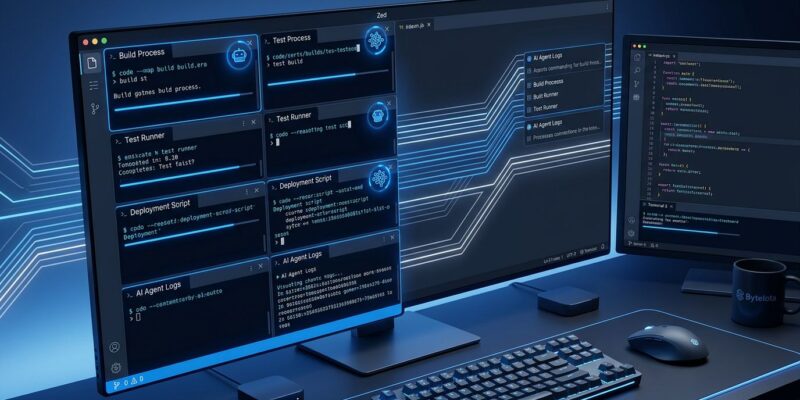
Terminal Threads live in the Threads Sidebar alongside Zed’s agent threads and ACP threads. Access them via the + icon in the Agent Panel toolbar, select “Terminal,” and a terminal session opens in the panel body as a first-class sidebar entry. Sidebar titles update automatically to reflect the running process. You can run as many concurrent terminal threads as you want, scoped to the current project and worktree, with the same keyboard navigation and notifications you’d get from any agent thread.
Parallel Agents: The Foundation It Builds On
If Terminal Threads seem like a natural extension of how Zed already works, that’s because they are. Parallel Agents launched with Zed 1.0 in April and introduced the Threads Sidebar as the central workspace for managing concurrent AI work — per-thread agent selection, isolated worktrees on demand, cross-project thread management in a single 120fps window. Terminal Threads adds the third thread type to that mix. You can now run:
- Zed’s built-in agent — unaffected by Anthropic’s billing change entirely
- ACP-connected agents (Gemini CLI, Codex, GitHub Copilot)
- Terminal-based agents (Claude Code CLI, Amp, or any custom tool)
Access the Threads Sidebar with option-cmd-j on macOS or ctrl-option-j on Linux and Windows.
Switch Before June 15: Three Steps
- Update Zed to 1.3.5 or later — grab the latest stable release
- Open the Agent Panel, click
+, select “Terminal” - Run
claudein the terminal thread as you normally would
If you use Amp, set AMP_FORCE_BEL=1 as an environment variable to enable Zed’s process attention notifications for Amp sessions. No additional configuration is needed for other terminal tools.
Amp has no ACP equivalent anyway, so it was always terminal-only in Zed. Terminal Threads make it a first-class workflow rather than a side terminal window. Gemini CLI has ACP support and Google hasn’t announced a comparable billing split as of this writing — the status quo holds there. Codex has ACP availability; if you’re on an OpenAI subscription, check whether a similar credit-pool structure applies to your plan. It’s the kind of precedent other AI providers may follow.
One thing worth noting: Zed’s built-in agent bypasses all of this. It uses Zed’s model access and billing directly, not Anthropic’s ACP. If you’ve been using Zed’s native agent with Claude models through Zed’s own subscription, June 15 changes nothing for you. This only affects developers who’ve been running Claude Code via Zed’s ACP integration. If that’s you — and a significant number of Zed users it is — update now. The editor experience is identical. The billing outcome after June 15 is not. While Microsoft Copilot is absorbing Claude Code users on its end, Zed is keeping them on its own terms.