 By ByteBot
Windows 11 26H2 shipped September 29 as a lightweight enablement package — one restart, no reinstall, features already staged through monthly updates. Consumers get a moveable taskbar and a scrollable Start menu. Developers get something more useful: a broken legacy tool, an experimental agent OS, per-process NPU monitoring, native Arm64 admin tools, and post-quantum cryptography APIs. Here is what to actually do.
WMIC Is Gone — Audit Your Scripts Now
The loudest change in 26H2 is not new — it is a permanent removal. wmic.exe is gone from Windows 11 version 24H2 and above, and there is no Feature on Demand to bring it back. If your build scripts, scheduled tasks, deployment pipelines, or monitoring agents call wmic.exe, they will fail — silently or loudly, depending on how well your error handling was written.
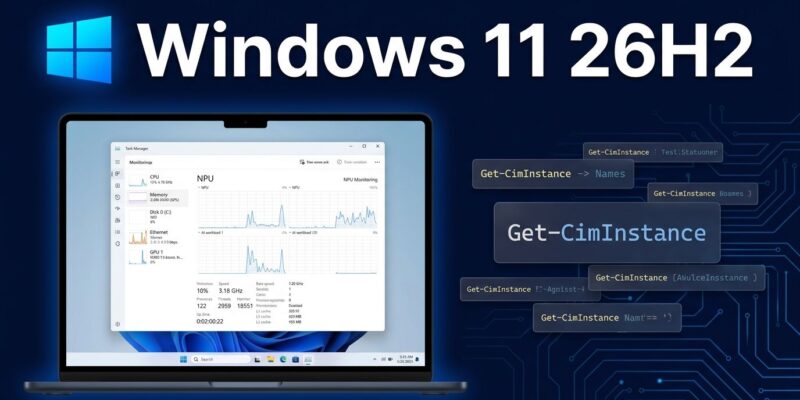
The WMI platform is fine. COM APIs, .NET, and PowerShell CIM cmdlets all continue to work. The migration path is straightforward, if tedious: wmic os get caption becomes Get-CimInstance Win32_OperatingSystem | Select-Object Caption. Most wmic calls have a direct PowerShell equivalent. The pain is finding every place the call is buried across six years of scripts.
Run where wmic or Get-Command wmic on your development machines today. Then search your CI/CD configuration files, scheduled task XML exports, and onboarding scripts. Do this before 26H2 reaches your fleet, not after. Microsoft’s full 26H2 change log for IT pros documents the removal and points to PowerShell migration paths.
Experimental Agentic Features: The Agent OS Preview
Microsoft added a new toggle in Settings → System → AI Components → Experimental agentic features. It is off by default and administrator-only to enable. When active, AI applications run in isolated “agent workspace” accounts — separate Windows identities that can click, type, scroll, and open apps in parallel with the user session.
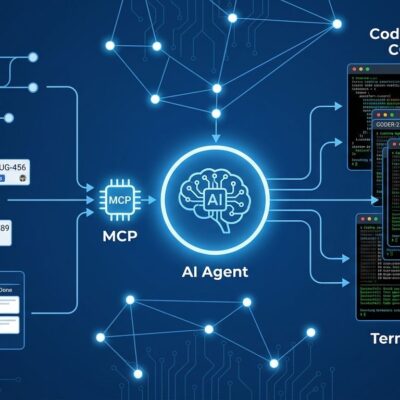
Agents receive access to six known folders: Documents, Downloads, Desktop, Music, Pictures, and Videos. Not the full filesystem — that is a deliberate scope limitation. Developers register custom agents via the Windows.UI.Shell.Tasks API, causing them to appear alongside Copilot in search. Agent Connectors are MCP servers that bridge registered agents with Windows apps and system tools. Users invoke registered agents with the “@” prefix in the Ask Copilot search bar.
The security picture is complicated. Microsoft’s official guidance explicitly warns about cross-prompt injection attacks: malicious content embedded in UI elements or documents can override agent instructions, leading to data exfiltration or unintended application actions. This is not hypothetical — it is the same class of attack that has hit browser agents and IDE agents repeatedly this year.
Enable this on development machines to understand what the platform offers. Do not enable it on production systems yet. The isolation model is promising, but the threat surface needs more time before it belongs in enterprise deployments.
Task Manager: Your NPU Is No Longer a Black Box
If you are building or running on-device AI workloads — Copilot+ PCs, Snapdragon X2, Ryzen AI Halo — Task Manager now shows whether your model actually lands on the NPU or falls back to CPU. The new columns are optional: right-click any column header in the Processes, Users, or Details tabs and enable NPU, NPU Engine, NPU Dedicated Memory, and NPU Shared Memory.
GPU neural engines also appear on the Performance tab. An Isolation column shows which processes run inside AppContainers — relevant if you are deploying agent code with sandboxing expectations. Microsoft’s Task Manager AI workload visibility announcement covers the full column list and recommends WPR’s Neural Processing profile combined with WPA for deeper call-stack analysis.
RSAT on Arm64: Enterprise Devs Can Stop Emulating
Remote Server Administration Tools are now natively available on Arm64 Windows 11. If you manage Windows Server from a Snapdragon X2 or X Elite laptop, there is no longer a need for x64 emulation. Install via Settings → System → Optional Features → Add a Feature and search for “RSAT.” Active Directory Domain Services and LDS Tools, DNS Server Tools, and three additional core components install as native Arm64 binaries.
According to Microsoft’s RSAT on Arm announcement, this was technically available as a preview since Windows 11 25H2 in February 2026. With 26H2, it becomes the standard expected configuration. If your Arm fleet skipped 25H2 or the February preview update, this is the moment to address it.
Post-Quantum Cryptography: Start the Roadmap Now
Windows 11 26H2 adds API support for ML-KEM (FIPS 203) and ML-DSA (FIPS 204) — the NIST-standardized post-quantum algorithms — accessible through CNG and .NET. ML-KEM handles key exchange and TLS; ML-DSA handles digital signatures. Most developers do not need to migrate today. If you maintain long-lived security infrastructure, signed release pipelines, or mTLS configurations with multi-year lifespans, map your cryptographic primitives against these APIs now. The migration window for quantum-vulnerable systems is not unlimited.
How to Get 26H2 — and One Thing to Watch
Go to Settings → Windows Update → Check for Updates. 26H2 is a gradual rollout and may not appear immediately on all eligible devices. Installation requires a single restart. If your device does not surface the update, it will arrive through the standard managed rollout.
One confirmed issue: Microsoft acknowledged that some applications and games using Windows’ built-in AC-3 (Dolby Digital) audio decoder may crash after the update, particularly when adjusting volume or changing audio settings. A fix is in progress. If your development machines run audio software or you test games, consider waiting for the next monthly update before upgrading those specific machines.
What to Do This Week
- Audit WMIC usage before 26H2 reaches your fleet. Search scripts, scheduled tasks, and CI configurations for
wmic. Migrate each call to the PowerShellGet-CimInstanceequivalent. - Enable NPU columns in Task Manager on any development machine with a Copilot+ PC, Snapdragon X2, or Ryzen AI NPU. Confirm your AI workloads are landing on the intended silicon before you benchmark them.
- Test the Experimental Agentic Features toggle on an isolated development machine if you are building Windows agents. Read Microsoft’s security guidance on cross-prompt injection risks before enabling.