 By
By VS Code 1.129 ships with a structural change buried in the release notes: AI agent sessions no longer live inside your editor process. They now run in a dedicated background process called the Agent Host — and for the first time, the same session can attach to multiple VS Code windows simultaneously. The ! terminal shortcut and a long-overdue Modern UI preview round out a release that quietly reshapes how developers work with AI in the editor.
Agent Sessions Are Now Independent Processes
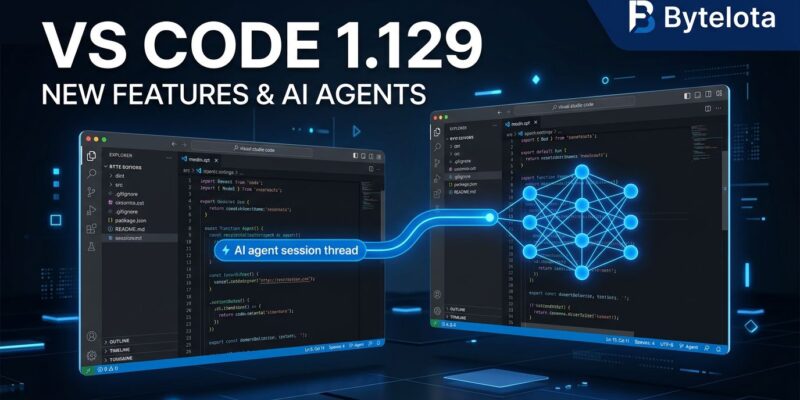
The headlining change in 1.129 is the Agent Host Protocol (AHP) — a dedicated background process that runs Copilot, Claude, and Codex agent harnesses independently of the editor UI. Two things change immediately.
First, an agent crash no longer takes down your editor. The session and the editor are separate processes. Second — and this is the part worth paying attention to — you can open the same agent session from multiple VS Code windows at once. Open a reference window alongside your coding window. Both see the same conversation, the same diffs, the same context. No duplicate sessions.
Enable it with chat.agentHost.enabled. Enterprise teams can deploy this setting fleet-wide via organization policy.
The deeper shift is architectural. Until 1.129, an agent session was anchored to the window it launched in. That is no longer true. Agent sessions are becoming first-class processes — not features embedded in an editor window.
Agents Can Now Coordinate Across Sessions
Agents running on the host get access to cross-session management tools. An agent can enumerate your other sessions — seeing their status, workspace, and pending changes — read their conversation history, and create new sessions to hand off sub-tasks. Working on a feature branch? The main agent can spawn a dedicated session for writing tests, pass it context, and coordinate work without flooding a single thread.
Microsoft added guardrails: agents need your confirmation before messaging another session, cannot message their own chat, and face burst-send caps to prevent runaway session proliferation. This is early infrastructure for multi-agent orchestration, and VS Code is clearly positioning itself as the management layer.
Three Practical Wins in This Release
The ! Shortcut
Prefix any chat message with ! and it executes as a terminal command in agent host sessions. !npm install, !git status, !python -m pytest — all from the chat panel. This is a small change with immediate day-to-day impact: one less context switch between terminal and chat.
Docked Diff Panel
Enable sessions.layout.singlePaneDetailPanel (requires a window reload) and agent-generated diffs dock directly beside your chat conversation in a shared tab bar. Toggle between inline and side-by-side diff views, collapse all file changes at once, and have session state persist through reloads. Reviewing what an agent changed used to mean hunting for floating panels — now it sits right next to the conversation.
BYOK Models in the Agents Window
Bring Your Own Key models are now supported in the Agents window when using the Copilot harness on agent host. If your team has custom API agreements or wants to route traffic through a specific model provider, this is now available without leaving the agents workflow.
Modern UI: The Visual Refresh VS Code Needed
VS Code’s visual design has not had a meaningful refresh in years. The 1.129 Modern UI preview changes that.
Enable workbench.experimental.modernUI in settings (search “modern”) and the workbench gets a card-based redesign: sidebars appear as floating surfaces with rounded corners and visible gaps, menus become floating panels instead of flat dropdowns, and editor groups sit inside clearly framed containers. The overall effect moves VS Code away from the flat dark-slab aesthetic and toward the layered, distinct-surface look common in modern design tools.
It is enabled by default in the Insiders build, where Microsoft is collecting feedback. For stable users, it is opt-in. Expect it to graduate to default by 1.130 or 1.131.
Settings to Enable Now
# Enable Agent Host (org-managed setting)
chat.agentHost.enabled

# Docked editor panel for agent diffs (reload required)
sessions.layout.singlePaneDetailPanel

# Modern UI preview
workbench.experimental.modernUI

# Migrate .prompt.md files to cross-harness skills
chat.customizations.promptMigration.enabled
One migration note: prompt files (*.prompt.md) only work with the Local harness. Enable chat.customizations.promptMigration.enabled to convert them to skills — the format that works across Copilot, Claude, and Codex. If you use custom slash commands, run this migration before switching harnesses.
What to Watch Next
The Agent Host Protocol spec is public — watch for third-party tooling building on AHP. The Modern UI and agent editor panel are experimental now but should reach GA within the next release cycle. And if you are waiting on TypeScript 7 for Vue or Svelte projects, TypeScript 7.1 (~October 2026) will unblock the programmatic API that the broader ecosystem depends on.
VS Code 1.129 is available now on stable. See the full release notes for the complete changelog. Use Help → Check for Updates to force the rollout if you have not received it yet.