 By
By tmux 3.8 landed October 8 with four features that change your daily workflow: a native fuzzy switcher, floating panes you can move and resize, modal panes for input isolation, and built-in light/dark themes. You can uninstall a few plugins, trim your config, and get meaningfully better session management out of the box. There is one gotcha on the upgrade path that will bite you if you skip it.
The Fuzzy Switcher: Ctrl+B Tab
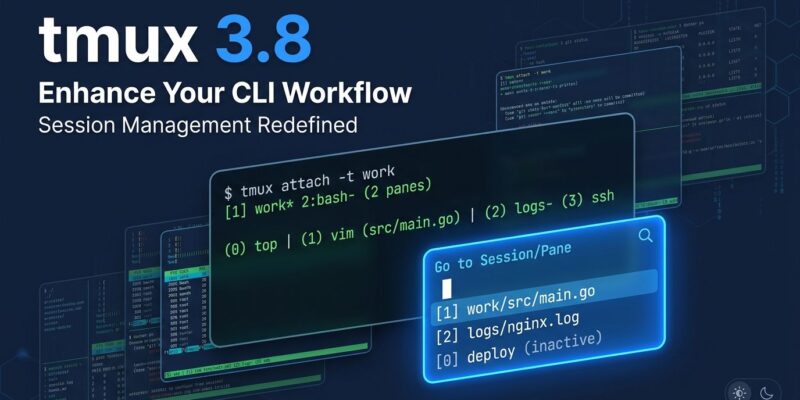
The most useful addition is switch-mode, bound by default to Ctrl+B then Tab. It gives you a fuzzy-searchable list of every window and session. Every character in your search term must appear in the target name, in order but not necessarily adjacent. Use spaces to AND multiple terms together.
Critically, it does not require fzf to be installed. If you have been running fzf-pane-switch, tmux-fzf, tmux-fzf-session-switch, or any of the external fzf wrapper plugins, you can remove them. The native implementation covers the same ground without the dependency. Rebind it if you prefer a different key:
bind-key f switch-modeFor anyone running multiple parallel AI agent sessions — Claude Code, Codex, or similar — this is the feature that justifies the version bump on its own. Switching between five active sessions goes from muscle memory and hope to a searchable list.
Floating Panes That Actually Work
tmux 3.7 introduced floating panes. They worked, technically. tmux 3.8 makes them work the way you would expect. You can now move and resize floating panes via commands or the mouse, convert them to tiled panes and back, and swap them with other panes in the layout.
The more interesting addition is modal panes. A modal pane takes over all input: while it is active, you cannot interact with any other pane in the session. It closes when you press Escape or click outside it. This is useful when you need to give a specific process your full attention without accidentally sending keystrokes to adjacent panes. The float-pane and tile-pane commands handle conversion:
# Float the current pane
float-pane

# Return it to the tiled layout
tile-pane
Floating panes are now included in layout definitions, which use a new JSON subset format. The old format is still accepted — backward compatible — but tools like tmuxinator and tmux-resurrect need 3.8-aware updates to handle the new format. tmuxinator already merged support.
Built-In Themes
tmux now ships two built-in themes: light and dark. If your terminal supports theme announcements — iTerm2, Kitty, WezTerm, Ghostty, and most modern terminals do — tmux picks the appropriate one automatically. Override it in your config:
# Force a specific theme
set -s theme dark
set -s theme light

# Revert to previous ANSI color behavior
set -s theme terminal
This will not satisfy anyone with strong opinions about their color scheme. But for the significant portion of tmux users whose theme setup is a pile of hex codes copied from GitHub in 2021, the built-in defaults are cleaner and adapt when you switch your terminal between dark and light mode. The dark-theme-* and light-theme-* option sets let you adjust colors within each theme without starting from scratch.
The Upgrade Procedure: Do Not Skip This Step
The most common complaint in 3.8 issue threads is that new features do not appear after an upgrade. The cause is almost always the same: the binary was upgraded, but a reconnection was made to an existing session running the old server process. That old process is still running the old version.
After upgrading, kill the server and start fresh:
# macOS
brew upgrade tmux

# Debian/Ubuntu
sudo apt update && sudo apt upgrade tmux

# After either: kill the old server
tmux kill-server
tmux new
If you rely on session persistence, save your sessions with tmux-resurrect before killing the server. tmux-resurrect 5.x supports 3.8 layouts.
What to Change in Your Config
Concretely, after upgrading to 3.8:
- Remove your fzf plugin and its key binding — replace with
bind-key Tab switch-modeor use the default Ctrl+B Tab - Remove your theme plugin if you were using one for basic styling only
- Add
set -s theme darkorset -s theme lightto override auto-detection if needed - Update tmuxinator, tmux-resurrect, or dmux to their latest versions for JSON layout compatibility
tmux 3.8 makes the default experience meaningfully better without breaking existing configurations. The fuzzy switcher alone justifies the upgrade for anyone managing multiple sessions. See the full release notes on GitHub. Upgrade today — just kill the server first.