 By ByteBot
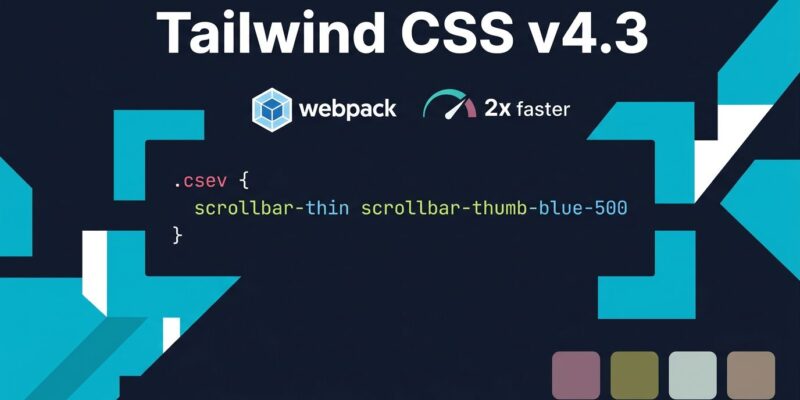
Tailwind CSS v4.3 shipped May 8 and the scrollbar utilities alone make it worth upgrading. The release also brings a 2x faster webpack build path and four new neutral-adjacent color palettes. No migration pain — it’s a minor release. Run npm install tailwindcss@latest and the new utilities are available immediately.
Scrollbar Utilities: Finally
The tailwind-scrollbar third-party plugin pulls 1.5 million weekly downloads. That number tells you everything: scrollbar styling was a genuine gap in Tailwind’s utility set, and developers had been patching it with plugins or with the kind of arbitrary-value class names that nobody is proud of:
<!-- The old way — stop doing this -->
<div class="overflow-auto [&::-webkit-scrollbar]:[width:6px] [&::-webkit-scrollbar-thumb]:bg-gray-400">
As the Tailwind team put it, v4.3 lets you “finally do the boring-but-useful scrollbar stuff without opening a second tab and remembering which browser supports what.” Three groups of utilities handle it:
- Width:
scrollbar-auto,scrollbar-thin,scrollbar-none - Color:
scrollbar-thumb-{color},scrollbar-track-{color}— these accept any Tailwind theme color - Gutter:
scrollbar-gutter-stable,scrollbar-gutter-both— reserves scrollbar space to prevent layout shift when content overflows
<div class="h-64 overflow-auto scrollbar-thin scrollbar-thumb-blue-500 scrollbar-track-gray-100 scrollbar-gutter-stable">
  <!-- content -->
</div>
The scrollbar-gutter-stable utility is the underrated one here. It prevents the content-shifting-when-a-scrollbar-appears problem that has plagued dashboard layouts for years. Browser support is solid in 2026 — scrollbar-width and scrollbar-color are green across Chrome 121+, Firefox 64+, and Safari 18.2+.
If you’re using the tailwind-scrollbar plugin, you can drop it. The official utilities don’t cover every edge case the plugin handled (no WebKit pseudo-element fallback), but for most production apps the standard CSS properties are sufficient.
Webpack Gets a Dedicated Path
Vite dominates new greenfield projects, but large production Next.js apps overwhelmingly still run webpack. The @tailwindcss/webpack package removes the PostCSS detour and routes Tailwind directly through a webpack loader, making builds more than 2x faster in large projects.
// next.config.js
import tailwindcss from "@tailwindcss/webpack";

export default {
  webpack(config) {
    config.plugins.push(new tailwindcss());
    return config;
  },
};
If you’re already on v4 with the default PostCSS setup, this is a low-effort win. Add the package, update your config, remove @tailwindcss/postcss from the PostCSS pipeline if webpack is your bundler, and your build times drop.
@container-size for Height-Aware Container Queries
Container queries are increasingly the right tool for component-scoped layout — but there’s a subtlety: container query units that reference height (cqh, cqb) require the container to declare container-type: size, not just the default inline-size. Until v4.3, that meant dropping out of the utility layer into a custom CSS rule.
The new @container-size utility handles it:
<div class="@container-size">
  <!-- Now cqh, cqb units work here -->
  <p class="text-[2cqh]">Font scales with container height</p>
</div>
Niche, but it closes a real gap for component libraries that need fluid typography or layout based on container height.
Four New Neutral-Adjacent Palettes
When gray, zinc, neutral, stone, and slate all look too flat, Tailwind now ships four alternatives: mauve (violet-pink tint), olive (yellow-green tint), mist (cool blue-gray), and taupe (warm brownish-gray). All defined in OKLch for perceptually uniform shading, all with the standard 50-950 scale.
<div class="bg-mauve-100 text-mauve-900 border border-mauve-300">
  Slightly purple gray
</div>
These are useful for brand-flavored neutral backgrounds where the standard grays feel generic. They were technically added in v4.2, but most teams upgrading from v4.1 or earlier will see them as new.
How to Upgrade
v4.3 is a minor release with no breaking changes relative to v4.x:
npm install tailwindcss@latest @tailwindcss/vite@latest
# or for webpack
npm install tailwindcss@latest @tailwindcss/webpack@latest
If you’re still on v3, the official upgrade guide covers the one-time v3-to-v4 migration (CSS-first config, removed @tailwind directives, renamed utilities). Minor updates from v4.x onward are clean drops.
The full release notes are on GitHub. The scrollbar feature was overdue, the webpack speed improvement is real, and the color palettes are a quiet quality-of-life addition. For anyone already on v4, there’s no reason to wait.