 By
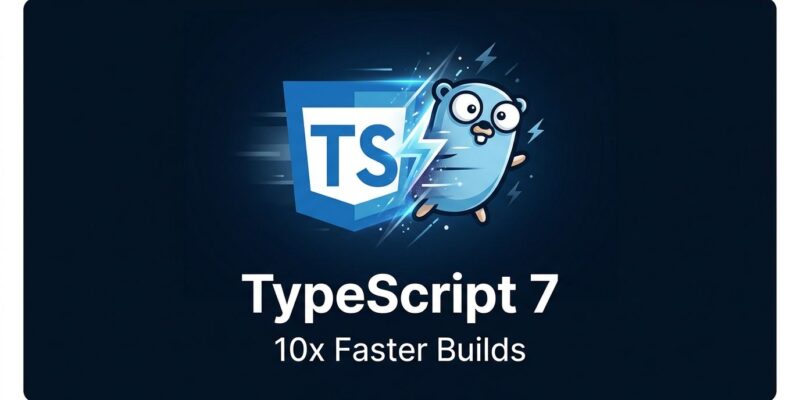
By Slack’s CI type-check job ran for 7.5 minutes. After upgrading to TypeScript 7.0, it now takes 1.25 minutes. VS Code’s own codebase — 125 seconds to build under TypeScript 6 — finishes in 10.6 seconds today. TypeScript 7.0 shipped on July 8, and it is not a feature release. It is a compiler swap: the 200,000-line JavaScript engine that has run your tsc commands since 2012 is gone. A native Go binary took its place.
Most of the coverage stopped at “10x faster.” That framing is accurate and also incomplete. There is a meaningful gap between what TypeScript 7.0 shipped and what you actually need to migrate your full toolchain. If you use typescript-eslint, Vue, Svelte, or Astro — and you just run npm update typescript — something is going to break.
The Performance Numbers Are Real
The Go compiler delivers 8–12x faster full builds across real, production-scale codebases. Here is what Microsoft measured:
| Codebase | TypeScript 6 | TypeScript 7 | Speedup |
|---|---|---|---|
| VS Code | 125.7s | 10.6s | 11.9x |
| Sentry | 139.8s | 15.7s | 8.9x |
| Bluesky | 24.3s | 2.8s | 8.7x |
| Playwright | 12.8s | 1.47s | 8.7x |
| Tldraw | 11.2s | 1.46s | 7.7x |
Editor responsiveness follows the same pattern. Opening a file with type errors in VS Code drops from 17.5 seconds to 1.3 seconds. Memory consumption falls roughly 18%. The source of the gains is not algorithmic — the type-checking logic is a faithful, file-by-file port from JavaScript into Go. The speed comes from native binary execution and shared-memory parallelism via goroutines, which V8 cannot provide.
TypeScript 7 exposes the parallelism through three new flags: --checkers N (default: 4) controls parallel type-checker workers, --builders N (default: 16) handles project-reference builds, and --singleThreaded disables both for memory-constrained environments. Tune --checkers and --builders to match your CI runner’s core count.
The Gap: What TypeScript 7.0 Does Not Include
TypeScript 7.0 ships without a stable programmatic API. This is the part the “10x” headlines skip. The stable API is what allows tools to consume TypeScript as a library — not just call tsc as a command. Without it, the following cannot fully migrate:
- typescript-eslint (type-aware linting rules)
- Vue, Svelte, and Astro template type-checking
- ts-morph and custom AST transformers
- Custom webpack loaders
- Angular tooling
The stable API arrives in TypeScript 7.1, which is several months out. Until then, Microsoft’s recommended approach is a dual-version setup:
# TypeScript 7 for tsc and editor speed
npm install -D typescript

# TypeScript 6 alias for linting and framework tooling
npm install -D typescript@npm:@typescript/typescript6
The @typescript/typescript6 package provides a tsc6 binary and re-exports the 6.0 API through npm aliases. Your linter keeps working. Your CI gets the speed. When 7.1 ships, you drop the alias.
Five tsconfig Defaults That Will Break Your Build
TypeScript 7.0 hardens the defaults that TypeScript 6 introduced as warnings. These five will catch teams who do a blind upgrade:
typesnow defaults to[](empty). Previously, all@types/*packages were auto-included. Now you must explicitly list@types/node,@types/jest, and anything else you rely on.rootDirdefaults to./instead of being inferred. If your source lives insrc/, add"rootDir": "./src".moduleResolutionno longer acceptsnodeornode10. Migrate tonodenextorbundler.baseUrlis removed entirely. Replace path aliases withpathsusing relative roots.targetminimum is nowes2015. ES5 output and AMD/UMD module formats are gone.
Run this before you upgrade: npx tsc --stableTypeOrdering against your TypeScript 6 install. It validates 7.0 compatibility and surfaces problems before your CI does.
What You Can Actually Stop Doing
skipLibCheck: true lives in roughly half of all TypeScript configurations. It was always a performance hack, not a real solution. At TypeScript 7 build speeds, it is optional for most teams. Take it out and fix the errors it was hiding.
Overly granular project references — the pattern where codebases get split into dozens of sub-projects purely to unlock parallel builds — is another casualty. TypeScript 7’s native --checkers and --builders flags distribute work across cores automatically. The workaround is no longer worth its maintenance cost.
Full-codebase type-checking in editors also becomes practical. Large projects previously had to enable skipLibCheck or disable certain editor features to stay responsive. With file-open latency at 1.3 seconds instead of 17.5, that trade-off disappears.
How to Upgrade
Installation has not changed:
npm install -D typescriptThat is TypeScript 7. For teams using typescript-eslint, Vue, Svelte, or Astro: add the compatibility alias, configure your linter to use tsc6, and keep your build pipeline on the fast path. Monitor the microsoft/typescript-go repository for 7.1 progress, then drop the alias.
For VS Code: install the @typescript/native-preview extension for the native language service now. VS Code respects the project-local typescript version, so installing TypeScript 7 locally is sufficient for most setups. Visual Studio 2026 18.6 Insiders already ships it as the default.
The headline number is 10x. The real story is simpler: the compiler you have been working around for a decade just got fast enough that you can stop working around it.