 By ByteBot
Developers are still replacing systemd in 2026, and a Hacker News thread documenting the practice hit the front page this weekend. That is worth sitting with for a moment. systemd has been the default init system on virtually every major Linux distribution for over a decade. It won. Fedora, Debian, Ubuntu, Arch, RHEL — they all ship systemd by default. So why does OpenRC keep showing up? The answer is less about flamewars and more about what the container revolution quietly revealed.
15,000 Lines vs 1.3 Million Lines
OpenRC‘s codebase spans approximately 15,000 lines. systemd’s spans roughly 1.3 million lines of C. That is not a philosophical talking point — it is a measurable difference in attack surface, audit burden, and maintenance complexity for the process running as PID 1 with full system privileges from the moment the kernel hands off control.
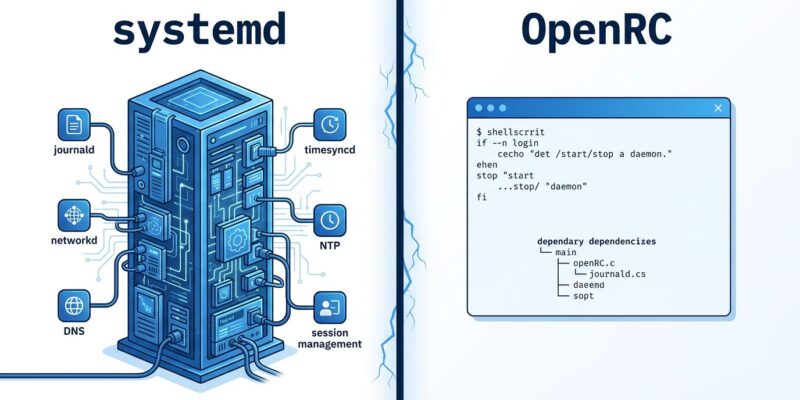
systemd did not start this large. However, it grew. Over the years it absorbed logging (journald), network management (systemd-networkd), DNS resolution (systemd-resolved), NTP synchronization (systemd-timesyncd), user session management (systemd-logind), encrypted home directories (systemd-homed), device events (systemd-udevd), and cron scheduling (systemd-timers). Lennart Poettering’s defense — that systemd is “separate binaries in a single project” and not truly monolithic — is technically accurate but operationally beside the point. In fact, when your init system’s scope covers logging, networking, DNS, and session management, you have a platform, not an init system. OpenRC, by contrast, does one thing: manages service dependencies and starts processes in the right order.
The Container Ecosystem Already Voted
Here is the part that does not get enough attention: approximately 20% of all Docker containers use Alpine Linux as their base image. Alpine Linux runs OpenRC by deliberate design choice. That is not nostalgia — that is 20% of production container workloads choosing an init system philosophy because it fits the environment.
The resource math is straightforward. systemd post-boot consumes around 30MB of RAM — split across journald (~8MB), logind (~4MB), udevd (~6MB), and the main process (~12MB). OpenRC post-boot, by contrast, runs at roughly 10MB total. In a world where you are orchestrating thousands of containers and every megabyte contributes to density and cost, that difference compounds. Consequently, Alpine’s 5MB base image paired with OpenRC’s 10MB footprint is the right answer for containers. The ecosystem discovered this empirically, not ideologically. Furthermore, systemd was never designed for containers, which is why running it inside one requires awkward workarounds.
The Complaints That Actually Hold Up
Not all systemd criticism is legitimate. “It does too much” is sometimes code for “I do not want to learn new tools.” However, two technical complaints genuinely hold up against scrutiny.
First, binary logs. journald stores logs in a binary format, which means you cannot use cat, grep, or tail to read them directly. You need journalctl. Moreover, if journald crashes or the binary log becomes corrupted, those logs are gone. This has happened in production. In contrast, traditional text-based syslog has no equivalent failure mode — a corrupted text file is still partially readable, and standard POSIX tooling works on it immediately.
Second, dependency lock-in. APT’s dependency resolution on Debian will automatically reinstall systemd packages unless you explicitly pin them to priority -1. Additionally, GNOME has hardcoded systemd-logind dependencies. A growing number of packages skip writing traditional init scripts entirely because they assume systemd is present. You do not have to hate systemd to recognize that forced ecosystem adoption through dependency coupling is a legitimate architectural concern.
What OpenRC Actually Looks Like
OpenRC’s command surface is small and explicit. For example, here is a direct comparison:
# OpenRC: start, enable, check status
rc-service nginx start
rc-update add nginx default
rc-status

# systemd: equivalent commands
systemctl start nginx
systemctl enable nginx
systemctl list-units --type=service
The bigger difference, however, is in service files. OpenRC’s init scripts in /etc/init.d/ are plain POSIX shell scripts. When something breaks, you run bash -x /etc/init.d/nginx start and watch every line execute. You can read the script with cat, modify it with any text editor, and debug it without specialized tooling. As a result, for operators who need to diagnose boot issues under pressure, that transparency has real value — especially on minimal servers where you may not have a full systemd debug toolkit available.
Where This Leaves You in 2026
systemd won the mainstream Linux war. That is not changing. If you are running a GNOME desktop, a large enterprise deployment, or any environment heavily integrated with systemd tooling, staying on systemd is the pragmatic choice. The ecosystem support is real and the boot performance advantage — 18 seconds vs 22 seconds in comparable benchmarks — is meaningful.
However, the developers replacing systemd with OpenRC in 2026 are not wrong about their use cases. They are running minimal servers, embedded systems, or container base images where the tradeoffs point clearly toward OpenRC. The container ecosystem already proved this at scale without meaning to. Therefore, the init system debate will not die because it is not really about init systems — it is about whether platform consolidation is the right model for infrastructure software. That question does not have one answer across all deployment contexts.
- systemd’s codebase is 87x larger than OpenRC’s — a relevant security and audit consideration for PID 1
- OpenRC uses ~10MB RAM post-boot vs systemd’s ~30MB — this matters in containers and embedded systems
- ~20% of Docker containers build on Alpine Linux (OpenRC) — the container ecosystem’s implicit production vote
- Binary logs and ecosystem lock-in are the two systemd complaints with genuine technical merit
- The right choice depends on context: OpenRC for containers and minimal/embedded, systemd for desktop and enterprise